This pull request broadly rewrites how we handle all media resources in
the Terminal settings model.
## What is a media resource?
A media resource is any JSON property that refers to a file on disk,
including:
- `icon` on profile
- `backgroundImage` on profile (appearance)
- `pixelShaderPath` and `pixelShaderImagePath` on profile (appearance)
- `icon` on command and the new tab menu entries
The last two bullet points were newly discovered during the course of
this work.
## Description of Changes
In every place the settings model used to store a string for a media
path, it now stores an `IMediaResource`.
A media resource must be _resolved_ before it's used. When resolved, it
can report whether it is `Ok` (found, valid) and what the final
normalized path was.
This allows the settings model to apply some new behaviors.
One of those new behaviors is resolving media paths _relative to the
JSON file that referred to them._ This means fragments and user settings
can now contain _local_ images, pixel shaders and more and refer to them
by filename.
Relative path support requires us to track the path from which every
media resource "container" was read[^2]. For "big" objects like Profile,
we track it directly in the object and for each layer. This means that
fragments **updating** a profile pass their relative base path into the
mix. For some of the entries such as those in `newTabMenu`, we just wing
it (#19191). For everything that is recursively owned by a parent that
has a path (say each Command inside an ActionMap), we pass it in from
the parent during media resolution.
During resolution, we now track _exactly which layer_ an icon,
background image, or pixel shader path came from and read the "base
path" from only that layer. The base path is not inherited.
Another new behavior is in the handling of web and other URLs.
Canonical and a few other WSL distributors had to resort to web URLs for
icons because we did not support loading them from the package. Julia
tried to use `ms-appx://JuliaPackageNameHere/path/to/icon` for the same
reason. Neither was intended, and of the two the second _should_ have
worked but never could[^1].
For both `http(s?)` URLs and `ms-appx://` URLs which specify a package
name, we now strip everything except the filename. As an example...
If my fragment specifies `https://example.net/assets/foo.ico`, and my
fragment was loaded from `C:\Fragments`, Terminal will look *only* at
`C:\Fragments\foo.ico`.
This works today for Julia (they put their icon in the fragment folder
hoping that one day we would support this.) It will require some work
from existing WSL distributors.
I'm told that this is similar to how XML schema documents work.
Now, icons are special. They support _Emoji_ and _Segoe Icons_. This PR
adds an early pass to avoid resolving anything that looks like an
emoji.
This PR intentionally expands the heuristic definition of an emoji. It
used to only cover 1-2 code unit emoji, which prevented the use of any
emoji more complicated than "man in business suite levitating."
An icon path will now be considered an emoji or symbol icon if it is
composed of a single grapheme cluster (as measured by ICU.)
This is not perfect, as it errs on the side of allowing too many
things... but each of those things is technically a single grapheme
cluster and is a perfectly legal FontIcon ;)
Profile icons are _even more special_ than icons. They have an
additional fallback behavior which we had to preserve. When a profile
icon fails validation, or is expressly set to `null`, we fall back to
the EXE specified in the command line.
Because we do this fallback during resolution, _and the icon may be
inherited by any higher profile,_ we can only resolve it against the
commandline at the same level as the failed or nulled icon.
Therefore, if you specify `icon: null` in your `defaults` profile, it
will only ever resolve to `cmd.exe` for any profile that inherits it
(unless you change `defaults.commandline`).
This change expands support for the magic keywords `desktopWallpaper`
and `none` to all media paths (yes, even `pixelShaderPath`... but also,
`pixelShaderImagePath`!) It also expands support for _environment
variables_ to all of those places. Yes, we had like forty different
handlers for different types of string path. They are now uniform.
## Resource Validation
Media resources which are not found are "rejected". If a rejected
resource lives in _user_ settings, we will generate a warning and
display it.
In the future, we could detect this in the Settings UI and display a
warning inline.
## Surprises
I learned that `Windows.Foundation.Uri` parses file paths into `file://`
URIs, but does not offer you a way to get the original file path back
out. If you pass `C:\hello world`, _`Uri.Path`_ will return
`/C:/hello%20world`. I kid you not.
As a workaround, we bail out of URL handling if the `:` is too close to
the start (indicating an absolute file path).
## Testing
I added a narow test hook in the media resource resolver, which is
removed completely by link-time code generation. It is a real joy.
The test cases are all new and hopefully comprehensive.
Closes#19075Closes#16295Closes#10359 (except it doesn't support fonts)
Supersedes #16949 somewhat (`WT_SETTINGS_DIR`)
Refs #18679
Refs #19215 (future work)
Refs #19201 (future work)
Refs #19191 (future work)
[^1]: Handling a `ms-appx` path requires us to _add their package to our
dependency graph_ for the entire duration during which the resource will
be used. For us, that could be any time (like opening the command
palette for the first time!)
[^2]: We don't bother tracking where the defaults came from, because we
control everything about them.
## Summary of the Pull Request
This PR introduces an experimental setting that allows to toggle opacity
changes with scrolling.

## References and Relevant Issues
#3793

## Detailed Description of the Pull Request / Additional comments
By default, holding Ctrl + Shift while scrolling changes the terminal's
opacity. This PR adds an option to disable that behavior.

## Validation Steps Performed
I built the project locally and verified that the new feature works as
intended.

## PR Checklist
- [x] Resolves
https://github.com/microsoft/terminal/issues/3793#issuecomment-3085684640
- [x] Tests ~~added/~~ passed
- [x] Documentation updated
- If checked, please file a pull request on [our docs
repo](https://github.com/MicrosoftDocs/terminal) and link it here:
https://github.com/MicrosoftDocs/terminal/pull/873
- [X] Schema updated (if necessary)
This PR adds a new global setting `scrollToZoom` that allows users to
enable font zooming with scrolling. When disabled, **this setting
prevents accidental font size changes** that can occur when users scroll
while holding the Ctrl key.
Note: after disabling this setting, users may still change font size
using `Ctrl+` and `Ctrl-` keyboard shortcuts. Other Ctrl+Scroll
functionality (like transparency adjustments) remains unaffected.
## Validation Steps Performed
- Verified the setting can be toggled in the Settings UI (Interaction
tab)
- Confirmed that when disabled, holding Ctrl and scrolling no longer
changes font size
- Validated that the setting persists across terminal restarts
---
Note: I used the existing `FocusFollowMouse` setting as a reference for
implementing this.
Closes#11710Closes#3793Closes#11906Closes#3990
- Various spelling fixes
- Refresh metadata (including dictionaries)
- Upgrade to v0.0.25

## Validation Steps Performed

- check-spelling has been automatically testing this repository for a
while now on a daily basis to ensure that it works fairly reliably:
https://github.com/check-spelling-sandbox/autotest-check-spelling/actions/workflows/microsoft-terminal-spelling2.yml

Specific in-code fixes:
- winget
- whereas
- tl;dr
- set up
- otherwise,
- more,
- macbook
- its
- invalid
- in order to
- if
- if the
- for this tab,...
- fall back
- course,
- cch
- aspect
- archaeologists
- an
- all at once
- a
- `...`
- ; otherwise,

Signed-off-by: Josh Soref <2119212+jsoref@users.noreply.github.com>
This pull request introduces a new profile setting,
`compatibility.allowOSC52`, which defaults to `true`. When disabled, it
will not allow applications to write to the clipboard.

Security-minded folks may choose to disable it.
`pathTranslationStyle` has four options:

- `none`: Do no translation
- `wsl`: Translate `C:\` to `/mnt/c` and `\\wsl$\Foo\bar` to `/bar`
- `cygwin`: Translate `C:\` to `/cygdrive/c`
- `msys2`: Translate `C:\` to `/c`

It is intended as a broadly-supported replacement for us checking the
source every time the user drops a path.

We no longer need to push the source name all the way down to the
control.

I am hesitant to commit to using other folks' product names in our
settings model,
however, these are almost certainly more recognizable than whatever
other weird
names we could come up with.

The Git Bash fragment extension profile could conceivably use
`pathTranslationStyle`
`msys2` to make sure drag/dropped paths look right.
## Summary of the Pull Request
Adds a global Compatibility page to the settings UI. This page exposes
several existing settings and introduces a few new settings:
- compatibility.allowHeadless
- compatibility.isolatedMode
- compatibility.textMeasurement
- debugFeatures
This also adds a Terminal subpage for profiles in the settings UI. This
page includes:
- suppressApplicationTitle
- compatibility.input.forceVT
- compatibility.allowDECRQCRA
- answerbackMessage
Several smaller changes were accomplished as a part of this PR:
- `experimental.input.forceVT` was renamed to
`compatibility.input.forceVT`
- introduced the `compatibility.allowDECRQCRA` setting
- updated the schema for these new settings and
`compatibility.allowHeadless` (which was missing)
- add `Feature_DebugModeUI` feature flag to control if debug features
should be shown in the SUI
Verified accessible via Accessibility Insights
A part of #10000Closes#16672
This adds a "defaultInputScope" setting, hooks it up to our TSF,
and exposes it as a setting in the UI under the startup page.
In order to stay close with the other language setting, I moved that
one from the appearance to the startup page as well.
20 out of the 26 files in this PR are boilerplate unfortunately.
Closes#17816
## Validation Steps Performed
* Install and use the Chinese IME
* Launch WT
* Chinese input ✅
* Change setting to `alphanumericHalfWidth`
* Restart WT
* English input ✅
The answerback feature allows for the user to define a message that the
terminal will transmit to the host whenever an `ENQ` (enquiry) control
character is received.
## Detailed Description of the Pull Request / Additional comments
In Windows Terminal, the message can be configured at the profile level
of the settings file, as a string property named `AnswerbackMessage`.
In ConHost, the message can be configured in the registry, again as a
string value with the name `AnswerbackMessage`.
## Validation Steps Performed
I've confirmed that the control is working as intended in both Windows
Terminal and ConHost using Vttest.
Closes#11946
First, this adds `GraphemeTableGen` which
* parses `ucd.nounihan.grouped.xml`
* computes the cluster break property for each codepoint
* computes the East Asian Width property for each codepoint
* compresses everything into a 4-stage trie
* computes a LUT of cluster break rules between 2 codepoints
* and serializes everything to C++ tables and helper functions

Next, this adds `GraphemeTestTableGen` which
* parses `GraphemeBreakTest.txt`
* splits each test into graphemes and break opportunities
* and serializes everything to a C++ table for use as unit tests

`CodepointWidthDetector.cpp` was rewritten from scratch to
* use an iterator struct (`GraphemeState`) to maintain state
* accumulate codepoints until a break opportunity arises
* accumulate the total width of a grapheme
* support 3 different measurement modes: Grapheme clusters,
  `wcswidth`-style, and a mode identical to the old conhost

With this in place the following changes were made:
* `ROW::WriteHelper::_replaceTextUnicode` now uses the new
  grapheme cluster text iterators
* The same function was modified to join new text with existing
  contents of the current cell if they join to form a cluster
* Otherwise, a ton of places were modified to funnel the selection
  of the measurement mode over from WT's settings to ConPTY

This is part of #1472

## Validation Steps Performed
* So many tests ✅
* https://github.com/apparebit/demicode works fantastic ✅
* UTF8-torture-test.txt works fantastic ✅
This changeset allows Windows Terminal to dump its buffer contents as
UTF-16LE VT text onto disk and restore it later. This functionality is
enabled whenever `persistedWindowLayout` is being used.
Closes#961Closes#16741
## Validation Steps Performed
* Open multiple windows with multiple tabs and restart the app
Everything's restored ✅
* Reopen a tab with output from `RenderingTests.exe`
Everything's restored ✅
* Closing tabs and windows with Ctrl+W deletes their buffer dumps ✅
* Closing tabs doesn't create buffer dumps ✅
This removes `VtApiRoutines` and the VT passthrough mode.
Why? While VT passthrough mode has a clear advantage (doesn't corrupt
VT sequences) it fails to address other pain points (performance,
out-of-sync issues after resize, etc.). Alternative options are
available which have less restrictions.
Why now? It's spring! Spring cleanup!
This implements `SetForceFullRepaintRendering` and adds a new
`SetGraphicsAPI` function. The former toggles `Present1` on and off
and the latter allows users to explicitly request Direct2D/3D.
On top of these changes I did a minor cleanup of the interface,
because now that DxRenderer is gone we don't need all that anymore.
Closes#14254Closes#16747
## Validation Steps Performed
* Toggling Direct2D on/off changes colored ligature support ✅
* Toggling Present1 on/off can be observed in a debugger ✅
* Toggling WARP on/off changes GPU metrics ✅
---------
Co-authored-by: Dustin L. Howett <duhowett@microsoft.com>
This pull request introduces support for disabling full-color emoji (and
technically other COLR-related font features!)
Full-color emoji don't respond to SGR colors, intensity, faint or blink.
Some users also just prefer the line art ones.
Related to #15979
Refs #1790Closes#956
I realize I might be one of the few developers that care about custom
shader support in terminal but I thought it's worth proposing it and see
what you think.

This is to support custom shaders with custom textures.

I was thinking of exposing the background image to the shader but that
felt complicated after looking into it.

I have tested exploratively. I think the texture loader is possible to
unit test so that is a possible improvement.

The error reporting (as with other custom pixel shader code) is not very
good. That is also an area that I could improve upon.

I do think the risk of adding this is rather low as the new code is only
executed when experimental.pixelShaderImagePath is set.

### Details

Only added to the Atlas engine.

Instead I load the texture using WIC into a shader resource view. When
binding shader resources I test for presence of custom texture and bind
it to register t1.

The image loading code was found in [the D3D Texture documentation].
It's a mouthful but seems rather robust.


Tested setting: "experimental.pixelShaderImagePath"

1. Tested not specifying it.
2. Tested setting it.
3. Tested changing it (the changes are picked up)
4. Tested invalid path
5. Tested a custom shader that made use of the custom texture.

[the D3D Texture documentation]: https://learn.microsoft.com/en-us/windows/win32/direct3d11/overviews-direct3d-11-resources-textures-how-to

Co-authored-by: Mike Griese <migrie@microsoft.com>
Co-authored-by: Leonard Hecker <lhecker@microsoft.com>
This adds support for drawing our own box drawing, block element,
and basic Powerline (U+E0Bx) glyphs in AtlasEngine.
This PR consists of 4 parts:
* AtlasEngine was refactored to simplify `_drawGlyph` because I've
wanted to do that for ~1 year now and never got a chance.
Well, now I'm doing it and you all will review it muahahaha.
The good news is that it removes a goto usage that even for my
standards was rather dangerous. Now it's gone and the risk with it.
* AtlasEngine was further refactored to properly parse out text that
we want to handle different from regular text. Previously, we only
did that for soft fonts, but now we want to do that for a lot more,
so a refactor was in order. The new code is still extremely
disgusting, because I now stuff `wchar_t`s into an array that's
intended for glyph indices, but that's the best way to make it fast
and not blow up the complexity of the code even further.
* Finally this adds a huge LUT for all the aforementioned glyphs.
The LUT has 4 "drawing instruction" entries per glyph which describe
the shape (rectangle, circle, lines, etc.) and the start/end coord.
With a lot of bit packing each entry is only 4 bytes large.
* Finally-finally a `builtinGlyphs` setting was added to the font
object and it defaults to `true`.
Closes#5897
## Validation Steps Performed
* RenderingTests with soft fonts ✅
* All the aforementioned glyphs ✅
* ...with color ✅
* `customGlyphs` setting can be toggled on and off ✅
With AtlasEngine being fairly stable at this point and being enabled
by default in the 1.19 branch, this changeset removes DxEngine.

## Validation Steps Performed
* WT builds and runs ✅
* WpfTestNetCore ✅
* Saving the config removes the `useAtlasEngine` key ✅
Avoid generating extra formatted copies when action's `copyFormatting`
is not present and globally set `copyFormatting` is used.

Previously, when the action's `copyFormatting` wasn't set we deferred
the decision of which formats needed to be copied to the
`TerminalPage::CopyToClipboard` handler. This meant we needed to copy
the text in all the available formats and pass it to the handler to copy
the required formats after querying the global `copyFormatting`.

To avoid making extra copies, we'll store the global `copyFormatting` in
TerminalSettings and pass it down to `TermControl`. If
`ControlCore::CopySelectionToClipboard()` doesn't receive action
specific `copyFormatting`, it will fall back to the global one _before
generating the texts_.

## Validation Steps Performed

- no `copyFormatting` set for the copy action: Copies formats according
to the global `copyFormatting`.
- `copyFormatting` is set for the copy action: Copies formats according
to the action's `copyFormatting`.
This PR is a few things:

* part the first: Convert the `compatibility.reloadEnvironmentVariables`
setting to a per-profile one.
* The settings should migrate it from the user's old global place to the
new one.
  * We also added it to "Profile>Advanced" while I was here.
* Adds a new pair of commandline flags to `new-tab` and `split-pane`:
`--inheritEnvironment` / `--reloadEnvironment`
* On `wt` launch, bundle the entire environment that `wt` was spawned
with, and put it into the `Remoting.CommandlineArgs`, and give them to
the monarch (and ultimately, down to `TerminalPage` with the
`AppCommandlineArgs`). DO THIS ALWAYS.
* As a part of this, we’ll default to _reloading_ if there’s no explicit
commandline set, and _inheriting_ if there is.
* For example, `wt -- cmd` would inherit, and `wt -p “Command Prompt”`
would reload.[^1]
* This is a little wacky, but we’re trying to separate out the
intentions here:
* `wt -- cmd` feels like “I want to run cmd.exe (in a terminal tab)”.
That feels like the user would _like_ environment variables from the
calling process. They’re doing something more manual, so they get more
refined control over it.
* `wt` (or `wt -p “Command Prompt”`) is more like, “I want to run the
Terminal (or, my Command Prompt profile) using whatever the Terminal
would normally do”. So that feels more like a situation where it should
just reload by default. (Of course, this will respect their settings
here)

## References and Relevant Issues

https://github.com/microsoft/terminal/issues/15496#issuecomment-1692450231
has more notes.

## Detailed Description of the Pull Request / Additional comments
This is so VERY much plumbing. I'll try to leave comments in the
interesting parts.

## PR Checklist
- [x] This is not _all_ of #15496. We're also going to do a `-E foo=bar`
arg on top of this.
- [x] Tests added/passed
- [x] Schema updated

[^1]: In both these cases, plus the `environment` setting, of course.
## Summary of the Pull Request
Closes#7158
Enabling Acrylic as both an appearance setting (with all the plumbing),
allowing it to be set differently in both focused and unfocused
terminals. EnableUnfocusedAcrylic Global Setting that controls if
unfocused acrylic is possible so that people can disable that behavior.
## References and Relevant Issues
#7158 , references: #15913 , #11092
## Detailed Description of the Pull Request / Additional comments
### Allowing Acrylic to be set differently in both focused and unfocused
terminals:
#### A

#### B

#### C

#### D

``` json
"profiles":
{
"list":
[
{
"commandline": "pwsh.exe",
"name": "A",
"unfocusedAppearance":
{
"useAcrylic": true,
},
"useAcrylic": true,
},
{
"commandline": "pwsh.exe",
"name": "B",
"unfocusedAppearance":
{
"useAcrylic": false,
},
"useAcrylic": true,
},
{
"commandline": "pwsh.exe",
"name": "C",
"unfocusedAppearance":
{
"useAcrylic": true,
},
"useAcrylic": false,
},
{
"commandline": "pwsh.exe",
"name": "D",
"unfocusedAppearance":
{
},
"useAcrylic": false,
},
]
}
```
- **A**: AcrylicBlur always on
- **B**: Acrylic when focused, not acrylic when unfocused
- **C**: Why the hell not. Not Acrylic when focused, Acrylic when
unfocused.
- **D:** Possible today by not using Acrylic.
### EnableUnfocusedACrylic global setting that controls if unfocused
acrylic is possible
So that people can disable that behavior:

### Alternate approaches I considered:
Using `_InitializeBackgroundBrush` call instead of
`_changeBackgroundColor(bg) in
``TermControl::_UpdateAppearanceFromUIThread`. Comments in this function
mentioned:
``` *.cs'
// In the future, this might need to be changed to a
// _InitializeBackgroundBrush call instead, because we may need to
// switch from a solid color brush to an acrylic one.
```
I considered using this to tackle to problem, but don't see the benefit.
The only time we need to update the brush is when the user changes the
`EnableUnfocusedAcrylic ` setting which is already covered by
`fire_and_forget TermControl::UpdateControlSettings`
### Supporting different Opacity in Focused and Unfocused Appearance???
This PR is split up in two parts #7158 covers allowing Acrylic to be set
differently in both focused and unfocused terminals. And
EnableUnfocusedAcrylic Global Setting that controls if unfocused acrylic
is possible so that people can disable that behavior.
#11092 will be about enabling opacity as both an appearance setting,
allowing it to be set differently in both focused and unfocused
terminals.
### Skipping the XAML for now:
“I actually think we may want to skip the XAML on this one for now.
We've been having some discussions about compatibility settings, global
settings, stuff like this, and it might be _more- confusing to have you
do something here. We can always add it in post when we decide where to
put it.”
-- Mike Griese
## Validation Steps Performed
#### When Scrolling Mouse , opacity changes appropriately, on opacity
100 there are no gray lines or artefacts


#### When Adjusting Opacity through command palette, opacity changes
appropriately, on opacity 100 there are no gray lines or artefacts


#### When opening command palette state goes to unfocused, the acrylic
and color change appropriately


#### Stumbled upon a new bug when performing validation steps #15913

## PR Checklist
- [x] Closes#7158
- [X] Tests added/passed
- [X] Documentation updated
- If checked, please file a pull request on [our docs
repo](https://github.com/MicrosoftDocs/terminal) and link it here: #xxx
- [x] Schema updated (if necessary)
---------
Co-authored-by: Mike Griese <migrie@microsoft.com>
Added --appendCommandLine flag that when set, appends the command to the
preset command in the profile instead of replacing it.
Previously, there was no good way to launch wt while running a command
appended to the set command in the profile. Some uses include profiles
that are set to login or start an application.
Additional comments: Looking for a review, and expecting additional
changes that needs to be done. For example, I am not really sure on how
to include the the option's information in the CallForHelp() screen.
Also, would be great if someone could guide me on including tests for
this new feature. Thanks!
Closes#5528
---------
Co-authored-by: Charles Liu <hliu729@outlook.com>
## Summary of the Pull Request

This adds a new experimental per-setting to the terminal.

```ts
"experimental.repositionCursorWithMouse": bool
```

When:
* the setting is on
* AND you turn on shell integration (at least `133;B`)
* AND you click is somewhere _after_ the "active command" mark

we'll send a number of simulated keystrokes to the terminal based off
the number of cells between the place clicked and where the current
mouse cursor is.


## PR Checklist
- [ ] Related to #8573. I'm not marking as _closed_, because we should
probably polish this before we close that out. This is more a place to
start.

## Detailed Description of the Pull Request / Additional comments

There was a LOT of discussion in #8573. This is kinda a best effort
feature - it won't always work, but it should improve the experience
_most of the time_. We all kinda agreed that as much as the shell
probably should be responsible for doing this, there's myriad reasons
that won't work in practicality:
* That would also disable selection made by the terminal. That's a hard
sell.
* We'd need to invent some new mouse mode to support
click-to-reposition-but-drags-to-select-I-don't-want
* We'd then need shells to adopt that functionality.

And eventually settled that this was the least horrifying comprimise.

This has _e d g e  c a s e s_:
* Does it work for wrapped lines? Well, kinda okay actually.
* Does it work for `vim`/`emacs`? Nope.
* Does it work for emoji/wide glyphs? I wouldn't expect it to! I mean,
emoji input is messed up anyways, right?
* Other characters like `ESC` (which are rendered by the shell as two
cells "^[")? Nope.
* Does it do selections? Nope.
* Clicking across lines with continuation prompts? Nope.
* Tabs? Nope.
* Wraps within tmux/screen? Nope.


https://github.com/xtermjs/xterm.js/blob/master/src/browser/input/MoveToCell.ts
has probably a more complete implementation of how we'd want to generate
the keypresses and such.
Existing environment variables can be referenced by enclosing the name
in percent characters (e.g. `%PATH%`).
Resurrects #9287 by @christapley.
Tests added and manually tested.
Closes#2785Closes#9233
Co-authored-by: Chris Tapley <chris.tapley.81@gmail.com>
Experimental for now. `experimental.rightClickContextMenu`, a
per-profile setting. Long term we want to enable full mouse bindings, at
which point this would be replaced.
Closes#3337
This adds **two** context menus to the `TermControl` - one for
right-clicking with a selection, and one without. The implementation is
designed to follows the API experience of the context menu on something
like a [`RichEditBox`](winui2gallery://item/RichEditBox). The hosting
application adds a handler for the menu's `Opening` event, and appends
whatever items it wants at that time.
So `TermControl` only implements a few "actions" by default - copy,
past, find. `TerminalApp` is then responsible for adding anything else
it needs. Right now, those actions are:
* Duplicate tab
* Duplicate pane
* Close Tab
* Close pane
Screenshots in
https://github.com/microsoft/terminal/pull/14775#issuecomment-1415737393
Interesting things we could do after this:
- remove all `InitializeComponent` calls - they do it automatically
- have some Clang support (!)
- use `std::optional`<->`IReference` automatic binding
- use `std::format` support (!) for json/uri/hostname/http stuff/all
`IStringable`s
- potentially move to `/await:strict` for C++20 coroutines

I've also fixed up a couple ambiguities introduced by this change.
Does what it says in the title. After this commit you can customize the height
and width of the terminal's cells. This commit supports parts of CSS'
`<length-percentage>` data type: Font-size relative sizes as multiples (`1.2`),
percentage (`120%`), or advance-width relative (`1.2ch`), as well as absolute
sizes in CSS pixels (`px`) or points (`pt`).
This PR is neither bug free in DxEngine, nor in AtlasEngine.
The former fails to implement glyph advance corrections (for instance #9381),
as well as disallowing glyphs to overlap rows. The latter has the same
overlap issue, but more severely as it tries to shrink glyphs to fit in.
Closes#3498Closes#14068
## Validation Steps Performed
* Setting `height` to `1` creates 12pt tall rows ✅
* Setting `height` to `1ch` creates square cells ✅
* Setting `width` to `1` creates square cells ✅
* Setting `width` or `height` to `Npx` or `Npt` works ✅
* Trailing zeroes are trimmed properly during serialization ✅
* Patching the PR to allow >100 line heights and entering "100.123456"
displays 6 fractional digits ✅
This is a rather trivial changeset. Now that these two are present in the
`std` namespace there's no reason for us to continue using the `gsl` ones.
Additionally this ensures future compatibility with other 3rd party libraries.
This is basically just like #14064, but with the `theme` instead.

If you define a pair of `theme` names:

```json
    "theme": { "dark": "light", "light": "dark" },
```

then the Terminal will use the one relevant for the current OS theme. This cooperates with #14064, who sets the `scheme` based on the app's theme.

This was spec'd as a part of #3327 / #12530, but never promoted to its own issue.
Gif below.
<!-- Enter a brief description/summary of your PR here. What does it fix/what does it change/how was it tested (even manually, if necessary)? -->
## Summary of the Pull Request
This pull request solved the problem of users not being able to set color schemes specifically for dark or light mode. Now the code has been updated to accept a dark and light color scheme in the json. The old setting is still compatible. Keep in mind if you update your color scheme through the settings UI, it will set both dark and light to the color scheme selected. This is because the settings UI update for selecting both Dark and Light color schemes is not supported yet.
This also solves the problem of the UI not using the system OS theme. Now you can select system theme and your color scheme will be selected based on if the system theme is dark or light.
<!-- Other than the issue solved, is this relevant to any other issues/existing PRs? -->
## References
#4066
<!-- Please review the items on the PR checklist before submitting-->
## PR Checklist
* [x] Closes#4066
* [x] Closes#14050
* [x] CLA signed. If not, go over [here](https://cla.opensource.microsoft.com/microsoft/Terminal) and sign the CLA.
* [x] Tests added/passed I believe so, added one test to ColorSchemeTests.cpp and I believe it passed. Also had to modify TerminalSettingsTests.cpp to accept the new ApplyAppearanceSettings function template
* [ ] Documentation updated. If checked, please file a pull request on [our docs repo](https://github.com/MicrosoftDocs/terminal) and link it here: #xxx
* [x] Schema updated.
* [x] I've discussed this with core contributors already. If not checked, I'm ready to accept this work might be rejected in favor of a different grand plan. Issue number where discussion took place: #4066 and also teams messages with @carlos-zamora
<!-- Provide a more detailed description of the PR, other things fixed or any additional comments/features here -->
## Detailed Description of the Pull Request / Additional comments
-Removed ColorSchemeName from MTSMSettings.h in order to process the setting for both string and object.
-Added DarkColorSchemeName and LightColorSchemeName properties to the AppearanceConfig to replace ColorSchemeName.
-Hacked a few processes to play nice with all 3 properties listed above as in some cases around the UI, we need to still use the ColorSchemeName. Once we change the UI I believe we can go back to just Dark and LightColorSchemeName
-Added and Updated Test to align to the new code.
Acceptable Json values,
"colorScheme":
{
"dark": "Campbell",
"light": "Campbell"
}
or
"colorScheme": "Campbell"
<!-- Describe how you validated the behavior. Add automated tests wherever possible, but list manual validation steps taken as well -->
## Validation Steps Performed
Individual testing along with the test case added.
Adds support for marks in the scrollbar. These marks can be added in 3
ways:
* Via the iterm2 `OSC 1337 ; SetMark` sequence
* Via the `addMark` action
* Automatically when the `experimental.autoMarkPrompts` per-profile
setting is enabled.
#11000 has more tracking for the big-picture for this feature, as well
as additional follow-ups. This set of functionality seemed complete
enough to send a review for now. That issue describes these how I wish
these actions to look in the fullness of time. This is simply the v0.1
from the hackathon last month.
#### Actions
* `addMark`: add a mark to the buffer. If there's a selection, use
place the mark covering at the selection. Otherwise, place the mark
on the cursor row.
- `color`: a color for the scrollbar mark. This is optional - defaults
to the `foreground` color of the current scheme if omitted.
* `scrollToMark`
- `direction`: `["first", "previous", "next", "last"]`
* `clearMark`: Clears marks at the current postition (either the
selection if there is one, or the cursor position.
* `clearAllMarks`: Don't think this needs explanation.
#### Per-profile settings
* `experimental.autoMarkPrompts`: `bool`, default `false`.
* `experimental.showMarksOnScrollbar`: `bool`
## PR Checklist
* [x] Closes#1527
* [x] Closes#6232
## Detailed Description of the Pull Request / Additional comments
This is basically hackathon code. It's experimental! That's okay! We'll
figure the rest of the design in post.
Theoretically, I should make these actions `experimental.` as well, but
it seemed like since the only way to see these guys was via the
`experimental.showMarksOnScrollbar` setting, you've already broken
yourself into experimental jail, and you know what you're doing.
Things that won't work as expected:
* resizing, ESPECIALLY reflowing
* Clearing the buffer with ED sequences / Clear Buffer
I could theoretically add velocity around this in the `TermControl`
layer. Always prevent marks from being visible, ignore all the actions.
Marks could still be set by VT and automark, but they'd be useless.
Next up priorities:
* Making this work with the FinalTerm sequences
* properly speccing
* adding support for `showMarksOnScrollbar: flags(categories)`, so you
can only display errors on the scrollbar
* adding the `category` flag to the `addMark` action
## Validation Steps Performed
I like using it quite a bit. The marks can get noisy if you have them
emitted on every prompt and the buffer has 9000 lines. But that's the
beautiful thing, the actions work even if the marks aren't visible, so
you can still scroll between prompts.
<details>
<summary>Settings blob</summary>
```jsonc
// actions
{ "keys": "ctrl+up", "command": { "action": "scrollToMark", "direction": "previous" }, "name": "Previous mark" },
{ "keys": "ctrl+down", "command": { "action": "scrollToMark", "direction": "next" }, "name": "Next mark" },
{ "keys": "ctrl+pgup", "command": { "action": "scrollToMark", "direction": "first" }, "name": "First mark" },
{ "keys": "ctrl+pgdn", "command": { "action": "scrollToMark", "direction": "last" }, "name": "Last mark" },
{ "command": { "action": "addMark" } },
{ "command": { "action": "addMark", "color": "#ff00ff" } },
{ "command": { "action": "addMark", "color": "#0000ff" } },
{ "command": { "action": "clearAllMarks" } },
// profiles.defaults
"experimental.autoMarkPrompts": true,
"experimental.showMarksOnScrollbar": true,
```
</details>
Fixes the following issues:
* `desktopWallpaper` not working
* switching tabs/panes causes the background to flicker
* settings preview having a transparent background
## PR Checklist
* [x] Closes#13002
* [x] I work here
* [x] Tests added/passed
## Validation Steps Performed
Tested the 3 cases above. ✅
<!-- Enter a brief description/summary of your PR here. What does it fix/what does it change/how was it tested (even manually, if necessary)? -->
## Summary of the Pull Request
Fixes#6028
Setting is "experimental.useBackgroundImageForWindow"
<!-- Other than the issue solved, is this relevant to any other issues/existing PRs? -->
## References
https://github.com/microsoft/terminal/issues/6028
<!-- Please review the items on the PR checklist before submitting-->
## PR Checklist
* [X] Closes#6028
* [X] CLA signed.
* [ ] Tests added/passed
* [ ] Documentation updated. I read CONTRIBUTING.md, but I'm not sure if a spec is needed for an experimental feature such as this one.
* [ ] Schema updated. I added a JSON key, not sure where I need to update it.
* [X] I've discussed this with core contributors already. Somewhat discussed in https://github.com/microsoft/terminal/issues/6028
<!-- Provide a more detailed description of the PR, other things fixed or any additional comments/features here
## Detailed Description of the Pull Request / Additional comments -->
<!-- Describe how you validated the behavior. Add automated tests wherever possible, but list manual validation steps taken as well -->
## Validation Steps Performed
Set ` "experimental.useBackgroundImageForWindow": true` and a bg image for one profile, then make splits and tabs and make sure the bg updates accordingly:

I also did the same with the setting off to make sure it still works correctly and didn't break. And I made sure opening the settings tab does not crash or show the bg image.
Make a VTApiRoutines servicer that does minimal translations instead of
environmental simulation for some output methods. Remaining methods are
backed on the existing console host infrastructure (primarily input
related methods).

## PR Checklist
* [x] I work here
* [x] It's Fix-Hack-Learn quality so it's behind a feature gate so we
  can keep refining it. But it's a start!

To turn this on, you will have to be in the Dev or Preview rings
(feature staged).  Then add `experimental.connection.passthroughMode:
true` to a profile and on the next launch, the flags will propagate down
through the `ConptyConnection` into the underlying `Openconsole.exe`
startup and tell it to use the passthrough mode instead of the full
simulation mode.

## Validation Steps Performed
- Played with it manually in CMD.exe, it seems to work mostly.
- Played with it manually in Ubuntu WSL, it seems to work.
- Played with it manually in Powershell and it's mostly sad. It'll get
  there.

Starts #1173
## Summary of the Pull Request
This is the resurrection of #8514 and #11310. WE determined that we didn't want to do #11308 after all, so this should be profile auto-elevation, without the warning.
This PR adds two features:
* the `elevate: bool` property to profiles
- If the user is running unelevated, **and** `elevate` is set to `true`, then instead of opening a new tab, we'll open an elevated Terminal window with the profile.
- Otherwise, we'll just open a new tab in the existing window. This includes cases where the window is elevated, and the profile is set to `elevate:false`. `elevate:false` basically just means "do nothing special with me".
* the `elevate: bool?` property to `NewTerminalArgs` (`newTab`, `splitPane`)
- This allows a user to create an action that will elevate the profile, even if the profile is not otherwise set to auto-elevate.
- `elevate:null` (_the default_) does not change the profile's elevation status. The action will use whatever is set by the profile.
- `elevate:true` will attempt to auto-elevate the profile
- `elevate:false` will do nothing special.
## References
* #5000 for obvious reasons
* Spec'd in #8455
## PR Checklist
* [x] Closes#632
* [x] I work here
* [x] Tests added/passed
* [ ] Requires documentation to be updated - sure does, but that'll come all at the end.
## Detailed Description of the Pull Request / Additional comments
After playing with de-elevation a bit, it turns out it behaves weirdly with packaged applications. I can try and ask `explorer.exe` to launch the process on our behalf. However, if the thing we're launching is an execution alias (`wt.exe`), and we're elevated, then the child process will _still launch elevated_.
There's also something super BODGEY at work here. `ShellExecute` is the function we use to ask the OS to elevate something for us. But `ShellExecute` needs to be able to send a window message to the process that called it (if the caller was a WINDOWS subsystem application). So if we die immediately after calling `ShellExecute`, then the elevated process never actually spawns - sad. So we're adding a helper process, `elevate-shim.exe`, that lives in our process. That'll be the one that actually calls `ShellExecute`, so that it can live for the duration of the UAC prompt.
## Validation Steps Performed
* Ran tests
* Opened a bunch of terminal tabs at various different elevation levels
* opened new splits too
* In the defaults (base layer) as well, for madness
Some settings to use for testing
<details>
```jsonc
"keybindings" :
[
////////// ELEVATION ///////////////
{ "keys": "f1", "name": "ELEVATED TAB", "icon": "\uEA18", "command": { "action": "newTab", "elevate": true } },
{ "keys": "f2", "name": "ELEVATED, Color", "icon": "\uEA18", "command": {
"action": "newTab", "elevate": true, "commandline": "PowerShell.exe", "startingDirectory": "C:\\Windows", "tabColor": "#bbaa00"
} },
{ "keys": "f3", "name": "unelevated ELEVATED", "icon": "🙃", "command": {
"action": "newTab", "elevate": false, "profile": "elevated cmd"
} },
//////////////////////////////
],
"profiles":
{
"defaults":
{
"elevate": true,
},
"list":
[
{
"hidden":false,
"name" : "cmd",
"commandline" : "cmd.exe",
"guid": "{0caa0dad-35be-5f56-a8ff-afceeeaa6101}",
"startingDirectory" : "%USERPROFILE%",
"opacity" : 20
},
{
"name" : "the COOLER cmd",
"commandline" : "c:\\windows\\system32\\cmd.exe",
"startingDirectory" : "%USERPROFILE%",
},
{
"name" : "the sneaky cmd",
"commandline" : "c:\\windows\\system32\\cmd.exe /k echo sneaky sneaks",
"startingDirectory" : "%USERPROFILE%",
},
{
"name": "elevated cmd",
"commandline": "cmd.exe /k echo This profile is always elevated",
"startingDirectory" : "well this is garbage",
"elevate": true,
"background": "#9C1C0C",
"tabColor": "#9C1C0C",
"colorScheme": "Desert"
},
{
"name": "unelevated cmd",
"commandline": "cmd.exe /k echo This profile is just as elevated as you started with",
"elevate": false,
"background": "#1C0C9C",
"tabColor": "#1C0C9C",
"colorScheme": "DotGov",
"useAcrylic": true
},
]
```
</details>
Also try:
* `wtd nt -p "elevated cmd" ; sp -p "elevated cmd"`
* `wtd nt -p "elevated cmd" ; nt -p "elevated cmd"`
This was merged manually via
```
git diff dev/migrie/f/non-terminal-content-elevation-warning dev/migrie/f/632-on-warning-dialog > ..\632.patch
git apply ..\632.patch --ignore-whitespace --reject
```
## Summary of the Pull Request
Currently, the TermControl and ControlCore recieve a settings object that implements `IControlSettings`. They use for this for both reading the settings they should use, and also storing some runtime overrides to those settings (namely, `Opacity`). The object they recieve currently is a `T.S.M.TerminalSettings` object, as well as another `TerminalSettings` object if the user wants to have an `unfocusedAppearance`. All these are all hosted in the same process, so everything is fine and dandy.
With the upcoming move to having the Terminal split into multiple processes, this will no longer work. If the `ControlCore` in the Content Process is given a pointer to a `TerminalSettings` in a certain Window Process, and that control is subsequently moved to another window, then there's no guarantee that the original `TerminalSettings` object continues to exist. In this scenario, when window 1 is closed, now the Core is unable to read any settings, because the process that owned that object no longer exists.
The solution to this issue is to have the `ControlCore`'s own their own copy of the settings they were created with. that way, they can be confident those settings will always exist. Enter `ControlSettings`, a dumb struct for just storing all the contents of the Settings. I used x-macros for this, so that we don't need to copy-paste into this file every time we add a setting.
Changing this has all sorts of other fallout effects:
* Previewing a scheme/anything is a tad bit more annoying. Before, we could just sneak the previewed scheme into a `TerminalSettings` that lived between the settings we created the control with, and the settings they were actually using, and it would _just work_. Even explaining that here, it sounds like magic, because it was. However, now, the TermControl can't use a layered `TerminalSettings` for the settings anymore. Now we need to actually read out the current color table, and set the whole scheme when we change it. So now there's also a `Microsoft.Terminal.Core.Scheme` _struct_ for holding that data.
- Why a `struct`? Because that will go across the process boundary as a blob, rather than as a pointer to an object in the other process. That way we can transit the whole struct from window to core safely.
* A TermControl doesn't have a `IControlSettings` at all anymore - it initalizes itself via the settings in the `Core`. This will be useful for tear-out, when we need to have the `TermControl` initialize itself from just a `ControlCore`, without being able to rebuild the settings from scratch.
* The `TabTests` that were written under the assumption that the Control had a layered `TerminalSettings` obviously broke, as they were designed to. They've been modified to reflect the new reality.
* When we initialize the Control, we give it the settings and the `UnfocusedAppearance` all at once. If we don't give it an `unfocusedAppearance`, it will just use the focused appearance as the unfocused appearance.
* The Control no longer can _write_ settings to the `ControlSettings`. We don't want to be storing things in there. Pretty much everything we set in the control, we store somewhere other than in the settings object itself. However, `opacity` and `useAcrylic`, we need to store in a handy new `RUNTIME_SETTING` property. We can write those runtime overrides to those properties.
* We no longer store the color scheme for a pane in the persisted state. I'm tracking that in #9800. I don't think it's too hard to add back, but I wanted this in front of eyes sooner than later.
## References
* #1256
* #5000
* #9794 has the scheme previewing in it.
* #9818 is WAY more possible now.
## PR Checklist
* [x] Surprisingly there wasn't ever a card or issue for this one. This was only ever a bullet point in #5000.
* A bunch of these issues were fixed along the way, though I never intended to fix them:
* [x] Closes#11571
* [x] Closes#11586
* [x] Closes#7219
* [x] Closes#11067
* [x] I think #11623 actually ended up resolving this one, but I'm double tapping on it here: Closes#5703
* [x] I work here
* [x] Tests added/passed
* [n/a] Requires documentation to be updated
## Detailed Description of the Pull Request / Additional comments
Along the way I tried to clean up code where possible, but not too agressively.
I didn't end up converting the various `MockTerminalSettings` classes used in tests to the x macros quite yet. I wanted to merge this with #11416 in `main` before I went too crazy.
## Validation Steps Performed
* [x] Scheme previewing works
* [x] Adjusting the font size works
* [x] focused/unfocused appearances still work
* [x] mouse-wheeling opacity still works
* [x] acrylic & cleartype still does the right thing
* [x] saving the settings still works
* [x] going wild on sliding the opacity slider in the settings doesn't crash the terminal
* [x] toggling retro effects with a keybinding still works
* [x] toggling retro effects with the command palette works
* [x] The matrix of (`useAcrylic(true,false)`)x(`opacity(50,100)`)x(`antialiasingMode(cleartype, grayscale)`) works as expected. Slightly changed, falls back to grayscale more often, but looks more right.
This is a followup commit for 168d28b.
By renaming `IInheritable::InsertParent(com_ptr)` and
`InsertParent(size_t, com_ptr)` into `AddLeastImportantParent(com_ptr)`
and `AddMostImportantParent(com_ptr)` respectively, we can improve
the clarity of our code's intent without the need for comments.

## PR Checklist
* [x] I work here
* [x] Tests added/passed
This commit introduces "AtlasEngine", a new text renderer based on DxEngine.
But unlike it, DirectWrite and Direct2D are only used to rasterize glyphs.
Blending and placing these glyphs into the target view is being done using
Direct3D and a simple HLSL shader. Since this new renderer more aggressively
assumes that the text is monospace, it simplifies the implementation:
The viewport is divided into cells, and its data is stored as a simple matrix.
Modifications to this matrix involve only simple pointer arithmetic and is easy
to understand. But just like with DxEngine however, DirectWrite
related code remains extremely complex and hard to understand.

Supported features:
* Basic text rendering with grayscale AA
* Foreground and background colors
* Emojis, including zero width joiners
* Underline, dotted underline, strikethrough
* Custom font axes and features
* Selections
* All cursor styles
* Full alpha support for all colors
* _Should_ work with Windows 7

Unsupported features:
* A more conservative GPU memory usage
  The backing texture atlas for glyphs is grow-only and will not shrink.
  After 256MB of memory is used up (~20k glyphs) text output
  will be broken until the renderer is restarted.
* ClearType
* Remaining gridlines (left, right, top, bottom, double underline)
* Hyperlinks don't get full underlines if hovered in WT
* Softfonts
* Non-default line renditions

Performance:
* Runs at up to native display refresh rate
  Unfortunately the frame rate often drops below refresh rate, due us
  fighting over the buffer lock with other parts of the application.
* CPU consumption is up to halved compared to DxEngine
  AtlasEngine is still highly unoptimized. Glyph hashing
  consumes up to a third of the current CPU time.
* No regressions in WT performance
  VT parsing and related buffer management takes up most of the CPU time (~85%),
  due to which the AtlasEngine can't show any further improvements.
* ~2x improvement in raw text throughput in OpenConsole
  compared to DxEngine running at 144 FPS
* ≥10x improvement in colored VT output in WT/OpenConsole
  compared to DxEngine running at 144 FPS
Drag and drop does not work for WSL because paths are pasted as windows
paths having incorrect path separator and path root. This PR adds code
to correct the path in TerminalControl before pasting to WSL terminals.
One problem with this approach is that it assumes the default WSL
automount root of "/mnt". It would be possible to add a setting like
"WslDragAndDropMountRoot"... but I decided it if someone wants to change
automount location it would be simple enough just to create the "/mnt"
symlink in WSL.
## Validation
Couldn't find an obvious place to add a test. Manually tested
cut-n-paste from following paths:
- "c:\"
- "c:\subdir"
- "c:\subdir\subdir"
- "\\wsl.localhost\<distro>"
- \\wsl.localhost\<distro>\subdir"
Closes#331
This logic was seemingly redundant. There's two cases I'm looking at here:
#### Case 1
```jsonc
"defaults":
{
"opacity": 35
},
"list":
[
{
"commandline": "cmd.exe",
"name": "Command Prompt"
},
```
In this case, we wouldn't set the `TerminalSettings` Opacity to .35, we'd set it to 1.0, because the profile didn't have an `opactity`.
#### Case 2
```jsonc
"defaults":
{
"useAcrylic": true
},
"list":
[
{
"commandline": "cmd.exe",
"name": "Command Prompt"
},
```
In this case we still want to have an acrylic effect. Previously, we'd default this effect to 50% opaque. I'm not sure that we can actually get that anymore. BUT it turns out, we _can_ have 100% opacity and HostBackdropAcrylic. It is very subtle, but is maybe something we should be allowing anyways. It kinda looks like:

* [x] Fixes#11355
* [x] Regressed in #11180
* [x] I work here
## Summary of the Pull Request
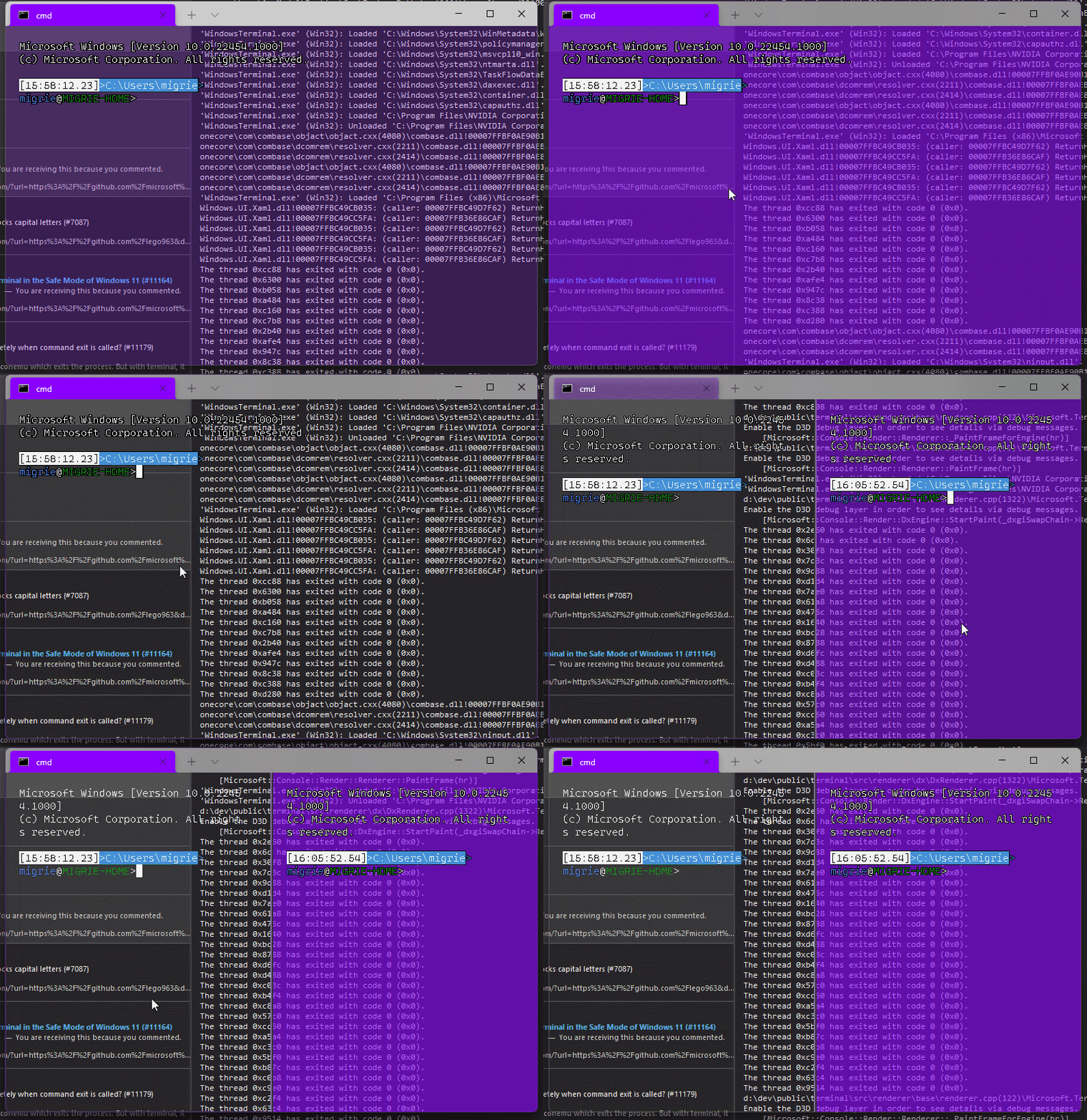
Adds support for vintage style opacity, on Windows 11+. The API we're using for this exists since the time immemorial, but there's a bug in XAML Islands that prevents it from working right until Windows 11 (which we're working on backporting).
Replaces the `acrylicOpacity` setting with `opacity`, which is a uint between 0 and 100 (inclusive), default to 100.
`useAcrylic` now controls whether acrylic is used or not. Setting an opacity < 100 with `"useAcrylic": false` will use vintage style opacity.
Mouse wheeling adjusts opacity. Whether acrylic is used or not is dependent upon `useAcrylic`.
`opacity` will stealthily default to 50 if `useAcrylic:true` is set.
## PR Checklist
* [x] Closes#603
* [x] I work here
* [x] Tests added/passed
* [x] https://github.com/MicrosoftDocs/terminal/pull/416
## Detailed Description of the Pull Request / Additional comments
Opacity was moved to AppearanceConfig. In the future, I have a mind to allow unfocused acrylic, so that'll be important then.
## Validation Steps Performed
_just look at it_
This commit adds initial support for saving window layout on application
close.
Done:
- Add user setting for if tabs should be maintained.
- Added events to track the number of open windows for the monarch, and
then save if you are the last window closing.
- Saves layout when the user explicitly hits the "Close Window" button.
- If the user manually closed all of their tabs (through the tab x
button or through closing all panes on the tab) then remove any saved
state.
- Saves in the ApplicationState file a list of actions the terminal can
perform to restore its layout and the window size/position
information.
- This saves an action to focus the correct pane, but this won't
actually work without #10978. Note that if you have a pane zoomed, it
does still zoom the correct pane, but when you unzoom it will have a
different pane selected.
Todo:
- multiple windows? Right now it can only handle loading/saving one
window.
- PR #11083 will save multiple windows.
- This also sometimes runs into the existing bug where multiple tabs
appear to be focused on opening.
Next Steps:
- The business logic of when the save is triggered can be adjusted as
necessary.
- Right now I am taking the pragmatic approach and just saving the state
as an array of objects, but only ever populate it with 1, that way
saving multiple windows in the future could be added without breaking
schema compatibility. Selfishly I'm hoping that handling multiple
windows could be spun off into another pr/feature for now.
- One possible thing that can maybe be done is that the commandline can
be augmented with a "--saved ##" attribute that would load from the
nth saved state if it exists. e.g. if there are 3 saved windows, on
first load it can spawn three wt --saved {0,1,2} that would reopen the
windows? This way there also exists a way to load a copy of a previous
window (if it is in the saved state).
- Is the application state something that is planned to be public/user
editable? In theory the user could since it is just json, but I don't
know what it buys them over just modifying their settings and
startupActions.
Validation Steps Performed:
- The happy path: open terminal -> set setting to true -> close terminal
-> reopen and see tabs. Tested with powershell/cmd/wsl windows.
- That closing all panes/tabs on their own will remove the saved
session.
- Open multiple windows, close windows and confirm that the last window
closed saves its state.
The generated file stores a sequence of actions that will be executed to
restore the terminal to its saved form.
References #8324
This is also one of the items on microsoft/terminal#5000Closes#766
It was insufficient to only promote commandline components to titles
during commandline parsing, because we also have a whole complement of
actions that contain NewTerminalArgs. The tests caught me out a little
too late (sorry!). I decided it was better move promotion down to
TerminalSettings.
Fixes#6776
Re-implements #10998
Right now, we store GUIDs in panes and most of the functions for interacting
with profiles on the settings model take GUIDs and look up profiles.
This pull request changes how we store and look up profiles to prefer profile
objects. Panes store strong references to their originating profiles, which
simplifies settings lookup for CloseOnExit and the bell settings. In fact,
deleting a pane's profile no longer causes it to forget which CloseOnExit
setting applies to it. Duplicating a pane that is hosting a deleted profile
(#5047) now duplicates the profile, even though it is otherwise unreachable.
This makes the world more consistent and allows us to _eventually_ support panes
hosting profiles that do not have GUIDs that can be looked up in the profile
list. This is a gateway to #6776 and #10669, and consolidating the profile
lookup logic will help with #10952.
PR #10588 introduced TerminalSettings::CreateWithProfile and made
...CreateWithProfileByID a thin wrapper over top it, which looked up the profile
by GUID before proceeding. It has also been removed, as its last caller is gone.
Closes#5047
## Summary of the Pull Request
This adds a new setting `intenseTextStyle`. It's a per-appearance, control setting, defaulting to `"all"`.
* When set to `"all"` or `["bold", "bright"]`, then we'll render text as both **bold** and bright (1.10 behavior)
* When set to `"bold"`, `["bold"]`, we'll render text formatted with `^[[1m` as **bold**, but not bright
* When set to `"bright"`, `["bright"]`, we'll render text formatted with `^[[1m` as bright, but not bold. This is the pre 1.10 behavior
* When set to `"none"`, we won't do anything special for it at all.
## references
* I last did this in #10648. This time it's an enum, so we can add bright in the future. It's got positive wording this time.
* ~We will want to add `"bright"` as a value in the future, to disable the auto intense->bright conversion.~ I just did that now.
* #5682 is related
## PR Checklist
* [x] Closes#10576
* [x] I seriously don't think we have an issue for "disable intense is bright", but I'm not crazy, people wanted that, right? https://github.com/microsoft/terminal/issues/2916#issuecomment-544880423 was the closest
* [x] I work here
* [x] Tests added/passed
* [x] https://github.com/MicrosoftDocs/terminal/pull/381
## Validation Steps Performed
<!-- 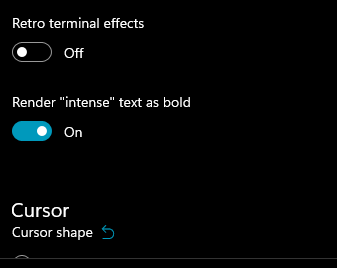 -->
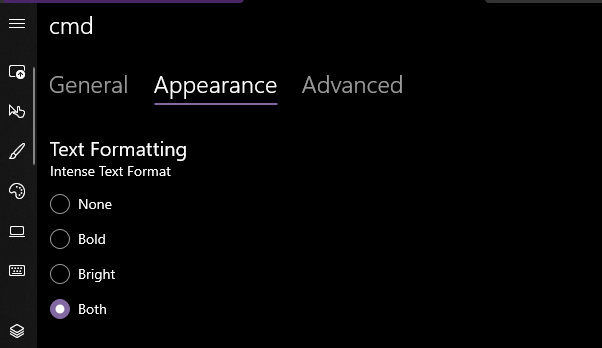
Yea that works. Printed some bold text, toggled it on, the text was no longer bold. hooray.
### EDIT, 10 Aug
```json
"intenseTextStyle": "none",
"intenseTextStyle": "bold",
"intenseTextStyle": "bright",
"intenseTextStyle": "all",
"intenseTextStyle": ["bold", "bright"],
```
all work now. Repro script:
```sh
printf "\e[1m[bold]\e[m[normal]\e[34m[blue]\e[1m[bold blue]\e[m\n"
```
Adds support for users to be able to set font features and axes (see the spec for more details!)
## Detailed Description
**CustomTextLayout**
- Asks the `DxFontRenderData` for the font features when getting glyphs
- _If any features have been set/updated, we always skip the "isTextSimple" shortcut_
- Asks the `_formatInUse` for any font axes when mapping characters in `_AnalyzeFontFallback`
**DxFontRenderData**
- Stores a map of font features (initialized to the [standard feature list])
- Stores a map of font axes
- Has methods to add font features/axes to the map or update existing ones
- Has methods to retrieve the font features/axes
- Sets the font axes in the `IDWriteTextFormat` when creating it
## Validation Steps Performed
It works!
[standard feature list]: ac5aef67d1/DrawableObject.ixx (L802)
Specified in #10457
Related to #1790Closes#759Closes#5828
This pull request brings back the "Base Layer" page, now renamed to
"Defaults", and the "Reset to inherited value" buttons. The scope of
inheritance for which buttons will display has been widened.
The button will be visible in the following cases:
The user has set a setting for the current profile, and it overrides...
1. ... something in profiles.defaults.
2. ... something in a Fragment Extension profile.
3. ... something from a Dynamic Profile Generator.
4. ... something from the compiled-in defaults.
Compared to the original implementation of reset arrows, cases (1), (3)
and (4) are new. Rationale:
(1) The user can see a setting on the Defaults page, and they need a way
to reset back to it.
(3) Dynamic profiles are not meaningfully different from fragments, and
users may need a way to reset back to the default value generated
for WSL or PowerShell.
(4) The user can see a setting on the Defaults page, **BUT** they are
not the one who created it. They *still* need a way to get back to
it.
To support this, I've introduced another origin tag, "User", and renamed
"Custom" to "None". Due to the way origin/override detection works¹, we
cannot otherwise disambiguate between settings that came from the user
and settings that came from the compiled-in defaults.
Changes were required in TerminalSettings such that we could construct a
settings object with a profile that does not have a GUID. In making this
change, I fixed a bit of silliness where we took a profile, extracted
its guid, and used that guid to look up the same profile object. Oops.
I also fixed the PropertyChanged notifier to include the
XxxOverrideSource property.
The presence of the page and the reset arrows is restricted to
Preview- or Dev-branded builds. Stable builds will retain their current
behavior.
¹ `XxxOverrideSource` returns the profile *above* the current profile
that holds a value for setting `Xxx`. When the value is the
compiled-in value, `XxxOverrideSource` will be `null`. Since it's
supposed to be the profile above the current profile, it will also be
`null` if the profile contains a setting at this layer.
In short, `null` means "user specified" *or* "compiled in". Oops.
Fixes#10430
Validation
----------
* [x] Tested Release build to make sure it's mostly arrow-free (apart from fragments)
Introduces `FontConfig`, an object that isolates font-related settings
in our profiles
Users can now define font settings in their json as so:
```
"font":{
"face": "Consolas",
"size": 12
}
```
Backwards compatible with the currently expected way of defining font
settings in the json, note however that upon hitting 'Save' in the SUI,
these settings **will be rewritten to the font-object style in the json
(as above)**.
## Validation Steps Performed
Existing functionality works, new functionality works
References #1790Closes#6049





