## Summary
Allows attachments to be loaded on-the-fly in the content extension if they are not present.

## Link to pull request in Documentation repository
Documentation: home-assistant/companion.home-assistant#510

## Any other notes
- Adds `lazy` as an option to the `attachment` dictionary. When true, this prevents the attachment from being downloaded except when displayed in the content extension.

This is similar, but not identical, to hide-thumbnail. Hiding the thumbnail still uses the internal storage of the notifications which are limited to e.g. 50mb. However, we'd still want to pre-load those attachments even if the thumbnail is hidden.
- Retries non-lazy attachments which failed due to a network error when the content extension opens.
Depends on home-assistant/mobile-apps-fcm-push#47 which allows the actions to be included in the notification data, and also on-the-fly silently sets the category to `DYNAMIC` which this requires.
## Summary
Allows for specifying the actions for a notification on-the-fly without defining a category. This should allow us to make all of the category config and setup unnecessary, so I'll probably consider marking it as deprecated in this release.
## Screenshots
For a notification that looks like…
```yaml
service: notify.mobile_app_iphone
data:
title: title here
message: body here
data:
actions:
- action: "id1"
title: "id1 title"
# this mirrors the action definition in yaml now, it just _also_ supports what android
- identifier: "id2"
title: "id2 title"
```
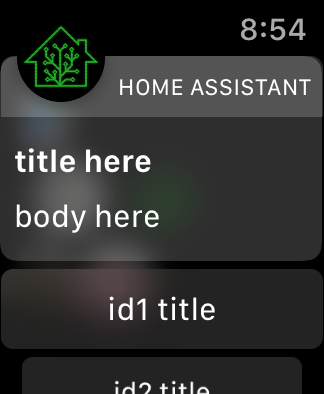
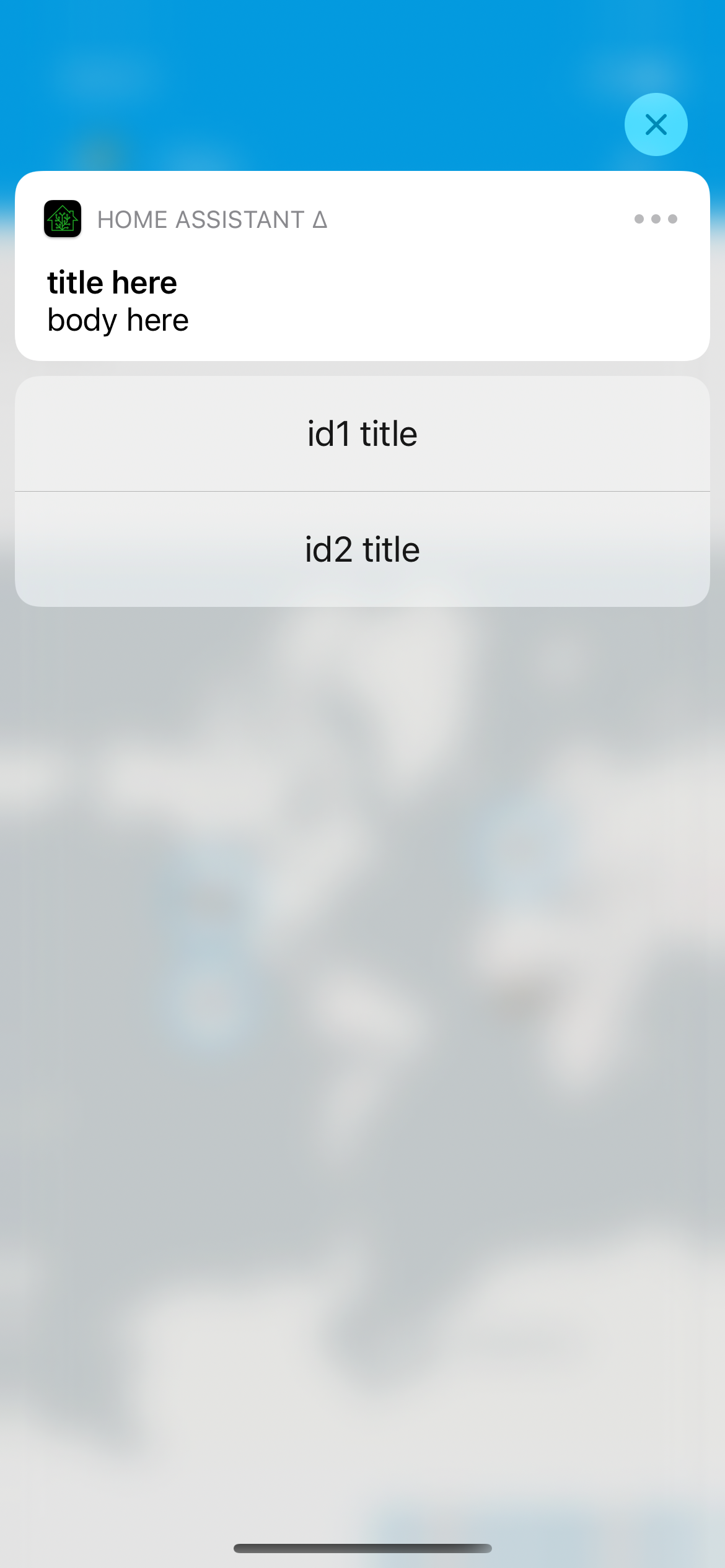
## Link to pull request in Documentation repository
- Documentation: home-assistant/companion.home-assistant#496
## Any other notes
- Dynamic actions are visual - we provide custom UI on both iOS and watchOS for the additional actions, which does require we run the app on the given platform; for example, this doesn't yet work on macOS [I need to figure out how to make Catalyst notification content work, if it is] and if you uninstall the watch app these actions will not show up.
- Allows `map` and `camera`-esque notification content on any category. In other words, if you send a notification with `map` it'll still prefer the camera `entity_id` if present. This is largely to continue in the direction of making category deprecated; as long as the content extension launches, it'll figure out what to display.
All of the normal action configuration is allowed in these actions:
- action or identifier
- title
- authenticationRequired (default: false)
- behavior (default: default, aka not textinput)
- activationMode (default: background)
- destructive (default: false)
- textInputButtonTitle (default: nil)
- textInputPlaceholder (default: nil)
Some additional things occur to match existing Android functionality:
- `uri` (or `url`) being provided in the action makes it a 'foreground' action
- action/identifier of `REPLY` changes the behavior to textinput
- `mobile_app_notification_action` is now fired with data that looks like theirs:
```
Sending action: mobile_app_notification_action
payload: ["action": "REPLY", "reply_text": "Reply text"]
```
and
```
Sending action: mobile_app_notification_action
payload: ["action": "id1"]
```
Adds new fastlane lanes:
- `fastlane lint` which checks the linters
- `fastlane autocorrect` which applies the linters which can autocorrect (Rubocop, SwiftFormat)

Adds a build step to the Codegen abstract target which runs SwiftFormat in lint mode, pointing out what it's going to change when run.

Applies SwiftFormat to nearly all code -- exempts a few externally-sourced files and generated code.
This is somewhat in prep of being able to make the project file generated, but also just organizes things into more concrete directory structures.

This pulls out _all_ of the build settings from the root level, and most from the target level, into xcconfigs.

The new directory structure looks like:

- Sources
  - App
    - (everything from HomeAssistant/)
  - WatchApp
  - Shared
  - MacBridge
  - Extensions
    - Intents
    - NotificationContent
    - NotificationService
    - Share
    - Today
    - Watch
    - Widgets
- Tests
  - App
  - UI
  - Shared

Somewhat intentionally, the file structure under these is not yet standardized/organized.

The project targets are now:

- App
- WatchApp
- Shared-iOS
- Shared-watchOS
- MacBridge
- Tests-App
- Tests-UI
- Tests-Shared
- Extension-Intents
- Extension-NotificationContent
- Extension-NotificationService
- Extension-Share
- Extension-Today
- Extension-Widget
- WatchExtension-Watch

This does not yet clean up resources vs. sources, nor does it handle some of the "it's in Sources/App but it's part of Shared" crossover directory issues.


