<!-- Thank you for submitting a Pull Request and helping to improve Home
Assistant. Please complete the following sections to help the processing
and review of your changes. Please do not delete anything from this
template. -->

## Summary
<!-- Provide a brief summary of the changes you have made and most
importantly what they aim to achieve -->

## Screenshots
<!-- If this is a user-facing change not in the frontend, please include
screenshots in light and dark mode. -->

## Link to pull request in Documentation repository
<!-- Pull requests that add, change or remove functionality must have a
corresponding pull request in the Companion App Documentation repository
(https://github.com/home-assistant/companion.home-assistant). Please add
the number of this pull request after the "#" -->
Documentation: home-assistant/companion.home-assistant#

## Any other notes
<!-- If there is any other information of note, like if this Pull
Request is part of a bigger change, please include it here. -->
<!-- Thank you for submitting a Pull Request and helping to improve Home
Assistant. Please complete the following sections to help the processing
and review of your changes. Please do not delete anything from this
template. -->

## Summary
<!-- Provide a brief summary of the changes you have made and most
importantly what they aim to achieve -->

## Screenshots
<!-- If this is a user-facing change not in the frontend, please include
screenshots in light and dark mode. -->

## Link to pull request in Documentation repository
<!-- Pull requests that add, change or remove functionality must have a
corresponding pull request in the Companion App Documentation repository
(https://github.com/home-assistant/companion.home-assistant). Please add
the number of this pull request after the "#" -->
Documentation: home-assistant/companion.home-assistant#

## Any other notes
<!-- If there is any other information of note, like if this Pull
Request is part of a bigger change, please include it here. -->
<!-- Thank you for submitting a Pull Request and helping to improve Home
Assistant. Please complete the following sections to help the processing
and review of your changes. Please do not delete anything from this
template. -->

## Summary
<!-- Provide a brief summary of the changes you have made and most
importantly what they aim to achieve -->

To avoid using internal URL out of local network, this PR makes
"activeURL" optional, and it will not use internalURL when out of local
network.

Tested the internal/external logic on:
- iPhone
- iPad
- Mac
- Watch
- Shortcuts
- Notifications
- Widgets

For VPN users, they have to set external URL the same as internal URL to
have their setup working.

Pending:
- [x] Verify all edge cases where "guard let" were added
- [ ] Enforce SSID to use internal URL in the App

Next possible iteration:
- Add noise protocol between app and server to make http connections
secure

## Screenshots
<!-- If this is a user-facing change not in the frontend, please include
screenshots in light and dark mode. -->
<img width="1154" alt="Screenshot 2024-05-13 at 11 46 47"
src="https://github.com/home-assistant/iOS/assets/5808343/7ea634cc-382b-49c2-ab64-a218f996452e">

## Link to pull request in Documentation repository
<!-- Pull requests that add, change or remove functionality must have a
corresponding pull request in the Companion App Documentation repository
(https://github.com/home-assistant/companion.home-assistant). Please add
the number of this pull request after the "#" -->
Documentation: home-assistant/companion.home-assistant#

## Any other notes
<!-- If there is any other information of note, like if this Pull
Request is part of a bigger change, please include it here. -->
## Summary
This pr intruduces the following changes:
- Upgrades the [Alomofire
dependecy](142efae0cc).
- Removes not needed [available
anotations](a4e71a3c88)
and split up code in multiple files; The anotations are not needed since
https://github.com/home-assistant/iOS/pull/2469.

## Screenshots
No user faceing changes

## Link to pull request in Documentation repository
NA

## Any other notes
NA
## Summary
Swift lint and swiftformat are outdated. This PR does update those +
applies the new formatting form swiftformat.
There is 1 swift file with a manual change:
`Sources/Vehicle/Templates/Areas/CarPlayAreasViewModel.swift`. This is
done because `swiftlint` did create the following swiftlint error:
`error: Cyclomatic Complexity Violation: Function should have complexity
10 or less; currently complexity is 11 (cyclomatic_complexity)`.

Because it does change a lot of files the question is if we want to
finetune the `swiftformat` rules.

## Screenshots
No user facing changes.

## Link to pull request in Documentation repository
NA

## Any other notes
NA
<!-- Thank you for submitting a Pull Request and helping to improve Home
Assistant. Please complete the following sections to help the processing
and review of your changes. Please do not delete anything from this
template. -->

## Summary
<!-- Provide a brief summary of the changes you have made and most
importantly what they aim to achieve -->
Drop support for iOS 12 and 13.

## Screenshots
<!-- If this is a user-facing change not in the frontend, please include
screenshots in light and dark mode. -->

## Link to pull request in Documentation repository
<!-- Pull requests that add, change or remove functionality must have a
corresponding pull request in the Companion App Documentation repository
(https://github.com/home-assistant/companion.home-assistant). Please add
the number of this pull request after the "#" -->
Documentation: home-assistant/companion.home-assistant#

## Any other notes
<!-- If there is any other information of note, like if this Pull
Request is part of a bigger change, please include it here. -->
## Summary
The dynamic map attachment for push notifications has a fixed span for
the region it shows. For certain cases you might want to show the map
with a different zoom level. This pull request adds the `latitude_delta`
and `longitude_delta` for this specific purpose.

## Link to pull request in Documentation repository
Documentation: home-assistant/companion.home-assistant#891
Fixes#2214.
## Summary
Updates to building with Xcode 14 as the minimum. Updates all
dependencies (as many both require Xcode 14 to update and would not work
with it without updating).
## Any other notes
This excludes `arm64` (new in Xcode 14) from watchOS builds. This is due
to App Store Connect having a bad heuristic for file size:
> ITMS-90389: Size Limit Exceeded - The size of watch application
'/Payload/Home Assistant.app/Watch/HomeAssistant-WatchApp.app' (102MB)
has exceeded the 75MB size limit.
Our binary file is larger than 75 MB unthinned and our thinned install
size is sub-25 MB, so I don't think this is testing the right thing. In
either case, we're somehow below whatever the limit actually is with
just `arm64_32_v8` and `arm_v7k` slices.
The first build on TF using the Xcode 14 build for distribution is
2022.413.
## Summary
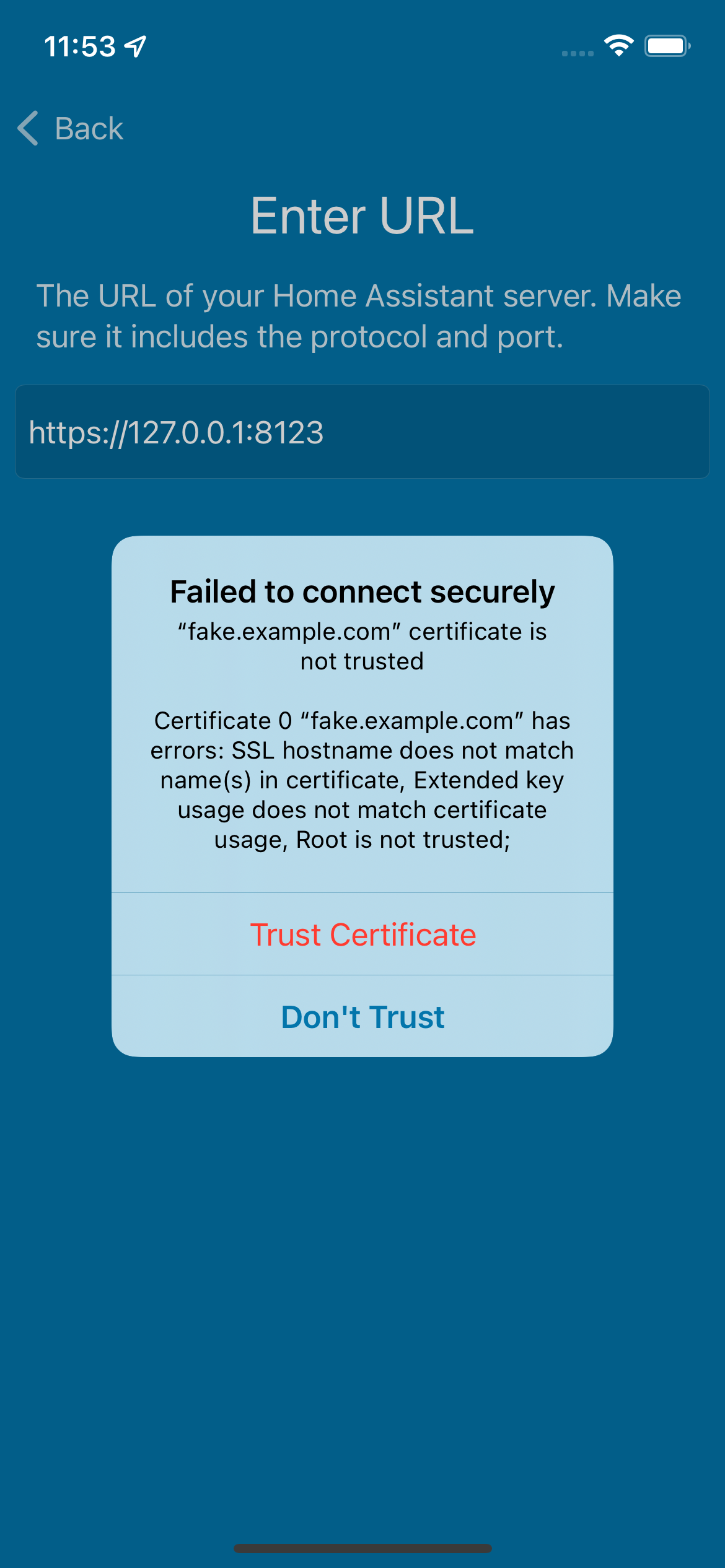
During onboarding, allow trusting an invalid certificate chain for most features of the app.

## Screenshots
<img src="https://user-images.githubusercontent.com/74188/170773293-14eeb3fb-2e54-42a5-b6c6-8b07c792ea24.png" width="300">

## Link to pull request in Documentation repository
<!-- Pull requests that add, change or remove functionality must have a corresponding pull request in the Companion App Documentation repository (https://github.com/home-assistant/companion.home-assistant). Please add the number of this pull request after the "#" -->
Documentation: home-assistant/companion.home-assistant#

## Any other notes
Future changes necessary:
- Trusting certificates if an error occurs while the app is running
- Trusting certificates when configuring internal/external URLs
- Updates several dependencies
- Removes Lokalise -- if we can't do it on Catalyst, it doesn't feel worth it to do it elsewhere
- Migrates the NotificationTestCases from a Podspec that keeps having issues to a fastlane script which copies in the latest ones
Fixes#1592.
## Summary
Enables the Notification Content extension now that it works in Xcode 13.
## Any other notes
This is an entirely tooling enabling of this feature, as the extension works on macOS 11. There is a gotcha: the Notification Service Extension attachments are inaccessible. Additionally, macOS always displays the attached-by-us images/movies, which is a frustrating difference in behavior between macOS and iOS, but makes this particular deficiency less noticeable. Filed as FB9638431.
Fixes#1709.
## Summary
Loads a webview to play back gif attachments, since they may be animated and UIImageView doesn't handle that for us.
## Any other notes
Due to sandboxing and security scoping, getting this to display reliably is a little convoluted - we need to load by Data and inject a CSS style to get the image to scale as we want, since we size the webview to fit based on aspect fit rules.
Refs #1382 and home-assistant/core#50750.

## Summary
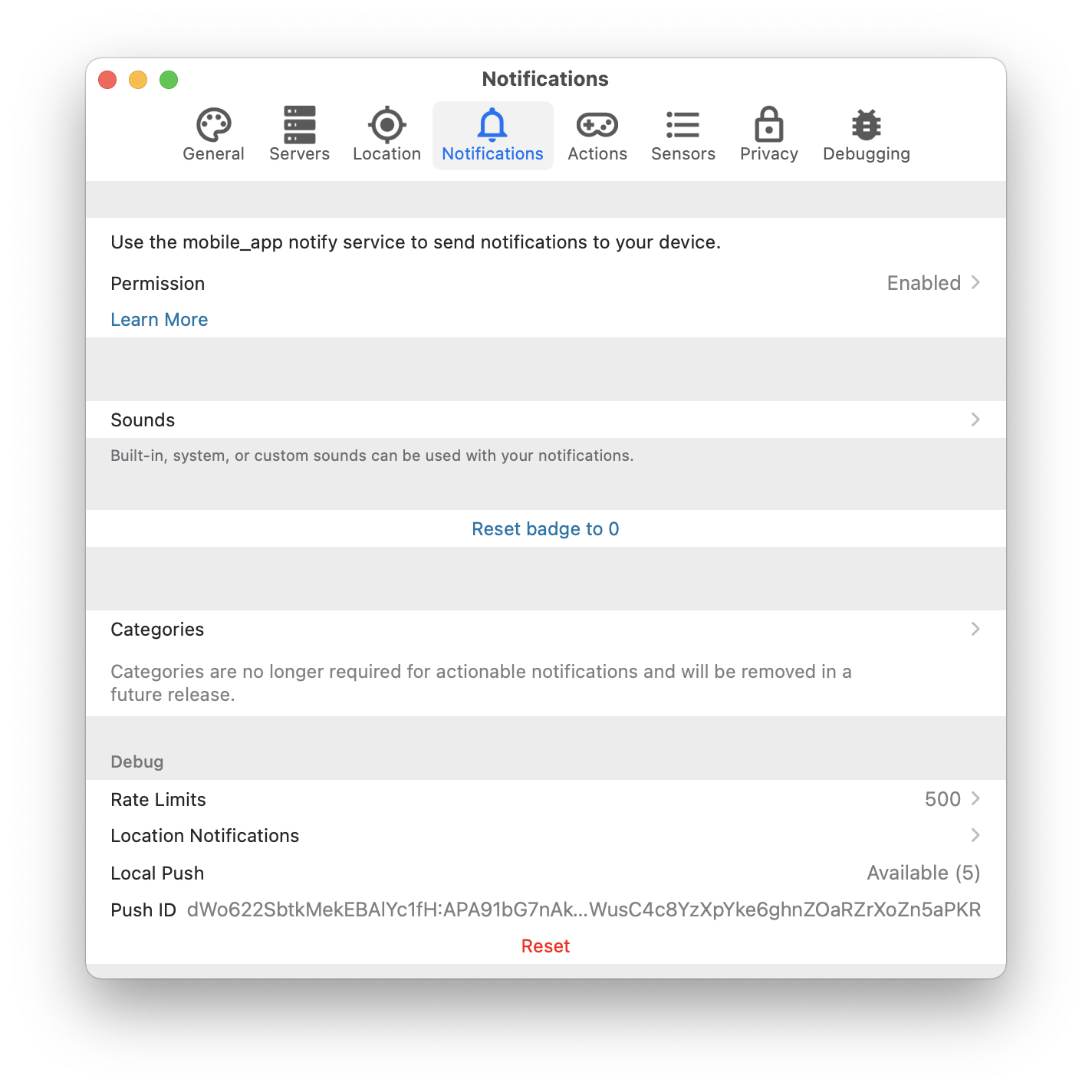
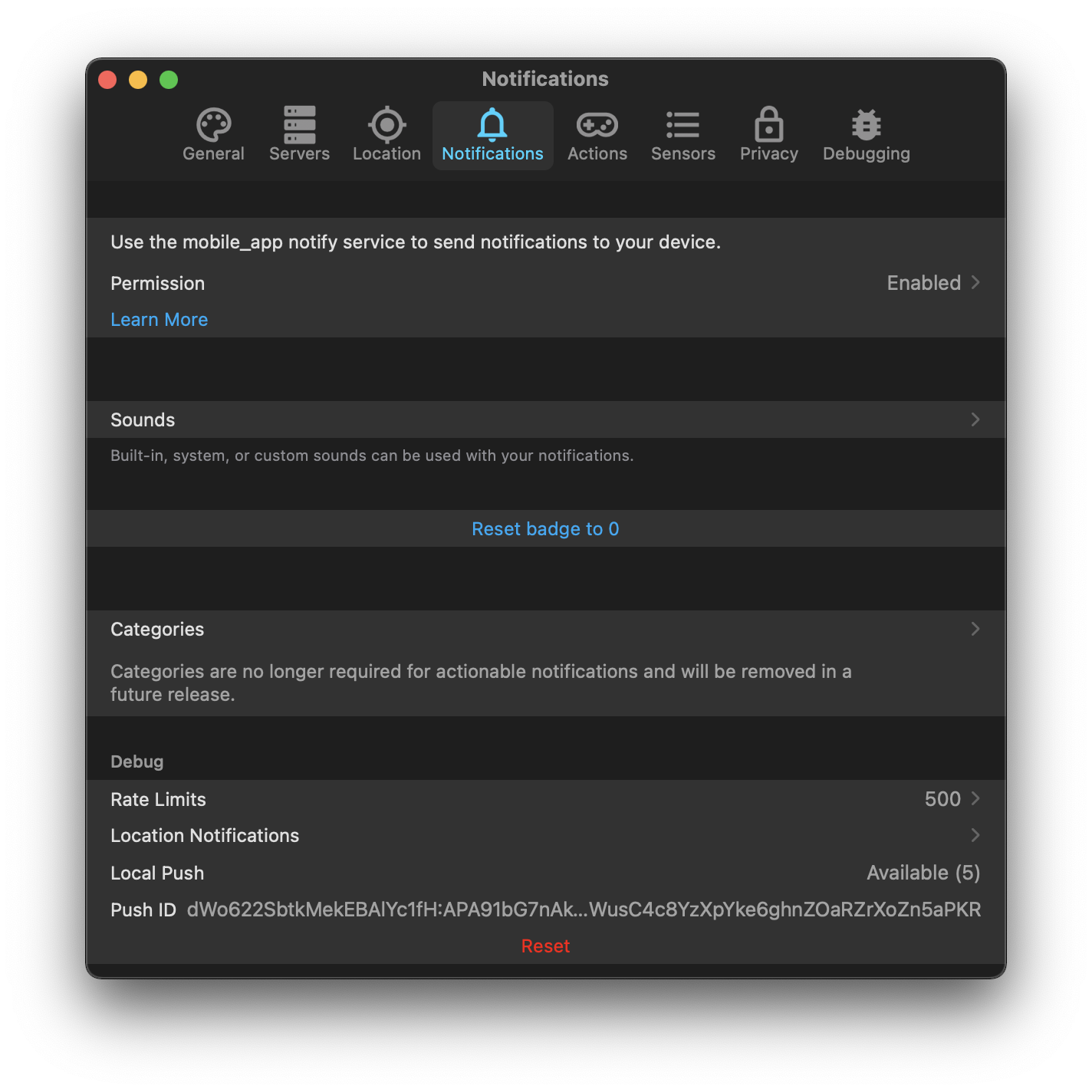
Uses (and requires) the core-2021.6 local push handling to subscribe to notification calls and show notifications without going through the Apple Push Notification Service.

## Screenshots
| Light | Dark |
| -- | -- |
| <img width="712" alt="Screen Shot 2021-06-06 at 18 08 59" src="https://user-images.githubusercontent.com/74188/120946730-57a8d600-c6f2-11eb-8dde-b03b42a0a03a.png"> | <img width="712" alt="Screen Shot 2021-06-06 at 18 09 09" src="https://user-images.githubusercontent.com/74188/120946737-5d9eb700-c6f2-11eb-8563-8d9b8d8e075b.png"> |

## Link to pull request in Documentation repository
Documentation: home-assistant/companion.home-assistant#539

## Any other notes
- Only works on macOS for this first round. The iOS implementation will be the same manager, but needs extensions scaffolding that I have to put together separately.
- iOS will also likely have a setting to control this behavior, since it has potential battery implications; macOS doesn't have such concerns.
- Adds tests around the parsing of the raw notification payloads that uses the same tests introduced in home-assistant/mobile-apps-fcm-push#55.
- Shows the state of the local push connectivity in Notifications. With multi-server support, this will probably need to be broken down by server, or moved into the server-specific configurations.

This also sets us up to support encrypted notifications, since we're now able to handle the service call's data without any kind of remote manipulation. Unfortunately Apple declined the entitlement which makes this extremely easy, so we'll still need to handle the "commands are unencrypted" nonsense.
## Summary
Allows attachments to be loaded on-the-fly in the content extension if they are not present.

## Link to pull request in Documentation repository
Documentation: home-assistant/companion.home-assistant#510

## Any other notes
- Adds `lazy` as an option to the `attachment` dictionary. When true, this prevents the attachment from being downloaded except when displayed in the content extension.

This is similar, but not identical, to hide-thumbnail. Hiding the thumbnail still uses the internal storage of the notifications which are limited to e.g. 50mb. However, we'd still want to pre-load those attachments even if the thumbnail is hidden.
- Retries non-lazy attachments which failed due to a network error when the content extension opens.
Fixes#1591.
## Summary
Adds support for using video and audio notification attachments in the content extension, including audio playback for both.
## Screenshots
https://user-images.githubusercontent.com/74188/115503572-7c70e900-a22b-11eb-970b-b4e9c2225986.mov
## Any other notes
Dynamic actions require the 'DYNAMIC' category but our content extension causes attachments to not appear and we want every possible feature to work with just this category.
Refs #1591.

## Summary
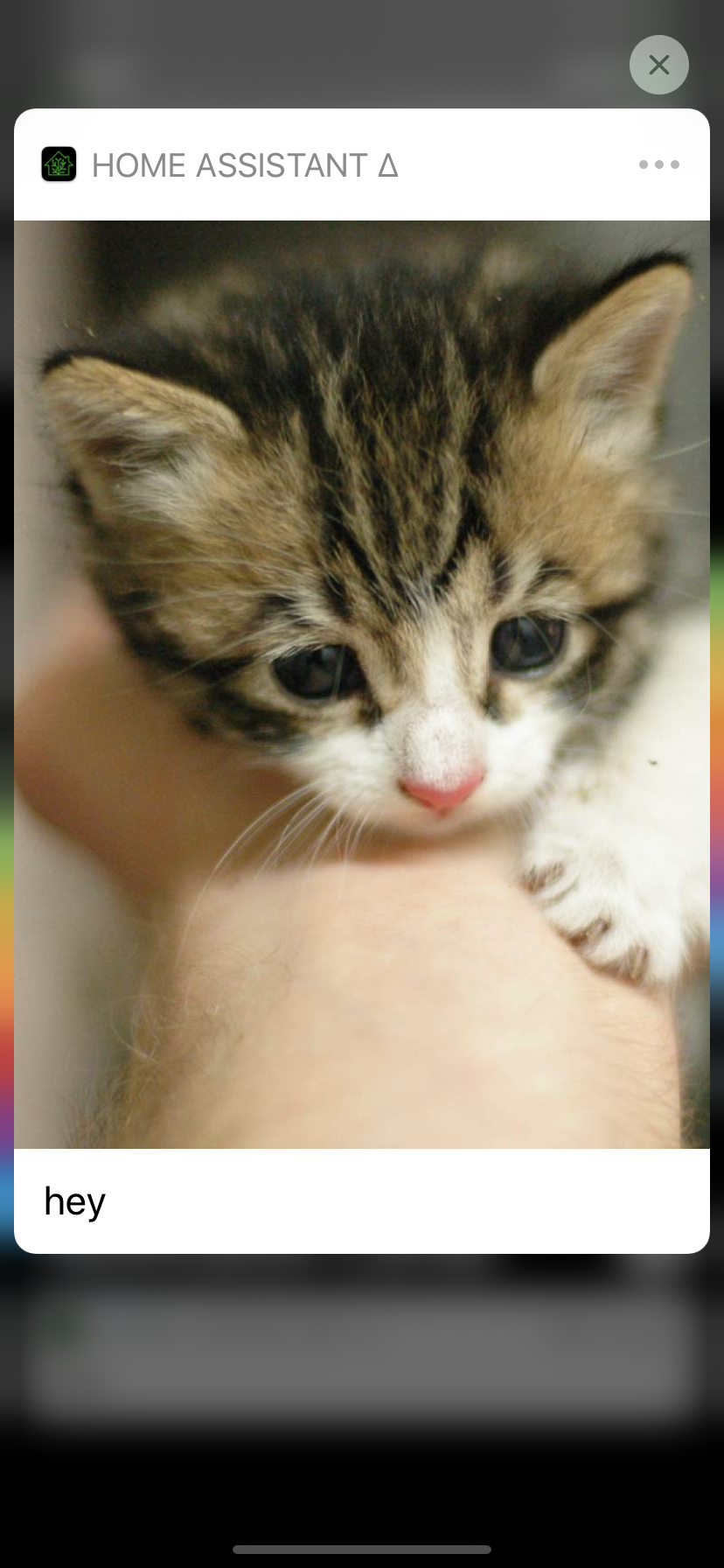
Adds support for using image notification attachments in the content extension.

## Screenshots
<img width="350" src="https://user-images.githubusercontent.com/74188/115494743-18462900-a21b-11eb-83d5-3e6c112d99df.png">

## Any other notes
Dynamic actions require the 'DYNAMIC' category but our content extension causes attachments to not appear and we want every possible feature to work with just this category.
Depends on home-assistant/mobile-apps-fcm-push#47 which allows the actions to be included in the notification data, and also on-the-fly silently sets the category to `DYNAMIC` which this requires.
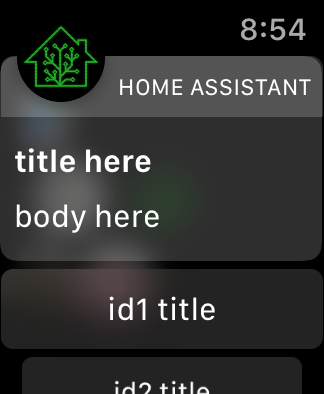
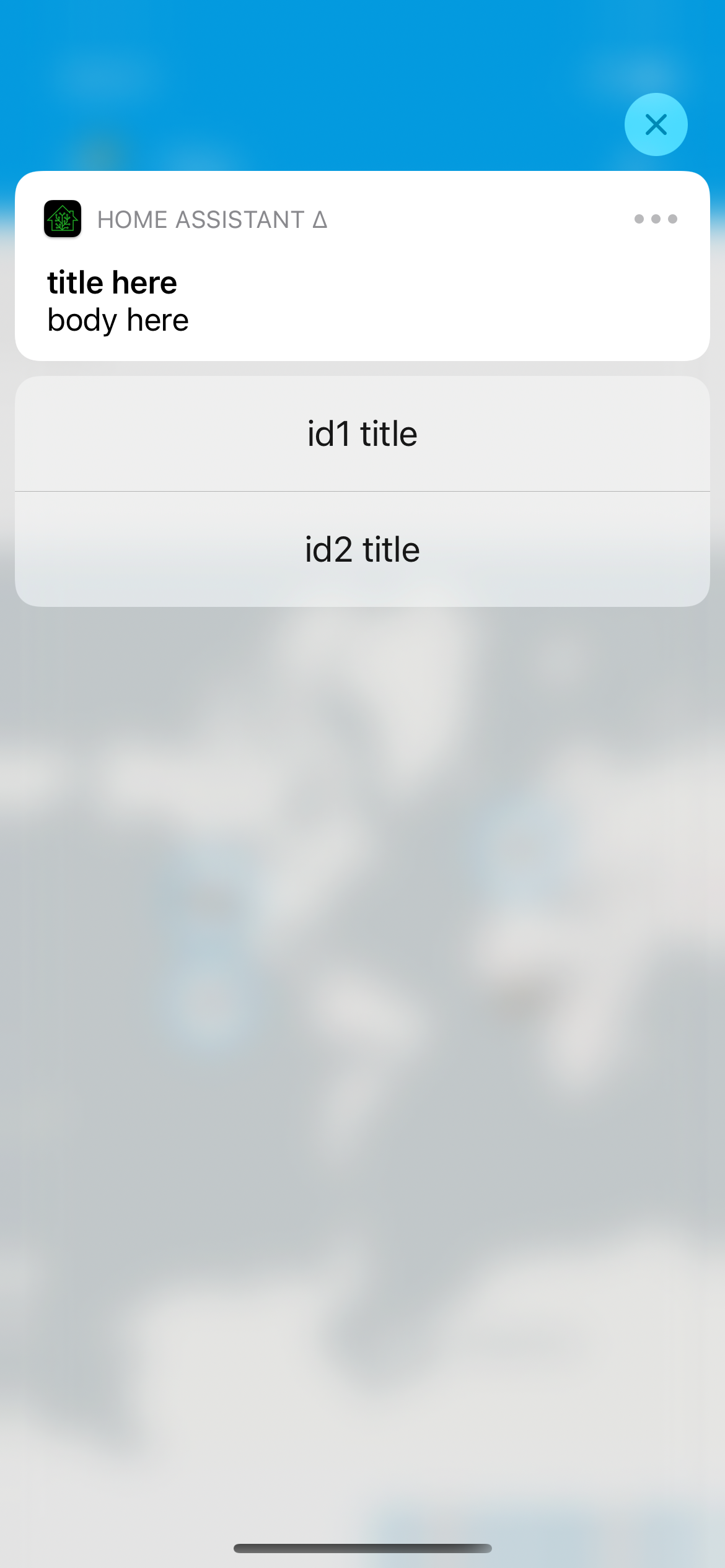
## Summary
Allows for specifying the actions for a notification on-the-fly without defining a category. This should allow us to make all of the category config and setup unnecessary, so I'll probably consider marking it as deprecated in this release.
## Screenshots
For a notification that looks like…
```yaml
service: notify.mobile_app_iphone
data:
title: title here
message: body here
data:
actions:
- action: "id1"
title: "id1 title"
# this mirrors the action definition in yaml now, it just _also_ supports what android
- identifier: "id2"
title: "id2 title"
```
## Link to pull request in Documentation repository
- Documentation: home-assistant/companion.home-assistant#496
## Any other notes
- Dynamic actions are visual - we provide custom UI on both iOS and watchOS for the additional actions, which does require we run the app on the given platform; for example, this doesn't yet work on macOS [I need to figure out how to make Catalyst notification content work, if it is] and if you uninstall the watch app these actions will not show up.
- Allows `map` and `camera`-esque notification content on any category. In other words, if you send a notification with `map` it'll still prefer the camera `entity_id` if present. This is largely to continue in the direction of making category deprecated; as long as the content extension launches, it'll figure out what to display.
All of the normal action configuration is allowed in these actions:
- action or identifier
- title
- authenticationRequired (default: false)
- behavior (default: default, aka not textinput)
- activationMode (default: background)
- destructive (default: false)
- textInputButtonTitle (default: nil)
- textInputPlaceholder (default: nil)
Some additional things occur to match existing Android functionality:
- `uri` (or `url`) being provided in the action makes it a 'foreground' action
- action/identifier of `REPLY` changes the behavior to textinput
- `mobile_app_notification_action` is now fired with data that looks like theirs:
```
Sending action: mobile_app_notification_action
payload: ["action": "REPLY", "reply_text": "Reply text"]
```
and
```
Sending action: mobile_app_notification_action
payload: ["action": "id1"]
```
Adds new fastlane lanes:
- `fastlane lint` which checks the linters
- `fastlane autocorrect` which applies the linters which can autocorrect (Rubocop, SwiftFormat)

Adds a build step to the Codegen abstract target which runs SwiftFormat in lint mode, pointing out what it's going to change when run.

Applies SwiftFormat to nearly all code -- exempts a few externally-sourced files and generated code.
- Reverts #1418 - there's enough logic that is relying on the single-threadedness of then/map-ing on a shared queue.
- Forces all `Current.api` access to be done not on a queue intentionally, to avoid thread jumping when we don't expect, which is the core crash that this was trying to fix.
Fixes attempting to use partial `Data` to construct the images in the MJPEG streaming. When I updated this code to a newer version of Alamofire, I did so without realizing the boundary conditions for when the data in memory is available.
- Fixes a crash when `latitude` or `longitude` are String types but not able to be converted to Double/CLLocationDegrees.
- Adds support for Int or Float-based `latitude` or `longitude`, e.g. what native templates would provide were it not currently broken.
- Updates Fastlane & its dependencies (including new Lokalise actions for their new API).
- Updates app dependencies, and fixes new lint warnings due to SwiftLint being updated.
- Combines all .entitlements into either: App-iOS, App-catalyst, WatchApp, Extension-iOS or Extension-catalyst.
- Cleans up and renames all the schemes to match target names
- Moves around several folders and deletes some old files.
- Converts Podfile to be hierarchical, rather than calling shared methods.
- Always runs MaterialDesignIcons script; aborts early if it's up-to-date.
- Updates all dependencies.
This is somewhat in prep of being able to make the project file generated, but also just organizes things into more concrete directory structures.

This pulls out _all_ of the build settings from the root level, and most from the target level, into xcconfigs.

The new directory structure looks like:

- Sources
  - App
    - (everything from HomeAssistant/)
  - WatchApp
  - Shared
  - MacBridge
  - Extensions
    - Intents
    - NotificationContent
    - NotificationService
    - Share
    - Today
    - Watch
    - Widgets
- Tests
  - App
  - UI
  - Shared

Somewhat intentionally, the file structure under these is not yet standardized/organized.

The project targets are now:

- App
- WatchApp
- Shared-iOS
- Shared-watchOS
- MacBridge
- Tests-App
- Tests-UI
- Tests-Shared
- Extension-Intents
- Extension-NotificationContent
- Extension-NotificationService
- Extension-Share
- Extension-Today
- Extension-Widget
- WatchExtension-Watch

This does not yet clean up resources vs. sources, nor does it handle some of the "it's in Sources/App but it's part of Shared" crossover directory issues.