<!-- Thank you for submitting a Pull Request and helping to improve Home
Assistant. Please complete the following sections to help the processing
and review of your changes. Please do not delete anything from this
template. -->

## Summary
<!-- Provide a brief summary of the changes you have made and most
importantly what they aim to achieve -->
- Add fallback support to HLS and MJPEG
- Improve UI
- Move WebRTC known issues disclaimer to a sheet view

## Screenshots
<!-- If this is a user-facing change not in the frontend, please include
screenshots in light and dark mode. -->

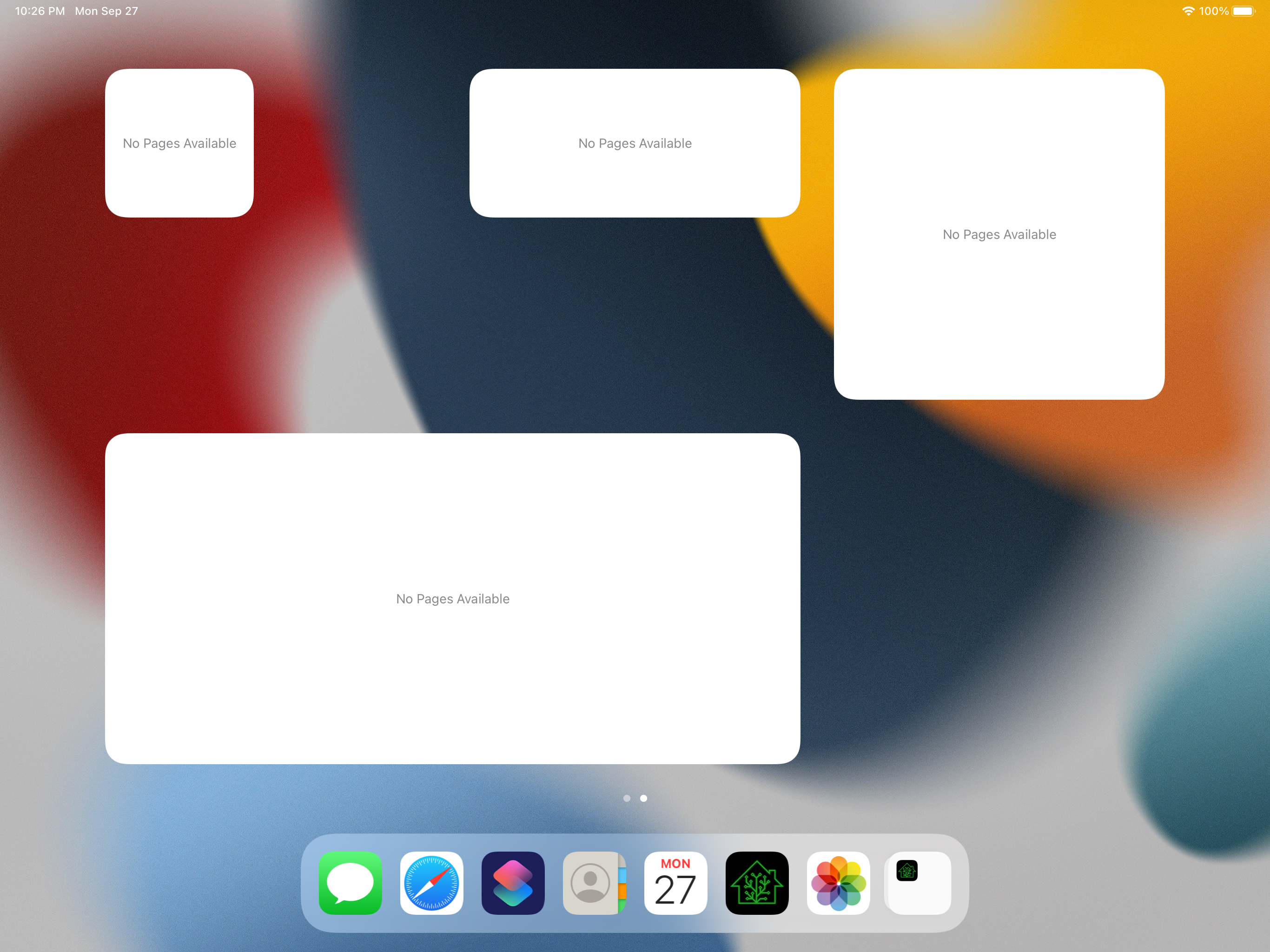
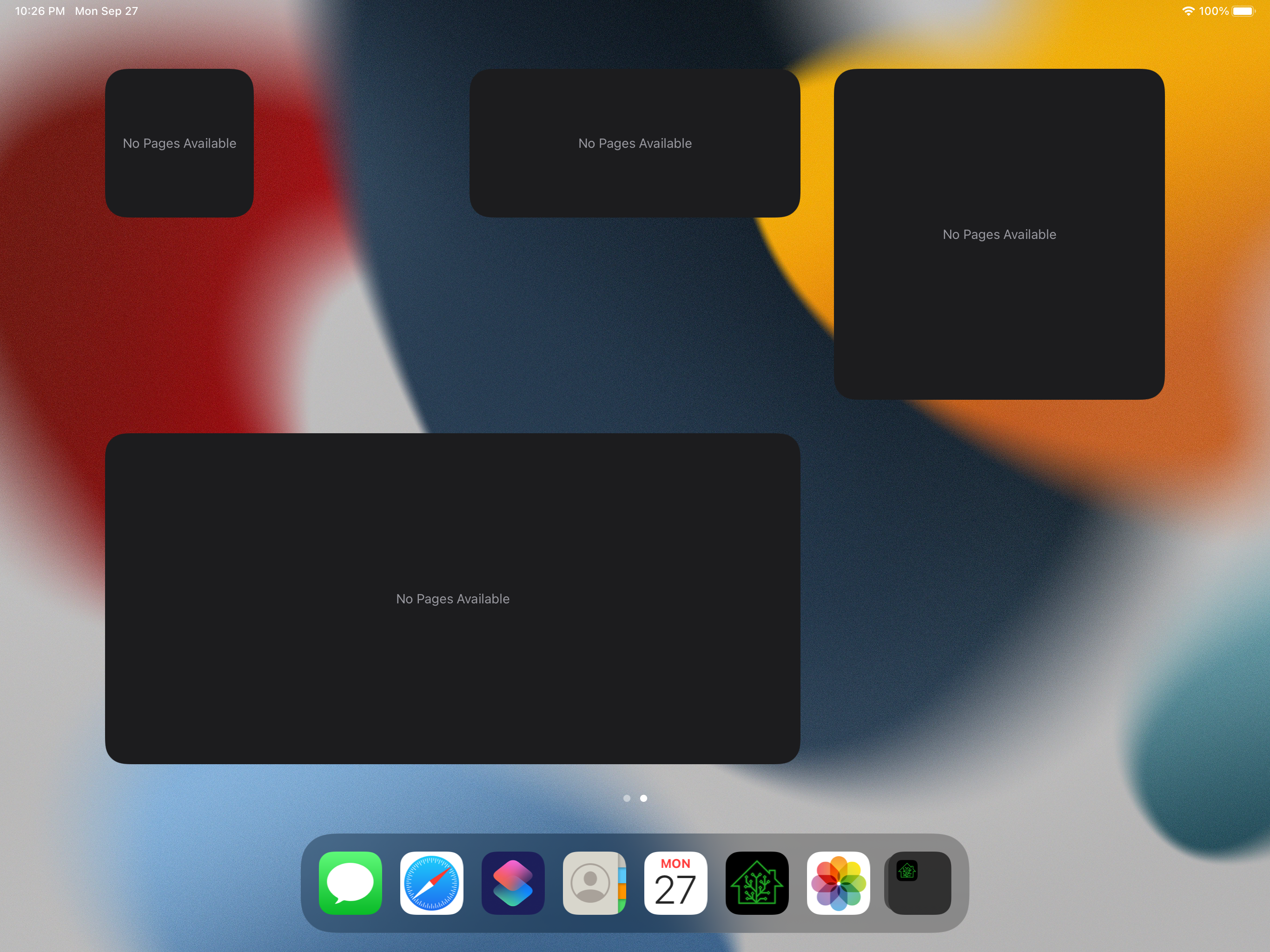
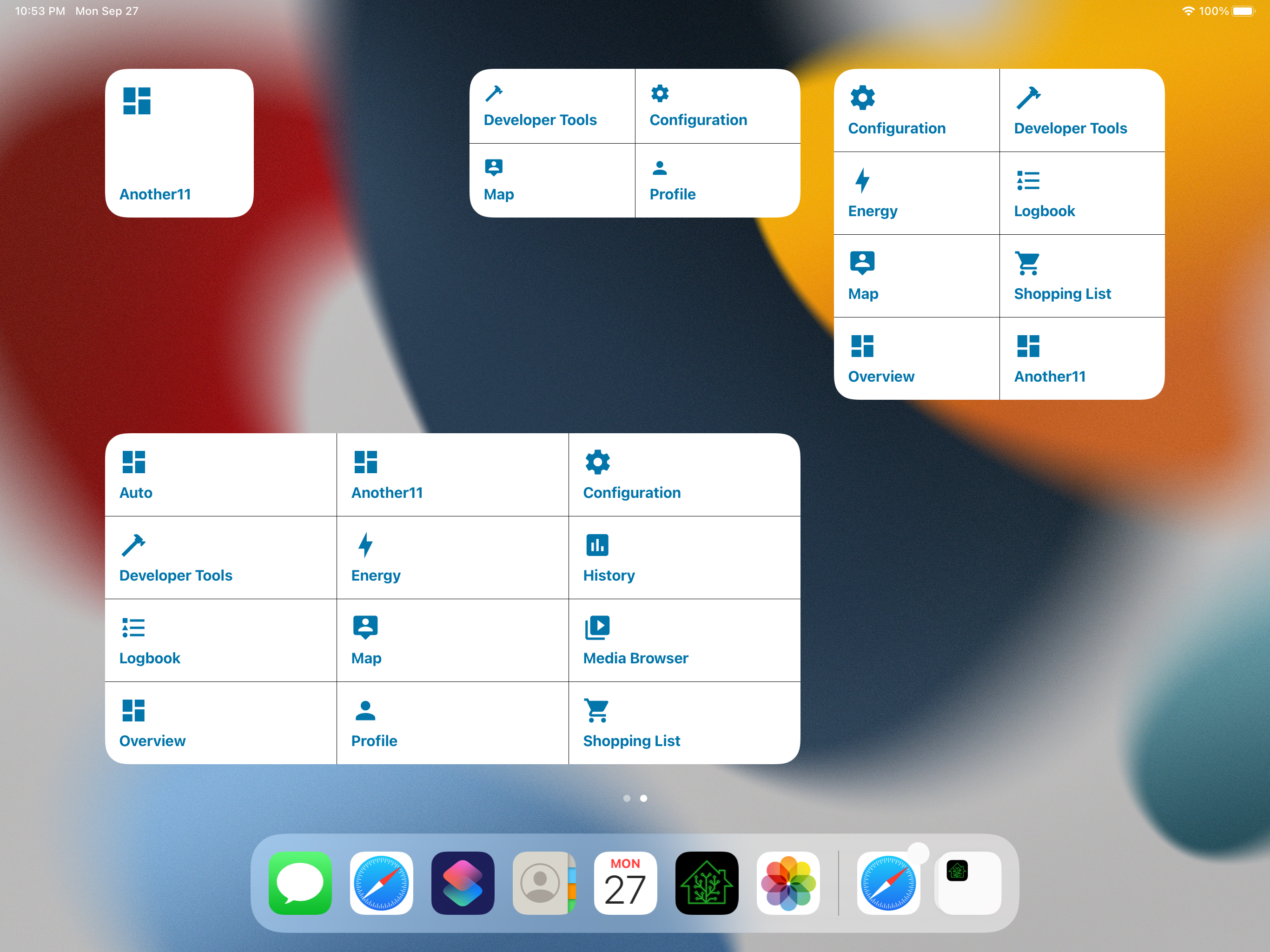
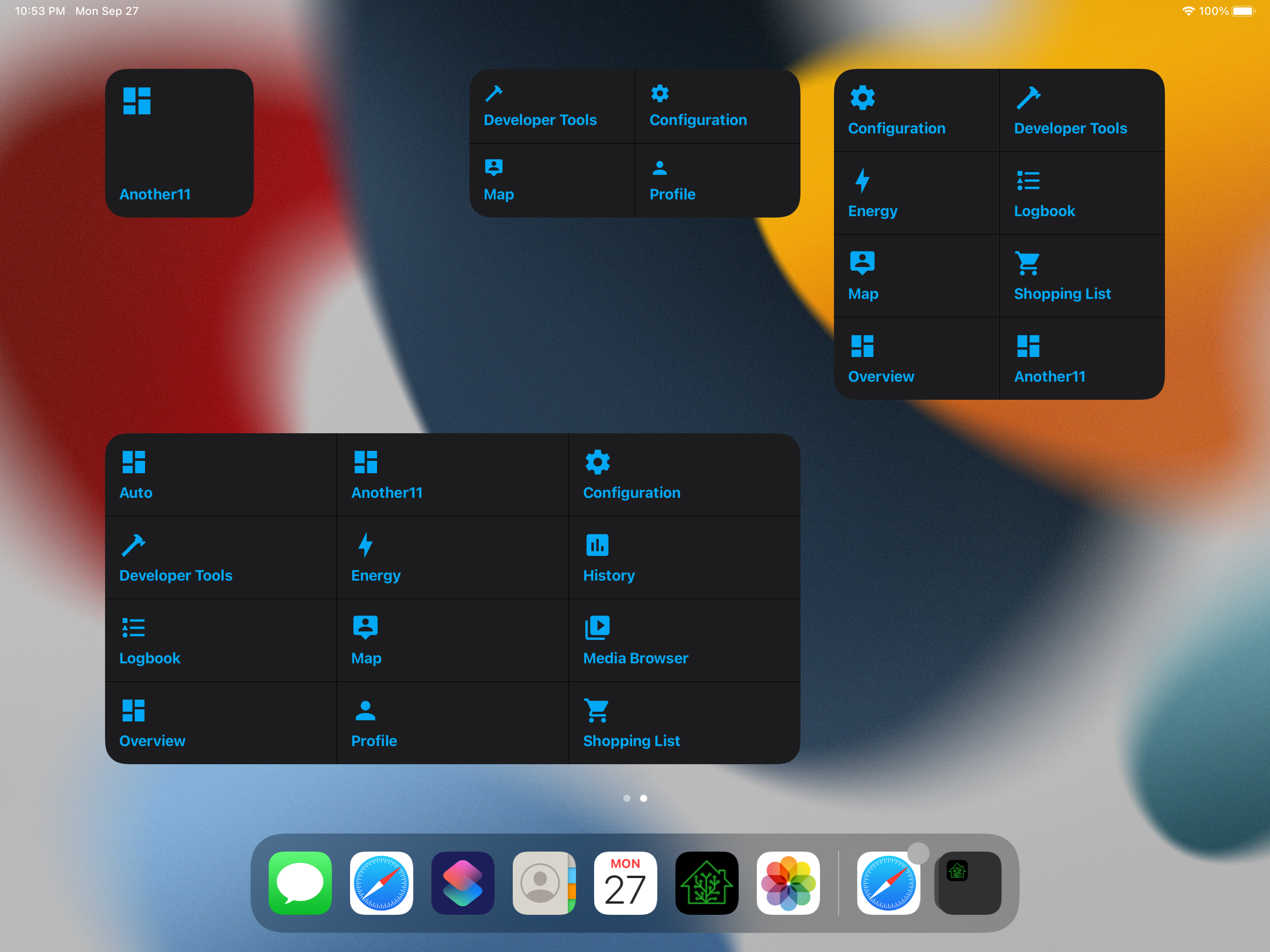
<img width="3160" height="1068" alt="CleanShot 2026-01-12 at 15 43
49@2x"
src="https://github.com/user-attachments/assets/77d445d7-88f0-40fb-8b0d-b1eab3c56e3d"
/>


## Link to pull request in Documentation repository
<!-- Pull requests that add, change or remove functionality must have a
corresponding pull request in the Companion App Documentation repository
(https://github.com/home-assistant/companion.home-assistant). Please add
the number of this pull request after the "#" -->
Documentation: home-assistant/companion.home-assistant#

## Any other notes
<!-- If there is any other information of note, like if this Pull
Request is part of a bigger change, please include it here. -->

---------

Co-authored-by: Copilot <175728472+Copilot@users.noreply.github.com>
<!-- Thank you for submitting a Pull Request and helping to improve Home
Assistant. Please complete the following sections to help the processing
and review of your changes. Please do not delete anything from this
template. -->

## Summary
<!-- Provide a brief summary of the changes you have made and most
importantly what they aim to achieve -->

## Screenshots
<!-- If this is a user-facing change not in the frontend, please include
screenshots in light and dark mode. -->
<img width="2756" height="1368" alt="CleanShot 2026-01-07 at 14 27
46@2x"
src="https://github.com/user-attachments/assets/092f6241-06b1-47b5-802f-468d22fa4473"
/>

## Link to pull request in Documentation repository
<!-- Pull requests that add, change or remove functionality must have a
corresponding pull request in the Companion App Documentation repository
(https://github.com/home-assistant/companion.home-assistant). Please add
the number of this pull request after the "#" -->
Documentation: home-assistant/companion.home-assistant#

## Any other notes
<!-- If there is any other information of note, like if this Pull
Request is part of a bigger change, please include it here. -->

---------

Co-authored-by: Copilot <175728472+Copilot@users.noreply.github.com>
Basic implementation of a native dashboard - WIP

- [ ] Support more domains toggle action when tapping icon
  - [x] Light
  - [x] Cover
  - [x] Switch
- [ ] Create the equivalent of "more info dialog" for each domain
  - [x] Light
  - [x] Cover
  - [x] Switch
- [x] Add haptics
- [ ] Add more cards such as a camera card
- [ ] Find a way to display sensors information such as humidity and
temperature
- [ ] Allow customizing background
- [x] Allow opening the native dashboard from iOS controls
- [ ] Allow opening the native dashboard from Shortcuts
- [ ] Add an advanced option somewhere in settings that allow user to
see the native dashboard first instead of web UI
- [ ] Add error state
- [x] Add empty state
- [x] Add loading state
- [x] Allow reordering rooms
- [x] Allow reordering cards

<img width="1232" height="1158" alt="CleanShot 2026-01-05 at 16 19
59@2x"
src="https://github.com/user-attachments/assets/84ae8748-ec40-430c-a820-fcb6a88a6270"
/>

---------

Co-authored-by: copilot-swe-agent[bot] <198982749+Copilot@users.noreply.github.com>
Co-authored-by: bgoncal <5808343+bgoncal@users.noreply.github.com>
<!-- Thank you for submitting a Pull Request and helping to improve Home
Assistant. Please complete the following sections to help the processing
and review of your changes. Please do not delete anything from this
template. -->

## Summary
<!-- Provide a brief summary of the changes you have made and most
importantly what they aim to achieve -->

## Screenshots
<!-- If this is a user-facing change not in the frontend, please include
screenshots in light and dark mode. -->
<img width="1776" height="1124" alt="CleanShot 2025-12-23 at 03 29
25@2x"
src="https://github.com/user-attachments/assets/ab1a5c9f-72a9-4dc8-ae44-1f7d574738f6"
/>

## Link to pull request in Documentation repository
<!-- Pull requests that add, change or remove functionality must have a
corresponding pull request in the Companion App Documentation repository
(https://github.com/home-assistant/companion.home-assistant). Please add
the number of this pull request after the "#" -->
Documentation: home-assistant/companion.home-assistant#

## Any other notes
<!-- If there is any other information of note, like if this Pull
Request is part of a bigger change, please include it here. -->

---------

Co-authored-by: Copilot <198982749+Copilot@users.noreply.github.com>
## Summary

Implements a camera list view accessible from iOS 18+ control widgets
and deeplinks, displaying all cameras from the database with server
filtering, area information, and search capabilities. Tapping a camera
opens the WebRTC video player in full screen on top of the list.

**New Components:**
- `CameraListView` - SwiftUI list with conditional server selector,
search, area display, and empty states
- `CameraListViewModel` - Fetches cameras via `ControlEntityProvider`,
handles filtering, and maps camera areas
- `OpenCameraListAppIntent` - iOS 18+ app intent for opening camera list
- `ControlOpenCamerasList` - iOS 18+ control widget for Control Center
(no configuration needed)

**Key Features:**
- **Server Picker**: Hidden when initialized with specific serverId,
always visible otherwise
- **Area Display**: Shows area name (if available) or entity ID for each
camera
- **Full Screen Behavior**: Camera opens on top of list modal without
dismissing it
- **Search**: Real-time filtering by camera name or entity ID
- **Localization**: All user-facing strings use the localization system
(`L10n.CameraList.*`)
- **Control Widgets**: Two iOS 18+ widgets for Control Center access

**iOS 18+ Control Widgets:**
1. **ControlOpenCamerasList** - Opens the full camera list with one tap
(static, no configuration)
2. **ControlOpenCamera** - Opens a specific camera directly (user
selects camera during setup)

**URL Routing:**
- `homeassistant://camera/` → Opens camera list
- `homeassistant://camera/?serverId={id}` → Opens filtered list (hides
server picker)
- `homeassistant://camera/?entityId={id}&serverId={id}` → Opens specific
camera (existing)

Updated `IncomingURLHandler.swift` to branch on `entityId` presence:
missing opens list, present opens player.

**Localization Keys:**
- `camera_list.title` - Navigation title
- `camera_list.search_placeholder` - Search bar placeholder
- `camera_list.empty.title` & `camera_list.empty.message` - Empty state
- `camera_list.no_results.title` & `camera_list.no_results.message` - No
search results
- `widgets.controls.open_cameras_list.description` - Control widget
description

**Tests:**
- Updated `WidgetsKindTests` to include assertion for
`controlOpenCamerasList` enum case
- Total enum case count updated from 26 to 27

## Screenshots

_Screenshots required for testing on macOS/iOS device_

## Link to pull request in Documentation repository

Documentation: home-assistant/companion.home-assistant#

## Any other notes

Files added to both App and Extensions-Widgets targets for proper iOS
18+ control support. Backward compatible with existing camera deeplinks.
ViewModel fetches area information from the database and maps it to
cameras for display. All strings are properly localized and ready for
translation.

The `ControlOpenCamerasList` widget uses `StaticControlConfiguration`,
requiring no user setup, making it quick to add to Control Center for
instant access to all cameras.

Tests have been updated to reflect the new `controlOpenCamerasList`
widget kind after merging with main branch changes.

<!-- START COPILOT CODING AGENT SUFFIX -->


<!-- START COPILOT ORIGINAL PROMPT -->


<details>

<summary>Original prompt</summary>

> In the App we have the options to open WebRTCVideoPlayerView from iOS
18+ controls, implement a screen that presents a list of cameras base on
all cameras in the database.
> This screen should have a server selector as well and it should allow
initializing with a specific serverId, so the list is displayed based on
1 server only.
> When tapping list row, it opens WebRTCVideoPlayerView for that
selected camera in full screen


</details>


<!-- START COPILOT CODING AGENT TIPS -->
---

✨ Let Copilot coding agent [set things up for
you](https://github.com/home-assistant/iOS/issues/new?title=✨+Set+up+Copilot+instructions&body=Configure%20instructions%20for%20this%20repository%20as%20documented%20in%20%5BBest%20practices%20for%20Copilot%20coding%20agent%20in%20your%20repository%5D%28https://gh.io/copilot-coding-agent-tips%29%2E%0A%0A%3COnboard%20this%20repo%3E&assignees=copilot)
— coding agent works faster and does higher quality work when set up for
your repo.

---------

Co-authored-by: copilot-swe-agent[bot] <198982749+Copilot@users.noreply.github.com>
Co-authored-by: bgoncal <5808343+bgoncal@users.noreply.github.com>
Co-authored-by: Copilot <175728472+Copilot@users.noreply.github.com>
<!-- Thank you for submitting a Pull Request and helping to improve Home
Assistant. Please complete the following sections to help the processing
and review of your changes. Please do not delete anything from this
template. -->

## Summary
<!-- Provide a brief summary of the changes you have made and most
importantly what they aim to achieve -->

## Screenshots
<!-- If this is a user-facing change not in the frontend, please include
screenshots in light and dark mode. -->

## Link to pull request in Documentation repository
<!-- Pull requests that add, change or remove functionality must have a
corresponding pull request in the Companion App Documentation repository
(https://github.com/home-assistant/companion.home-assistant). Please add
the number of this pull request after the "#" -->
Documentation: home-assistant/companion.home-assistant#

## Any other notes
<!-- If there is any other information of note, like if this Pull
Request is part of a bigger change, please include it here. -->

---------

Co-authored-by: Copilot <175728472+Copilot@users.noreply.github.com>
<!-- Thank you for submitting a Pull Request and helping to improve Home
Assistant. Please complete the following sections to help the processing
and review of your changes. Please do not delete anything from this
template. -->

## Summary
<!-- Provide a brief summary of the changes you have made and most
importantly what they aim to achieve -->

## Screenshots
<!-- If this is a user-facing change not in the frontend, please include
screenshots in light and dark mode. -->

## Link to pull request in Documentation repository
<!-- Pull requests that add, change or remove functionality must have a
corresponding pull request in the Companion App Documentation repository
(https://github.com/home-assistant/companion.home-assistant). Please add
the number of this pull request after the "#" -->
Documentation: home-assistant/companion.home-assistant#

## Any other notes
<!-- If there is any other information of note, like if this Pull
Request is part of a bigger change, please include it here. -->
<!-- Thank you for submitting a Pull Request and helping to improve Home
Assistant. Please complete the following sections to help the processing
and review of your changes. Please do not delete anything from this
template. -->

## Summary
<!-- Provide a brief summary of the changes you have made and most
importantly what they aim to achieve -->
Context: https://github.com/home-assistant/my.home-assistant.io/pull/544

## Screenshots
<!-- If this is a user-facing change not in the frontend, please include
screenshots in light and dark mode. -->

## Link to pull request in Documentation repository
<!-- Pull requests that add, change or remove functionality must have a
corresponding pull request in the Companion App Documentation repository
(https://github.com/home-assistant/companion.home-assistant). Please add
the number of this pull request after the "#" -->
Documentation: home-assistant/companion.home-assistant#

## Any other notes
<!-- If there is any other information of note, like if this Pull
Request is part of a bigger change, please include it here. -->
<!-- Thank you for submitting a Pull Request and helping to improve Home
Assistant. Please complete the following sections to help the processing
and review of your changes. Please do not delete anything from this
template. -->

## Summary
<!-- Provide a brief summary of the changes you have made and most
importantly what they aim to achieve -->

## Screenshots
<!-- If this is a user-facing change not in the frontend, please include
screenshots in light and dark mode. -->

## Link to pull request in Documentation repository
<!-- Pull requests that add, change or remove functionality must have a
corresponding pull request in the Companion App Documentation repository
(https://github.com/home-assistant/companion.home-assistant). Please add
the number of this pull request after the "#" -->
Documentation: home-assistant/companion.home-assistant#

## Any other notes
<!-- If there is any other information of note, like if this Pull
Request is part of a bigger change, please include it here. -->
<!-- Thank you for submitting a Pull Request and helping to improve Home
Assistant. Please complete the following sections to help the processing
and review of your changes. Please do not delete anything from this
template. -->

## Summary
<!-- Provide a brief summary of the changes you have made and most
importantly what they aim to achieve -->
To leverage the features from the legacy iOS Actions, this PR adds
triggerSource to all service calls in the app so users can automate
based on which device (watch/phone/car) triggered that.

## Screenshots
<!-- If this is a user-facing change not in the frontend, please include
screenshots in light and dark mode. -->

## Link to pull request in Documentation repository
<!-- Pull requests that add, change or remove functionality must have a
corresponding pull request in the Companion App Documentation repository
(https://github.com/home-assistant/companion.home-assistant). Please add
the number of this pull request after the "#" -->
Documentation: home-assistant/companion.home-assistant#

## Any other notes
<!-- If there is any other information of note, like if this Pull
Request is part of a bigger change, please include it here. -->
<!-- Thank you for submitting a Pull Request and helping to improve Home
Assistant. Please complete the following sections to help the processing
and review of your changes. Please do not delete anything from this
template. -->

## Summary
<!-- Provide a brief summary of the changes you have made and most
importantly what they aim to achieve -->
- Adds action for the widget empty state to open the app in the widget
creation screen
- Auto select widget in case none is selected and there is at least one
created
## Screenshots
<!-- If this is a user-facing change not in the frontend, please include
screenshots in light and dark mode. -->

## Link to pull request in Documentation repository
<!-- Pull requests that add, change or remove functionality must have a
corresponding pull request in the Companion App Documentation repository
(https://github.com/home-assistant/companion.home-assistant). Please add
the number of this pull request after the "#" -->
Documentation: home-assistant/companion.home-assistant#

## Any other notes
<!-- If there is any other information of note, like if this Pull
Request is part of a bigger change, please include it here. -->
<!-- Thank you for submitting a Pull Request and helping to improve Home
Assistant. Please complete the following sections to help the processing
and review of your changes. Please do not delete anything from this
template. -->

## Summary
<!-- Provide a brief summary of the changes you have made and most
importantly what they aim to achieve -->
First iteration of the widget builder, user is able to choose what
entities to display, choose a display text for them, color customization
and "on tap" action.
## Screenshots
<!-- If this is a user-facing change not in the frontend, please include
screenshots in light and dark mode. -->


https://github.com/user-attachments/assets/5949322a-a8df-4b3d-aaab-d4ba3853cc84


## Link to pull request in Documentation repository
<!-- Pull requests that add, change or remove functionality must have a
corresponding pull request in the Companion App Documentation repository
(https://github.com/home-assistant/companion.home-assistant). Please add
the number of this pull request after the "#" -->
Documentation: home-assistant/companion.home-assistant#

## Any other notes
<!-- If there is any other information of note, like if this Pull
Request is part of a bigger change, please include it here. -->
<!-- Thank you for submitting a Pull Request and helping to improve Home
Assistant. Please complete the following sections to help the processing
and review of your changes. Please do not delete anything from this
template. -->
## Summary
<!-- Provide a brief summary of the changes you have made and most
importantly what they aim to achieve -->
This opens HA server in safari instead of in the catalyst WKWebView
## Screenshots
<!-- If this is a user-facing change not in the frontend, please include
screenshots in light and dark mode. -->

## Link to pull request in Documentation repository
<!-- Pull requests that add, change or remove functionality must have a
corresponding pull request in the Companion App Documentation repository
(https://github.com/home-assistant/companion.home-assistant). Please add
the number of this pull request after the "#" -->
Documentation: home-assistant/companion.home-assistant#
## Any other notes
<!-- If there is any other information of note, like if this Pull
Request is part of a bigger change, please include it here. -->
<!-- Thank you for submitting a Pull Request and helping to improve Home
Assistant. Please complete the following sections to help the processing
and review of your changes. Please do not delete anything from this
template. -->

## Summary
<!-- Provide a brief summary of the changes you have made and most
importantly what they aim to achieve -->

## Screenshots
<!-- If this is a user-facing change not in the frontend, please include
screenshots in light and dark mode. -->

## Link to pull request in Documentation repository
<!-- Pull requests that add, change or remove functionality must have a
corresponding pull request in the Companion App Documentation repository
(https://github.com/home-assistant/companion.home-assistant). Please add
the number of this pull request after the "#" -->
Documentation: home-assistant/companion.home-assistant#

## Any other notes
<!-- If there is any other information of note, like if this Pull
Request is part of a bigger change, please include it here. -->
<!-- Thank you for submitting a Pull Request and helping to improve Home
Assistant. Please complete the following sections to help the processing
and review of your changes. Please do not delete anything from this
template. -->

## Summary
<!-- Provide a brief summary of the changes you have made and most
importantly what they aim to achieve -->

## Screenshots
<!-- If this is a user-facing change not in the frontend, please include
screenshots in light and dark mode. -->

## Link to pull request in Documentation repository
<!-- Pull requests that add, change or remove functionality must have a
corresponding pull request in the Companion App Documentation repository
(https://github.com/home-assistant/companion.home-assistant). Please add
the number of this pull request after the "#" -->
Documentation: home-assistant/companion.home-assistant#

## Any other notes
<!-- If there is any other information of note, like if this Pull
Request is part of a bigger change, please include it here. -->
<!-- Thank you for submitting a Pull Request and helping to improve Home
Assistant. Please complete the following sections to help the processing
and review of your changes. Please do not delete anything from this
template. -->

## Summary
<!-- Provide a brief summary of the changes you have made and most
importantly what they aim to achieve -->

## Screenshots
<!-- If this is a user-facing change not in the frontend, please include
screenshots in light and dark mode. -->

## Link to pull request in Documentation repository
<!-- Pull requests that add, change or remove functionality must have a
corresponding pull request in the Companion App Documentation repository
(https://github.com/home-assistant/companion.home-assistant). Please add
the number of this pull request after the "#" -->
Documentation: home-assistant/companion.home-assistant#

## Any other notes
<!-- If there is any other information of note, like if this Pull
Request is part of a bigger change, please include it here. -->
## Summary
In issue #2655 there is some code referenced that is not needed anymore.
So I've removed it.

## Screenshots
The app still launches on a iPhone simulator. Could not test the macOS
target.

## Link to pull request in Documentation repository
Documentation: home-assistant/companion.home-assistant#

## Any other notes
-

---------

Co-authored-by: Bruno Pantaleão Gonçalves <bruno.ing879@gmail.com>
<!-- Thank you for submitting a Pull Request and helping to improve Home
Assistant. Please complete the following sections to help the processing
and review of your changes. Please do not delete anything from this
template. -->

## Summary
<!-- Provide a brief summary of the changes you have made and most
importantly what they aim to achieve -->

## Screenshots
<img width="704" alt="Screenshot 2024-04-04 at 12 56 36"
src="https://github.com/home-assistant/iOS/assets/5808343/134c4206-d837-4a4e-83b2-0e199be0eca9">
<img width="204" alt="Screenshot 2024-04-04 at 12 56 40"
src="https://github.com/home-assistant/iOS/assets/5808343/a7637388-3ad4-4e60-a7a4-774c37694592">
<img width="1512" alt="Screenshot 2024-04-04 at 11 14 14"
src="https://github.com/home-assistant/iOS/assets/5808343/a70e07b1-c5a1-47bc-b027-ca0beac36c64">


## Link to pull request in Documentation repository
<!-- Pull requests that add, change or remove functionality must have a
corresponding pull request in the Companion App Documentation repository
(https://github.com/home-assistant/companion.home-assistant). Please add
the number of this pull request after the "#" -->
Documentation: home-assistant/companion.home-assistant#

## Any other notes
<!-- If there is any other information of note, like if this Pull
Request is part of a bigger change, please include it here. -->
## Summary
Swift lint and swiftformat are outdated. This PR does update those +
applies the new formatting form swiftformat.
There is 1 swift file with a manual change:
`Sources/Vehicle/Templates/Areas/CarPlayAreasViewModel.swift`. This is
done because `swiftlint` did create the following swiftlint error:
`error: Cyclomatic Complexity Violation: Function should have complexity
10 or less; currently complexity is 11 (cyclomatic_complexity)`.

Because it does change a lot of files the question is if we want to
finetune the `swiftformat` rules.

## Screenshots
No user facing changes.

## Link to pull request in Documentation repository
NA

## Any other notes
NA
<!-- Thank you for submitting a Pull Request and helping to improve Home
Assistant. Please complete the following sections to help the processing
and review of your changes. Please do not delete anything from this
template. -->

## Summary
<!-- Provide a brief summary of the changes you have made and most
importantly what they aim to achieve -->
Drop support for iOS 12 and 13.

## Screenshots
<!-- If this is a user-facing change not in the frontend, please include
screenshots in light and dark mode. -->

## Link to pull request in Documentation repository
<!-- Pull requests that add, change or remove functionality must have a
corresponding pull request in the Companion App Documentation repository
(https://github.com/home-assistant/companion.home-assistant). Please add
the number of this pull request after the "#" -->
Documentation: home-assistant/companion.home-assistant#

## Any other notes
<!-- If there is any other information of note, like if this Pull
Request is part of a bigger change, please include it here. -->
## Summary
Navigate to default server when deeplink to the app passing
"?server=default".
Currently when you use deep link to navigate to one lovelace page and
you have multiple HA servers in your iOS App it always asks which server
you want to use.
With this change you are able to default to your current server by using
a query item "?server=default"

## Link to pull request in Documentation repository
<!-- Pull requests that add, change or remove functionality must have a
corresponding pull request in the Companion App Documentation repository
(https://github.com/home-assistant/companion.home-assistant). Please add
the number of this pull request after the "#" -->
Documentation: home-assistant/companion.home-assistant#


https://github.com/home-assistant/iOS/assets/5808343/c29ac74e-8ea4-4d5a-93ec-53ef7c64ced6
<!-- Thank you for submitting a Pull Request and helping to improve Home
Assistant. Please complete the following sections to help the processing
and review of your changes. Please do not delete anything from this
template. -->

## Summary
Adds a confirmation for `call_service`, `fire_event` and
`send_location`, `render_template` url action.

## Screenshots
<!-- If this is a user-facing change not in the frontend, please include
screenshots in light and dark mode. -->

## Link to pull request in Documentation repository
<!-- Pull requests that add, change or remove functionality must have a
corresponding pull request in the Companion App Documentation repository
(https://github.com/home-assistant/companion.home-assistant). Please add
the number of this pull request after the "#" -->
Documentation: home-assistant/companion.home-assistant#

## Any other notes
<!-- If there is any other information of note, like if this Pull
Request is part of a bigger change, please include it here. -->
Fixes#2214.
## Summary
Updates to building with Xcode 14 as the minimum. Updates all
dependencies (as many both require Xcode 14 to update and would not work
with it without updating).
## Any other notes
This excludes `arm64` (new in Xcode 14) from watchOS builds. This is due
to App Store Connect having a bad heuristic for file size:
> ITMS-90389: Size Limit Exceeded - The size of watch application
'/Payload/Home Assistant.app/Watch/HomeAssistant-WatchApp.app' (102MB)
has exceeded the 75MB size limit.
Our binary file is larger than 75 MB unthinned and our thinned install
size is sub-25 MB, so I don't think this is testing the right thing. In
either case, we're somehow below whatever the limit actually is with
just `arm64_32_v8` and `arm_v7k` slices.
The first build on TF using the Xcode 14 build for distribution is
2022.413.
Fixes#380. Fixes#1794. Fixes#350. Fixes#722.
## Summary
- Pulls all of the onboarding steps out of segue-based storyboards and into code.
- Merges authentication with scanning/manual, reducing steps in auth.
- Removes the "checklist" final screen.
- Supports going 'back' through onboarding steps, e.g. an error after entering a URL.
- Moves permissions from an opt-in "which would you like?" to a required "you must accept/decline this permission" for each permission. See notes below for why.
- Removes the team migration warning from last year.
- Adds landscape & dynamic type support to onboarding. I didn't bother to make the DT do live-updating though.
- Fills in internal & external URL, sets active SSID if possible after location permission.
- Connects to internal URL from discovery instead of base (external) URL.
- Allows onboarding to a server which requests, but does not require, client certificates.
- Allows starting Onboarding skipping the Welcome screen, connects this to the 'add server' row in app configuration when in debug mode.
- Stops calling api/discovery_info for testing connectivity.
- Handles Bonjour updates and removals in the scanning screen.
## Any other notes
Apple is actively blocking 2021.10 (only on iOS) because of an unwritten part of [rule 5.1.1](https://developer.apple.com/app-store/review/guidelines/#5.1.1), saying:
> **Guideline 5.1.1 - Legal - Privacy - Data Collection and Storage**
>
> We noticed your app encourages or directs users to allow the app to access the location. Specifically, your app directs the user to grant permission in the following way(s):
>
> - A message appears before the permission request, and the user can close the message and delay the permission request with the "Continue" button. The user should always proceed to the permission request after the message.
>
> Permission requests give users control of their personal information. It is important to respect their decision about how their data is used.
This is of course referring to our screen which looks like this:
<img width="200" src="https://user-images.githubusercontent.com/74188/136716566-349558d4-d343-4ede-acd6-83b4e66742bc.png">
I love that they're cherry-picking the location part of this when we allow users to do a number of things on this screen. I believe the part of 5.1.1 that they are alluding to here is:
> (iv) Access: Apps must respect the user’s permission settings and not attempt to manipulate, trick, or force people to consent to unnecessary data access. For example, apps that include the ability to post photos to a social network must not also require microphone access before allowing the user to upload photos. Where possible, provide alternative solutions for users who don’t grant consent. For example, if a user declines to share Location, offer the ability to manually enter an address.
They do link to the Human Interface Guidelines' [Accessing User Data](https://developer.apple.com/design/human-interface-guidelines/ios/app-architecture/accessing-user-data/) whose section "Displaying Custom Messaging Before the Alert" says:
> **Make it clear that opening the system alert is the only action people can take in your custom-messaging screen.** People can interpret a pre-alert message as a delaying tactic, so it’s critical to let them quickly dismiss the message and view the system alert. If you display a custom screen that precedes a privacy-related permission request, it must offer only one action, which must display the system alert. Use a word like "Continue" to title the action; don’t use "Allow" or other terms that might make people think they’re granting their permission or performing other actions within your custom screen.
I do not believe that we're showing a pre-alert message since we're showing numerous options and allowing the user to pick and choose. Oh well. This new onboarding has improvements in other ways, and maybe is _more_ clear about permissions and what they do, so lemons into lemonade I guess.
## Summary
Moves over the directly-render templates. Complications can never be moved over because they need to work cleanly with the background session logic on the watch.

## Any other notes
Slightly poorly ergonomic about subscribing and then cancelling; might be nice to provide a "send this subscription and unsubscribe after the first event" flag, but nothing great for how to do that comes to mind.
## Summary
Handles being launched by universal links (e.g. https://my.home-assistant.io/redirect/logs) or via the url scheme `homeassistant://navigate/path/to/lovelace`.

## Screenshots
https://user-images.githubusercontent.com/74188/109757851-7487b780-7b9f-11eb-923d-5388964d85a5.mov

## Any other notes
This doesn't yet work on Mac, because my initial `WKWebView` implementation doesn't want to give us any events about URL schemes like `homeassistant://…` being tapped. I'm unsure how useful it'll be on Mac either way, but at least the `homeassistant://navigate/xyz` will still work there.
Adds new fastlane lanes:
- `fastlane lint` which checks the linters
- `fastlane autocorrect` which applies the linters which can autocorrect (Rubocop, SwiftFormat)

Adds a build step to the Codegen abstract target which runs SwiftFormat in lint mode, pointing out what it's going to change when run.

Applies SwiftFormat to nearly all code -- exempts a few externally-sourced files and generated code.
- Reverts #1418 - there's enough logic that is relying on the single-threadedness of then/map-ing on a shared queue.
- Forces all `Current.api` access to be done not on a queue intentionally, to avoid thread jumping when we don't expect, which is the core crash that this was trying to fix.
- Converts to String for the API-like things we provide for template rendering: intent handling and x-url-callback.
- Handles various kinds of results for Complication template handling: tries to smooth values to floats for percentile-based rings and gauges, describes via String for anywhere else.
- Adds a small amount of validation when entering templates in a Complication's Configuration.
Fixes#1177. Fixes#1180.
- Combines all .entitlements into either: App-iOS, App-catalyst, WatchApp, Extension-iOS or Extension-catalyst.
- Cleans up and renames all the schemes to match target names
- Moves around several folders and deletes some old files.
- Converts Podfile to be hierarchical, rather than calling shared methods.
- Always runs MaterialDesignIcons script; aborts early if it's up-to-date.
- Updates all dependencies.