<!-- Thank you for submitting a Pull Request and helping to improve Home
Assistant. Please complete the following sections to help the processing
and review of your changes. Please do not delete anything from this
template. -->

## Summary
<!-- Provide a brief summary of the changes you have made and most
importantly what they aim to achieve -->
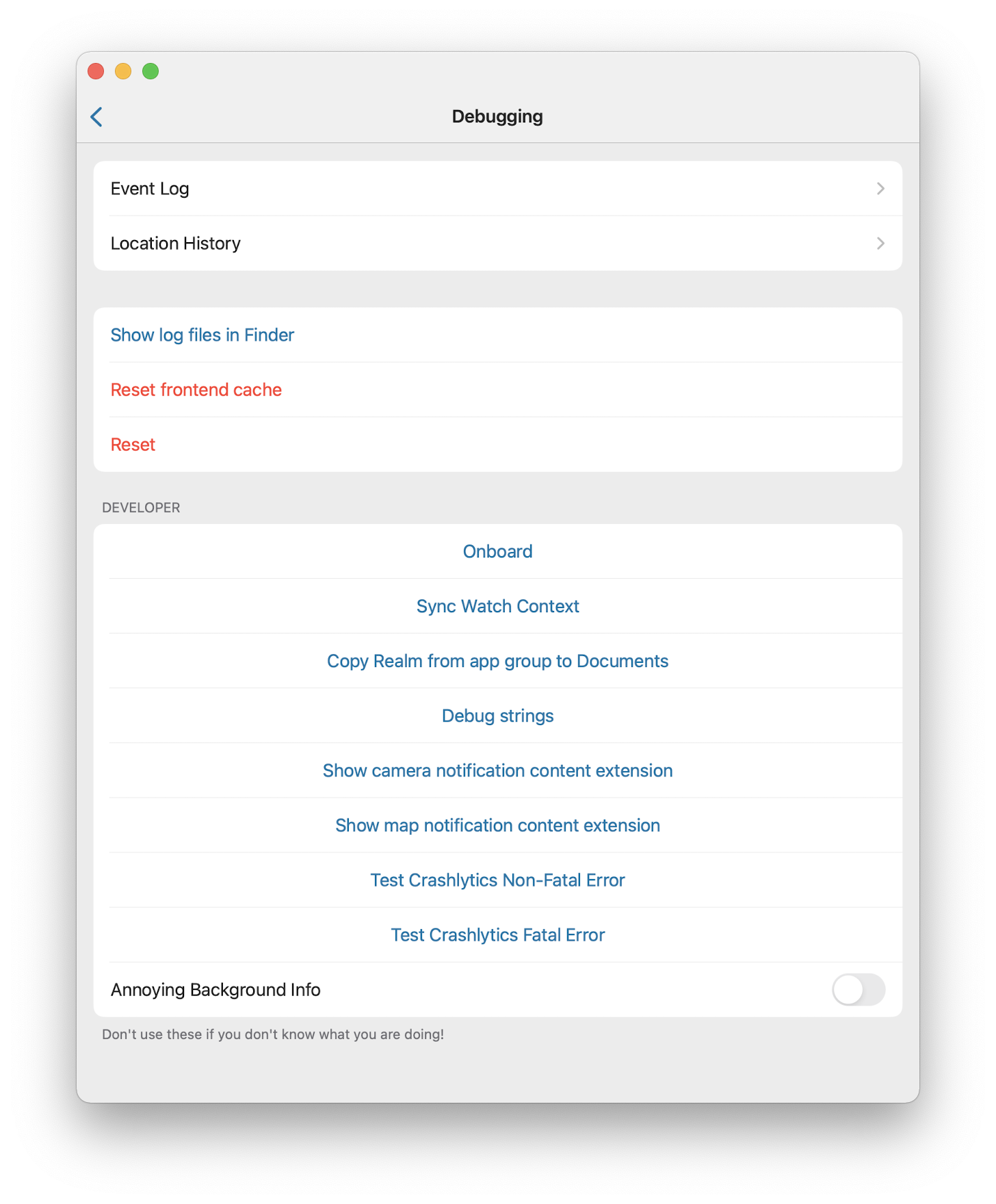
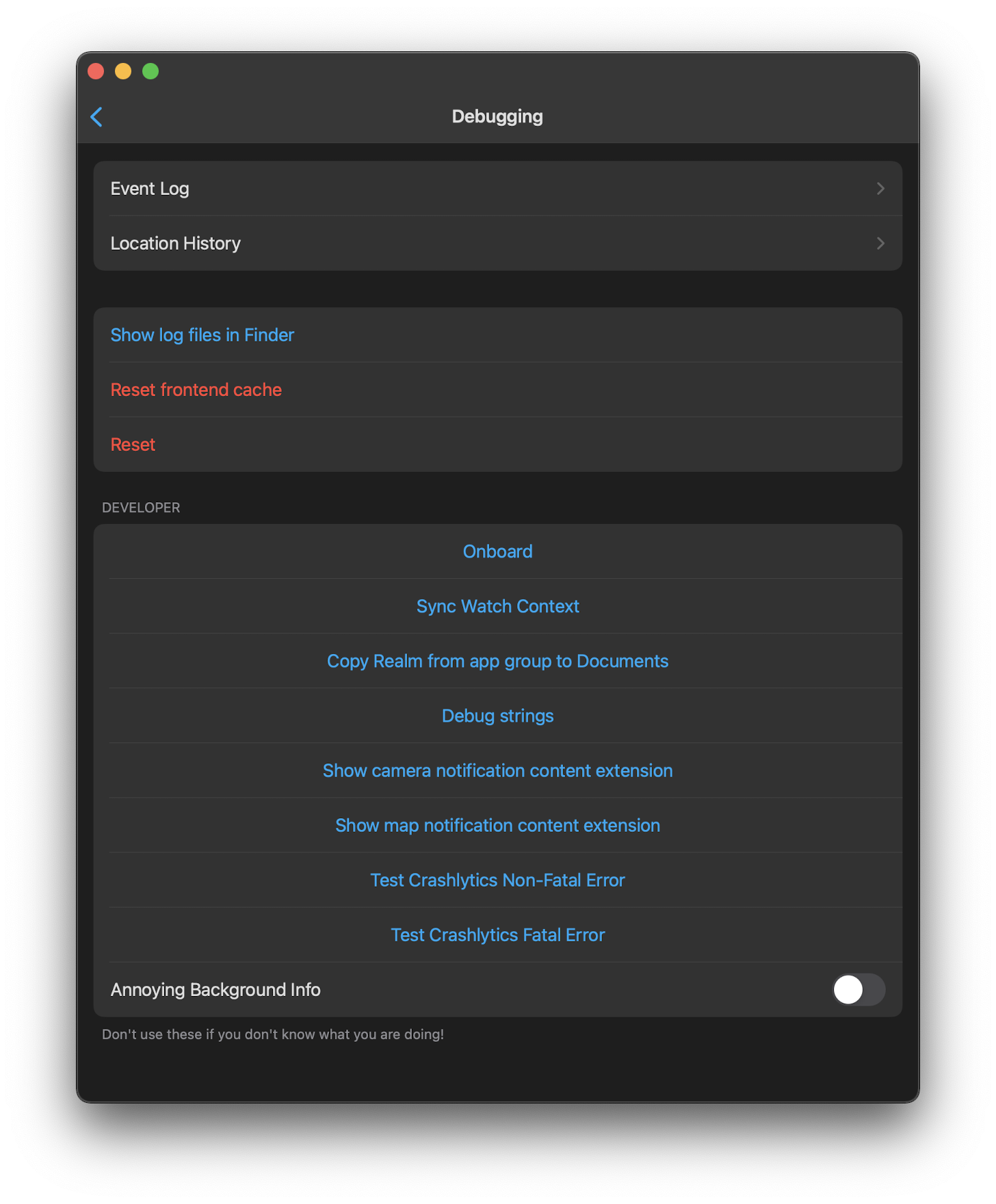
This PR allows adding supported domain entities to CarPlay, Widgets and
Apple watch directly from the entity more info dialog

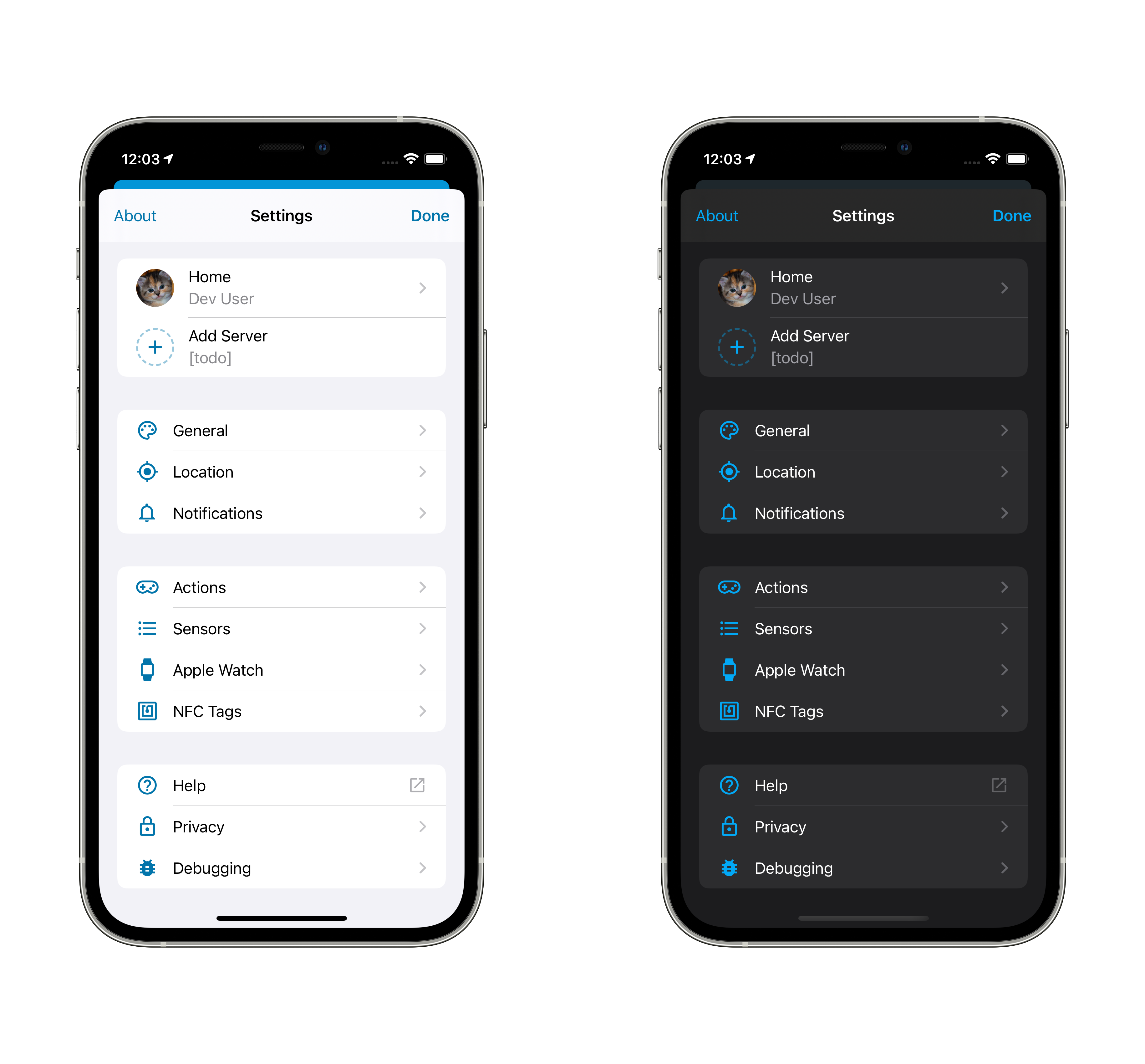
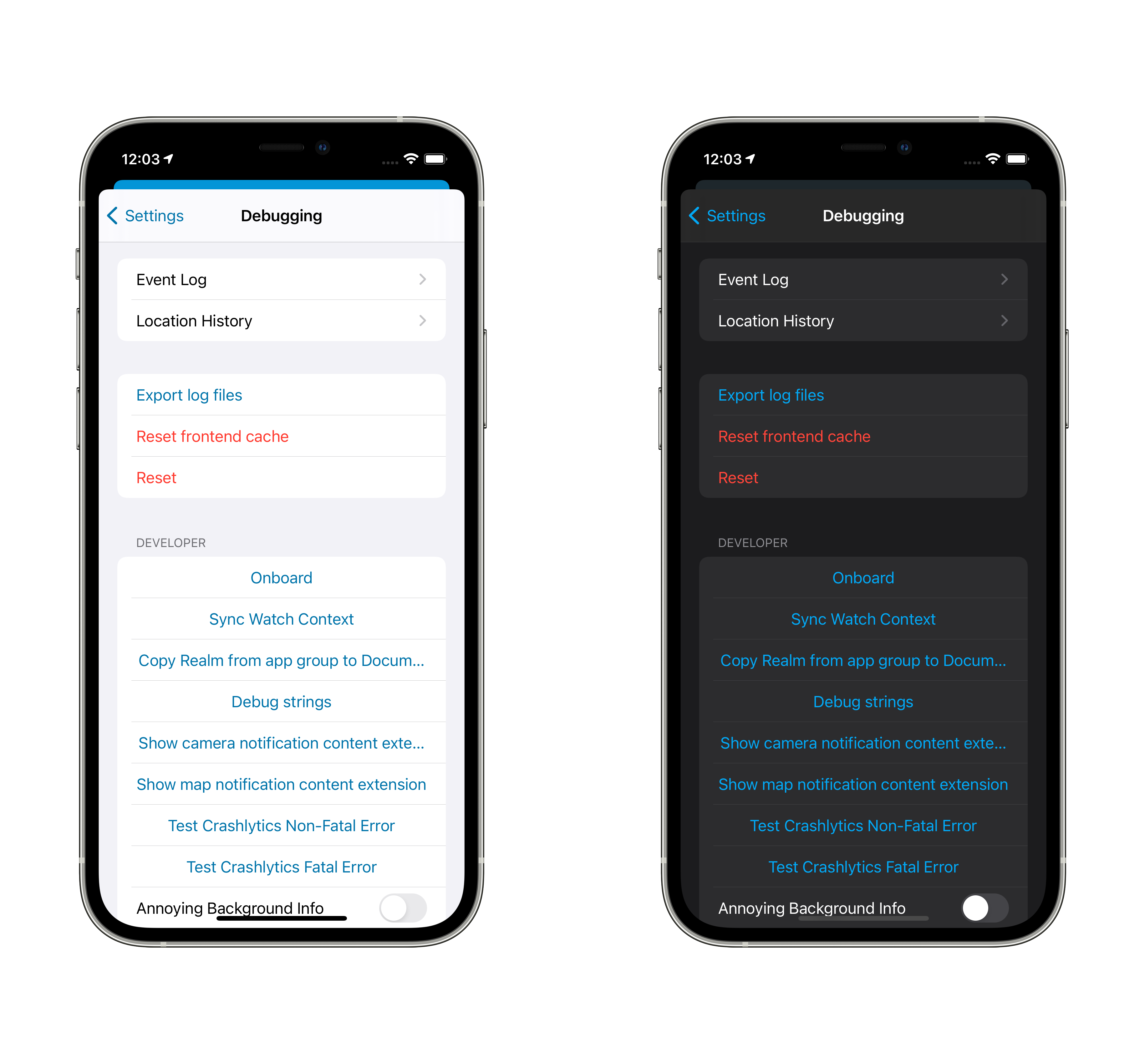
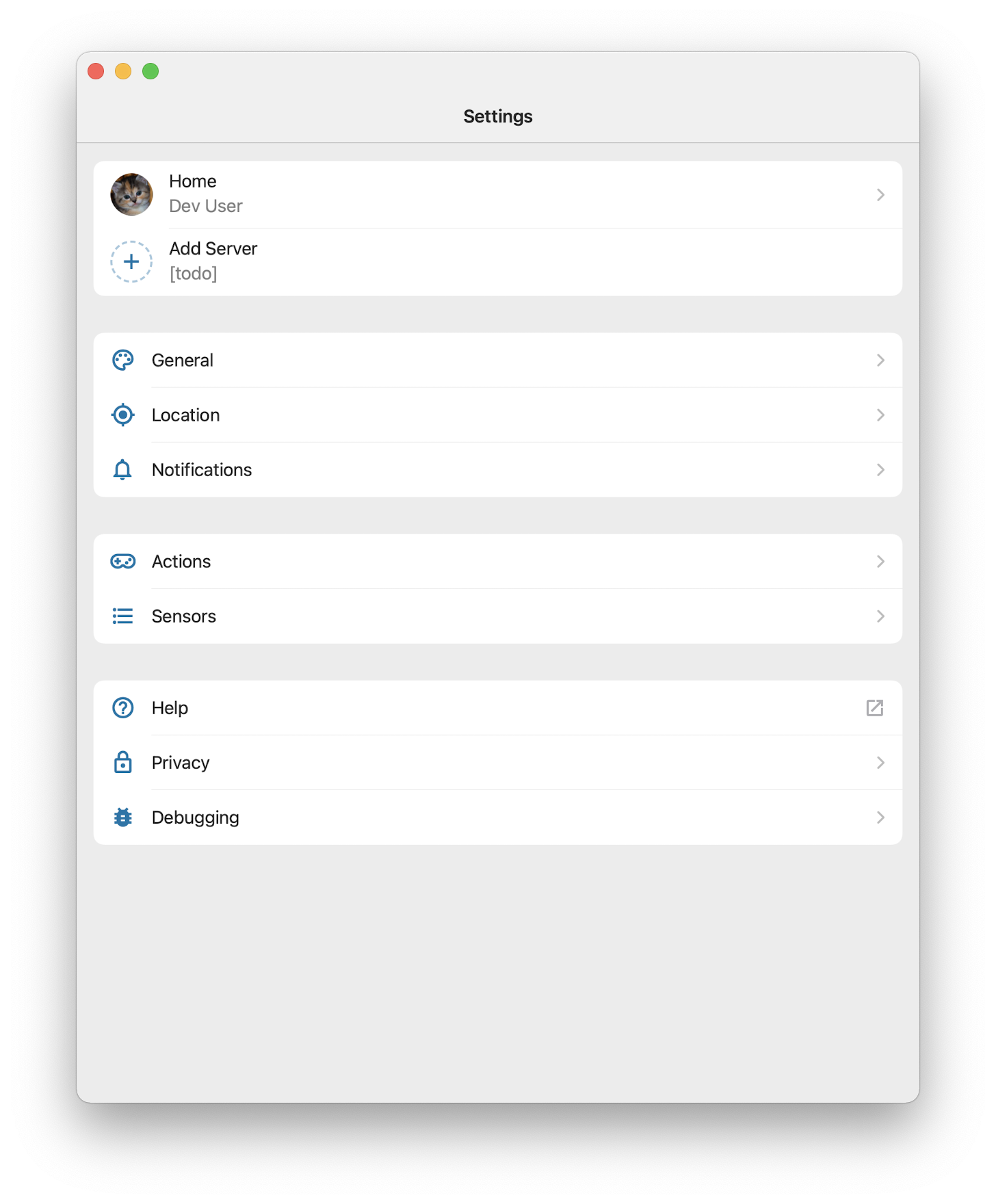
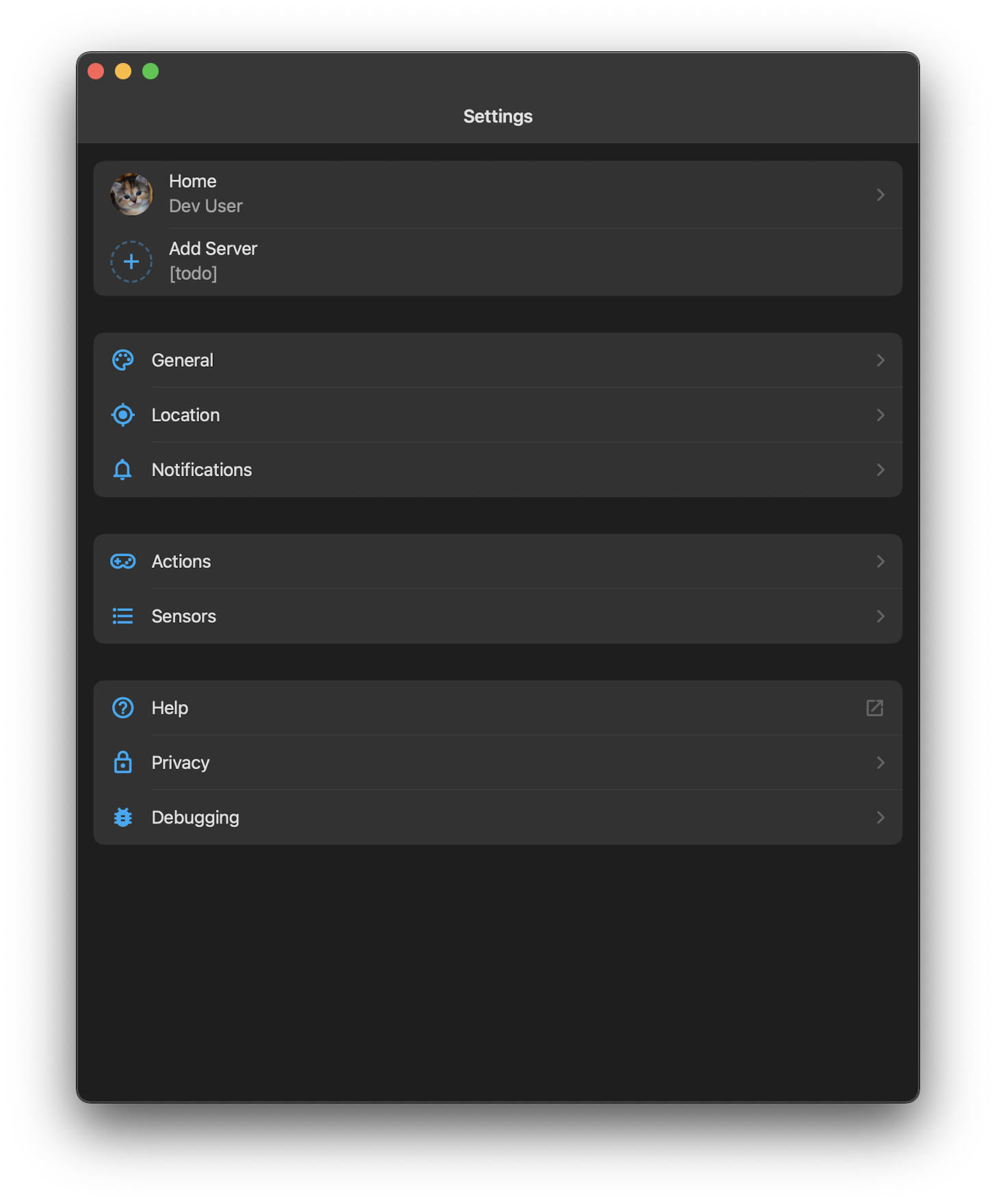
## Screenshots
<!-- If this is a user-facing change not in the frontend, please include
screenshots in light and dark mode. -->

## Link to pull request in Documentation repository
<!-- Pull requests that add, change or remove functionality must have a
corresponding pull request in the Companion App Documentation repository
(https://github.com/home-assistant/companion.home-assistant). Please add
the number of this pull request after the "#" -->
Documentation: home-assistant/companion.home-assistant#

## Any other notes
<!-- If there is any other information of note, like if this Pull
Request is part of a bigger change, please include it here. -->

---------

Co-authored-by: Copilot <198982749+Copilot@users.noreply.github.com>
Replaces the CarPlayConfigurationView presentation with NavigationStack
for iOS 16 and above, and falls back to NavigationView for earlier
versions. This ensures consistent navigation behavior across iOS
versions when launching the CarPlay configuration screen.

<!-- Thank you for submitting a Pull Request and helping to improve Home
Assistant. Please complete the following sections to help the processing
and review of your changes. Please do not delete anything from this
template. -->

## Summary
<!-- Provide a brief summary of the changes you have made and most
importantly what they aim to achieve -->

## Screenshots
<!-- If this is a user-facing change not in the frontend, please include
screenshots in light and dark mode. -->

## Link to pull request in Documentation repository
<!-- Pull requests that add, change or remove functionality must have a
corresponding pull request in the Companion App Documentation repository
(https://github.com/home-assistant/companion.home-assistant). Please add
the number of this pull request after the "#" -->
Documentation: home-assistant/companion.home-assistant#

## Any other notes
<!-- If there is any other information of note, like if this Pull
Request is part of a bigger change, please include it here. -->
## Plan: Fix Local Push Activation Without WiFi Reconnection
- [x] Explore repository structure and understand local push
implementation
- [x] Identify the root cause: NEAppPushManager configuration updates
don't take effect immediately
- [x] Implement fix to force manager reload when local push is toggled
on
- [x] Add mechanism to start managers immediately when enabled on
internal network
- [x] Address code review feedback (removed unused encoder, explicitly
set isDirty flag)
- [x] Improve code quality (extract magic number, use weak self, safe
error handling)
- [x] Fix memory safety issues in updateManagers method
- [x] Add comprehensive documentation to clarify reload behavior
- [x] Add documentation explaining "dirty" flag meaning
- [x] Fix lint issues (trailing spaces and line wrapping)
- [x] Request final code review
- [x] Run security checks (CodeQL - no issues found)
## Summary
Successfully fixed the issue where activating local push requires
reconnecting to WiFi. The solution ensures that when a user enables
local push while already on their internal network, the
`NEAppPushManager` configuration is properly reloaded so the
NetworkExtension framework picks up the changes immediately.
## Key Changes
Modified `NotificationManagerLocalPushInterfaceExtension.swift`:
- Added `isDirty` flag to track configuration changes
- Added `reloadManagersAfterSave()` method with 0.5s delay to reload
managers
- Improved memory safety with `[weak self]` captures
- Replaced force unwraps with safe error handling
- Added comprehensive documentation including clear explanation of
"dirty" flag
- Fixed all linting issues (trailing spaces and line length)
- Ensured NetworkExtension framework picks up changes without WiFi
reconnection
## Code Quality
All code review feedback has been addressed:
- ✅ No force unwraps
- ✅ Weak self references to prevent retain cycles
- ✅ Named constants instead of magic numbers
- ✅ Comprehensive documentation with clear explanation of "dirty"
concept
- ✅ No security vulnerabilities (CodeQL clean)
- ✅ All linting issues resolved
The changes are minimal, focused, and solve the reported issue while
improving overall code quality.
<!-- START COPILOT CODING AGENT SUFFIX -->
<details>
<summary>Original prompt</summary>
>
> ----
>
> *This section details on the original issue you should resolve*
>
> <issue_title>Activating local push requires reconnecting to the
WiFi</issue_title>
> <issue_description>**iOS device model, version and app version**
> <!-- Please include your device 'Model Name' and 'Software Version' as
listed in iOS Settings>General>About. Please also give the app version
listed beneath "Home Assistant Companion" in the App Configuration>About
menu within the app, please include the number in brackets -->
>
> Model Name: iPhone 13 Pro Max
> Software Version: 26.1
> App version: 2025.11.2
>
> **Home Assistant Core Version**
> 2025.8.2
>
> **Describe the bug**
> When I activate local push, the status section doesn't immediately
show it as activated. I have to reconnect the phone to the local network
for local push to work.
>
> **To Reproduce**
> * Disable local push
> * Status "Local push" is disabled
> * Enable local push while you are connected to your local network
> * Status "Local push" still disabled
> * Disconnect from your local network
> * Reconnect to your local network
> * Status "Local push" now is available
>
> **Expected behavior**
> * When I enable local push while I am connected to my local network,
local push should be initialized without having to reconnect to the
wifi.</issue_description>
>
> ## Comments on the Issue (you are @copilot in this section)
>
> <comments>
> </comments>
>
</details>
- Fixeshome-assistant/iOS#4031
<!-- START COPILOT CODING AGENT TIPS -->
---
✨ Let Copilot coding agent [set things up for
you](https://github.com/home-assistant/iOS/issues/new?title=✨+Set+up+Copilot+instructions&body=Configure%20instructions%20for%20this%20repository%20as%20documented%20in%20%5BBest%20practices%20for%20Copilot%20coding%20agent%20in%20your%20repository%5D%28https://gh.io/copilot-coding-agent-tips%29%2E%0A%0A%3COnboard%20this%20repo%3E&assignees=copilot)
— coding agent works faster and does higher quality work when set up for
your repo.
---------
Co-authored-by: copilot-swe-agent[bot] <198982749+Copilot@users.noreply.github.com>
Co-authored-by: bgoncal <5808343+bgoncal@users.noreply.github.com>
<!-- Thank you for submitting a Pull Request and helping to improve Home
Assistant. Please complete the following sections to help the processing
and review of your changes. Please do not delete anything from this
template. -->

## Summary
<!-- Provide a brief summary of the changes you have made and most
importantly what they aim to achieve -->

## Screenshots
<!-- If this is a user-facing change not in the frontend, please include
screenshots in light and dark mode. -->

## Link to pull request in Documentation repository
<!-- Pull requests that add, change or remove functionality must have a
corresponding pull request in the Companion App Documentation repository
(https://github.com/home-assistant/companion.home-assistant). Please add
the number of this pull request after the "#" -->
Documentation: home-assistant/companion.home-assistant#

## Any other notes
<!-- If there is any other information of note, like if this Pull
Request is part of a bigger change, please include it here. -->

---------

Co-authored-by: Copilot <175728472+Copilot@users.noreply.github.com>
<!-- Thank you for submitting a Pull Request and helping to improve Home
Assistant. Please complete the following sections to help the processing
and review of your changes. Please do not delete anything from this
template. -->

## Summary
<!-- Provide a brief summary of the changes you have made and most
importantly what they aim to achieve -->

## Screenshots
<!-- If this is a user-facing change not in the frontend, please include
screenshots in light and dark mode. -->

## Link to pull request in Documentation repository
<!-- Pull requests that add, change or remove functionality must have a
corresponding pull request in the Companion App Documentation repository
(https://github.com/home-assistant/companion.home-assistant). Please add
the number of this pull request after the "#" -->
Documentation: home-assistant/companion.home-assistant#

## Any other notes
<!-- If there is any other information of note, like if this Pull
Request is part of a bigger change, please include it here. -->
<!-- Thank you for submitting a Pull Request and helping to improve Home
Assistant. Please complete the following sections to help the processing
and review of your changes. Please do not delete anything from this
template. -->

## Summary
<!-- Provide a brief summary of the changes you have made and most
importantly what they aim to achieve -->

## Screenshots
<!-- If this is a user-facing change not in the frontend, please include
screenshots in light and dark mode. -->

## Link to pull request in Documentation repository
<!-- Pull requests that add, change or remove functionality must have a
corresponding pull request in the Companion App Documentation repository
(https://github.com/home-assistant/companion.home-assistant). Please add
the number of this pull request after the "#" -->
Documentation: home-assistant/companion.home-assistant#

## Any other notes
<!-- If there is any other information of note, like if this Pull
Request is part of a bigger change, please include it here. -->
<!-- Thank you for submitting a Pull Request and helping to improve Home
Assistant. Please complete the following sections to help the processing
and review of your changes. Please do not delete anything from this
template. -->

## Summary
<!-- Provide a brief summary of the changes you have made and most
importantly what they aim to achieve -->

## Screenshots
<!-- If this is a user-facing change not in the frontend, please include
screenshots in light and dark mode. -->

## Link to pull request in Documentation repository
<!-- Pull requests that add, change or remove functionality must have a
corresponding pull request in the Companion App Documentation repository
(https://github.com/home-assistant/companion.home-assistant). Please add
the number of this pull request after the "#" -->
Documentation: home-assistant/companion.home-assistant#

## Any other notes
<!-- If there is any other information of note, like if this Pull
Request is part of a bigger change, please include it here. -->
<!-- Thank you for submitting a Pull Request and helping to improve Home
Assistant. Please complete the following sections to help the processing
and review of your changes. Please do not delete anything from this
template. -->
## Summary
<!-- Provide a brief summary of the changes you have made and most
importantly what they aim to achieve -->
- Create watch home from iPhone
- Configure Assist for watch from iPhone
- Deprecate message for iOS Actions
- Use Scripts or Scenes directly
- Show/Hide Assist in Apple Watch
- Options to require confirmation before running watch item
(script/scene/action)
## Screenshots
<!-- If this is a user-facing change not in the frontend, please include
screenshots in light and dark mode. -->

https://github.com/user-attachments/assets/1e4509f8-45e5-4b39-bfdc-62f9bce64617
## Link to pull request in Documentation repository
<!-- Pull requests that add, change or remove functionality must have a
corresponding pull request in the Companion App Documentation repository
(https://github.com/home-assistant/companion.home-assistant). Please add
the number of this pull request after the "#" -->
Documentation: home-assistant/companion.home-assistant#
## Any other notes
<!-- If there is any other information of note, like if this Pull
Request is part of a bigger change, please include it here. -->
<!-- Thank you for submitting a Pull Request and helping to improve Home
Assistant. Please complete the following sections to help the processing
and review of your changes. Please do not delete anything from this
template. -->

## Summary
<!-- Provide a brief summary of the changes you have made and most
importantly what they aim to achieve -->
Pending:
- Allow color customisation
- Choose to receive or not notification confirmation

## Screenshots
<!-- If this is a user-facing change not in the frontend, please include
screenshots in light and dark mode. -->

## Link to pull request in Documentation repository
<!-- Pull requests that add, change or remove functionality must have a
corresponding pull request in the Companion App Documentation repository
(https://github.com/home-assistant/companion.home-assistant). Please add
the number of this pull request after the "#" -->
Documentation: home-assistant/companion.home-assistant#

## Any other notes
<!-- If there is any other information of note, like if this Pull
Request is part of a bigger change, please include it here. -->
<!-- Thank you for submitting a Pull Request and helping to improve Home
Assistant. Please complete the following sections to help the processing
and review of your changes. Please do not delete anything from this
template. -->

## Summary
<!-- Provide a brief summary of the changes you have made and most
importantly what they aim to achieve -->

## Screenshots
<!-- If this is a user-facing change not in the frontend, please include
screenshots in light and dark mode. -->

## Link to pull request in Documentation repository
<!-- Pull requests that add, change or remove functionality must have a
corresponding pull request in the Companion App Documentation repository
(https://github.com/home-assistant/companion.home-assistant). Please add
the number of this pull request after the "#" -->
Documentation: home-assistant/companion.home-assistant#

## Any other notes
<!-- If there is any other information of note, like if this Pull
Request is part of a bigger change, please include it here. -->
## Summary
In issue #2655 there is some code referenced that is not needed anymore.
So I've removed it.

## Screenshots
The app still launches on a iPhone simulator. Could not test the macOS
target.

## Link to pull request in Documentation repository
Documentation: home-assistant/companion.home-assistant#

## Any other notes
-

---------

Co-authored-by: Bruno Pantaleão Gonçalves <bruno.ing879@gmail.com>
<!-- Thank you for submitting a Pull Request and helping to improve Home
Assistant. Please complete the following sections to help the processing
and review of your changes. Please do not delete anything from this
template. -->

## Summary
<!-- Provide a brief summary of the changes you have made and most
importantly what they aim to achieve -->

As [lowerCamelCase came to Swift a long time
ago](https://www.hackingwithswift.com/swift/3.0/lower-camel-case), this
PR is changing the casing in `AppConfiguration`.
## Summary
Swift lint and swiftformat are outdated. This PR does update those +
applies the new formatting form swiftformat.
There is 1 swift file with a manual change:
`Sources/Vehicle/Templates/Areas/CarPlayAreasViewModel.swift`. This is
done because `swiftlint` did create the following swiftlint error:
`error: Cyclomatic Complexity Violation: Function should have complexity
10 or less; currently complexity is 11 (cyclomatic_complexity)`.

Because it does change a lot of files the question is if we want to
finetune the `swiftformat` rules.

## Screenshots
No user facing changes.

## Link to pull request in Documentation repository
NA

## Any other notes
NA
<!-- Thank you for submitting a Pull Request and helping to improve Home
Assistant. Please complete the following sections to help the processing
and review of your changes. Please do not delete anything from this
template. -->

## Summary
<!-- Provide a brief summary of the changes you have made and most
importantly what they aim to achieve -->

## Screenshots
<!-- If this is a user-facing change not in the frontend, please include
screenshots in light and dark mode. -->
<img width="1724" alt="Screenshot 2024-01-18 at 01 26 26"
src="https://github.com/home-assistant/iOS/assets/5808343/2ef9e945-c7c1-4659-85e9-5dab9f2a791d">

## Link to pull request in Documentation repository
<!-- Pull requests that add, change or remove functionality must have a
corresponding pull request in the Companion App Documentation repository
(https://github.com/home-assistant/companion.home-assistant). Please add
the number of this pull request after the "#" -->
Documentation: home-assistant/companion.home-assistant#

## Any other notes
<!-- If there is any other information of note, like if this Pull
Request is part of a bigger change, please include it here. -->
<!-- Thank you for submitting a Pull Request and helping to improve Home
Assistant. Please complete the following sections to help the processing
and review of your changes. Please do not delete anything from this
template. -->

## Summary
<!-- Provide a brief summary of the changes you have made and most
importantly what they aim to achieve -->
Drop support for iOS 12 and 13.

## Screenshots
<!-- If this is a user-facing change not in the frontend, please include
screenshots in light and dark mode. -->

## Link to pull request in Documentation repository
<!-- Pull requests that add, change or remove functionality must have a
corresponding pull request in the Companion App Documentation repository
(https://github.com/home-assistant/companion.home-assistant). Please add
the number of this pull request after the "#" -->
Documentation: home-assistant/companion.home-assistant#

## Any other notes
<!-- If there is any other information of note, like if this Pull
Request is part of a bigger change, please include it here. -->
Fixes#2214.
## Summary
Updates to building with Xcode 14 as the minimum. Updates all
dependencies (as many both require Xcode 14 to update and would not work
with it without updating).
## Any other notes
This excludes `arm64` (new in Xcode 14) from watchOS builds. This is due
to App Store Connect having a bad heuristic for file size:
> ITMS-90389: Size Limit Exceeded - The size of watch application
'/Payload/Home Assistant.app/Watch/HomeAssistant-WatchApp.app' (102MB)
has exceeded the 75MB size limit.
Our binary file is larger than 75 MB unthinned and our thinned install
size is sub-25 MB, so I don't think this is testing the right thing. In
either case, we're somehow below whatever the limit actually is with
just `arm64_32_v8` and `arm_v7k` slices.
The first build on TF using the Xcode 14 build for distribution is
2022.413.
## Summary
Removes FCM and related SDKs in favor of using the server introduced in #2024.

## Any other notes
This will require testing. It may be worth reverting this PR to introduce a toggle if this lasts more than 1 beta cycle.

Future work includes figuring out the permanent location for these services; they are on fly.io right now but that may cost money, but for now I just want TestFlight builds to use it.
Refs #1570 and home-assistant/core#50750. Fixes#1382.
## Summary
Adds a new app extension to do local push notifications on iOS 14 when connected to internal SSIDs.
## Screenshots
Adds a default-on setting to Internal URL:
| Light | Dark |
| -- | -- |
|  |  |
## Link to pull request in Documentation repository
Documentation: home-assistant/companion.home-assistant#539
## Any other notes
- Updates the "you need always permission" warning in Internal URL editing to be vibrantly red, to really point out its importance.
- Sets the code signing for the app and the push target to 'manual' on device, hopefully for our internal team only. Special entitlements really do not play well with open source. Worth noting that it is not possible to test this feature without being on the HA team since it does not work in simulator (as far as I can tell) and running on-device requires entitlements.
- Moves commands into Shared in a slightly-easier registration mechanism, so we can share them in the local push extension.
Refs #1382 and home-assistant/core#50750.

## Summary
Uses (and requires) the core-2021.6 local push handling to subscribe to notification calls and show notifications without going through the Apple Push Notification Service.

## Screenshots
| Light | Dark |
| -- | -- |
| <img width="712" alt="Screen Shot 2021-06-06 at 18 08 59" src="https://user-images.githubusercontent.com/74188/120946730-57a8d600-c6f2-11eb-8dde-b03b42a0a03a.png"> | <img width="712" alt="Screen Shot 2021-06-06 at 18 09 09" src="https://user-images.githubusercontent.com/74188/120946737-5d9eb700-c6f2-11eb-8563-8d9b8d8e075b.png"> |

## Link to pull request in Documentation repository
Documentation: home-assistant/companion.home-assistant#539

## Any other notes
- Only works on macOS for this first round. The iOS implementation will be the same manager, but needs extensions scaffolding that I have to put together separately.
- iOS will also likely have a setting to control this behavior, since it has potential battery implications; macOS doesn't have such concerns.
- Adds tests around the parsing of the raw notification payloads that uses the same tests introduced in home-assistant/mobile-apps-fcm-push#55.
- Shows the state of the local push connectivity in Notifications. With multi-server support, this will probably need to be broken down by server, or moved into the server-specific configurations.

This also sets us up to support encrypted notifications, since we're now able to handle the service call's data without any kind of remote manipulation. Unfortunately Apple declined the entitlement which makes this extremely easy, so we'll still need to handle the "commands are unencrypted" nonsense.
Depends on home-assistant/mobile-apps-fcm-push#52. Fixes#1046, though not in the best way. However, this at least leaves it open to doing it better later.
## Summary
Adds support for triggering complication updates indirectly via background notifications to the iOS app, and adds a manual update button to the complication list.
## Screenshots

## Link to pull request in Documentation repository
Documentation: home-assistant/companion.home-assistant#511
## Any other notes
This indirect method appears to be a bit slower than the direct method, but seems to mostly work.
Fixes#1604.
## Summary
Dynamic actions -- unlike category-based -- appear to never forward their action handling to the iOS app, despite what the documentation says. Adds tooling to do call it manually.
## Any other notes
Not setting the notification delegate doesn't resolve this, either -- it doesn't appear we're doing anything unexpected, this is just an undocumented/rarely-used area, I guess.
Fixes#1593.
## Summary
Suffixes the given identifiers with a consistent string, split when sending anywhere.
## Any other notes
Since Android requires an action identifier of 'URI' to open URLs, users may enter more than 1 in the actions array; this fixes using just the first matching identifier.
Depends on home-assistant/mobile-apps-fcm-push#47 which allows the actions to be included in the notification data, and also on-the-fly silently sets the category to `DYNAMIC` which this requires.
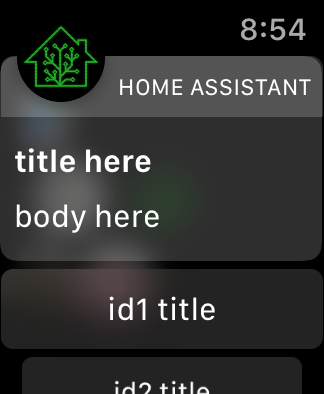
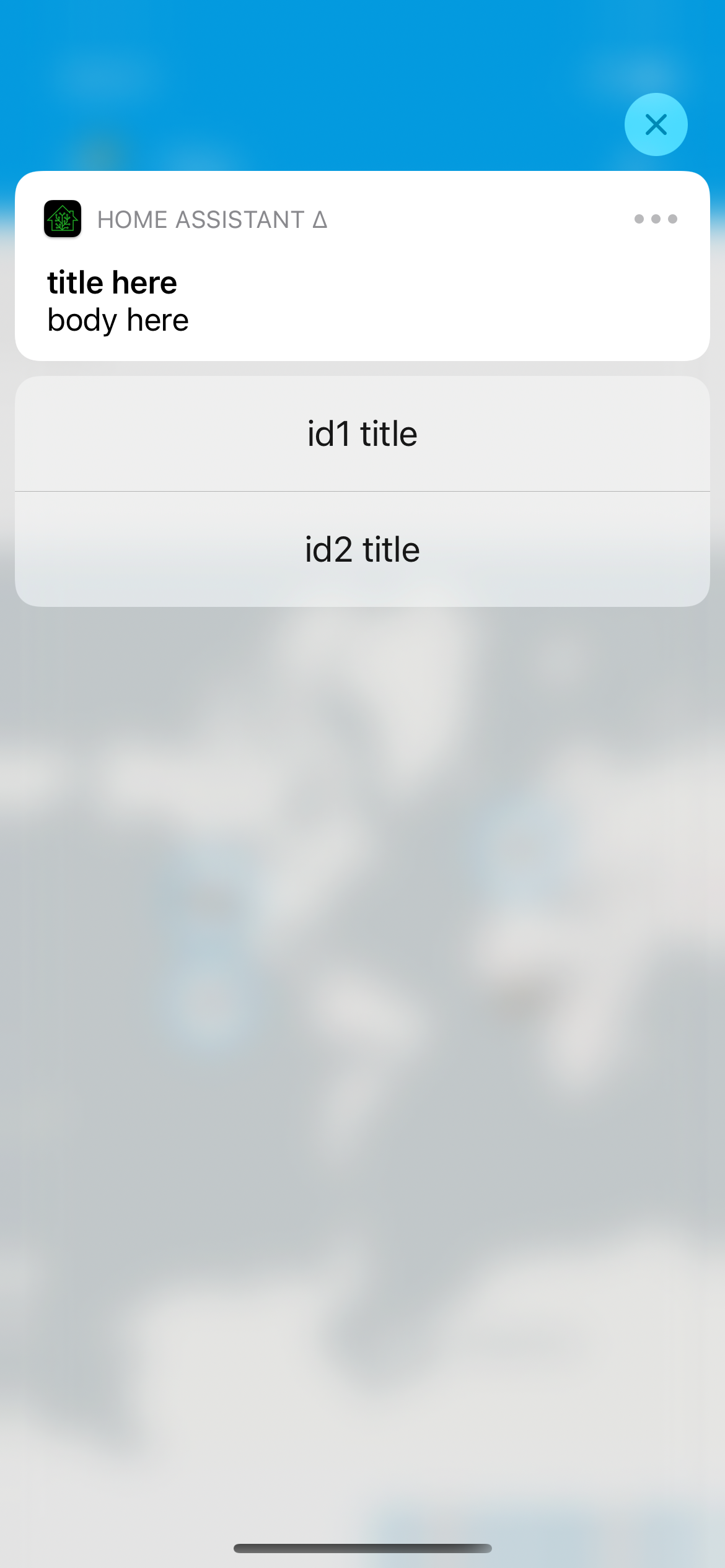
## Summary
Allows for specifying the actions for a notification on-the-fly without defining a category. This should allow us to make all of the category config and setup unnecessary, so I'll probably consider marking it as deprecated in this release.
## Screenshots
For a notification that looks like…
```yaml
service: notify.mobile_app_iphone
data:
title: title here
message: body here
data:
actions:
- action: "id1"
title: "id1 title"
# this mirrors the action definition in yaml now, it just _also_ supports what android
- identifier: "id2"
title: "id2 title"
```
## Link to pull request in Documentation repository
- Documentation: home-assistant/companion.home-assistant#496
## Any other notes
- Dynamic actions are visual - we provide custom UI on both iOS and watchOS for the additional actions, which does require we run the app on the given platform; for example, this doesn't yet work on macOS [I need to figure out how to make Catalyst notification content work, if it is] and if you uninstall the watch app these actions will not show up.
- Allows `map` and `camera`-esque notification content on any category. In other words, if you send a notification with `map` it'll still prefer the camera `entity_id` if present. This is largely to continue in the direction of making category deprecated; as long as the content extension launches, it'll figure out what to display.
All of the normal action configuration is allowed in these actions:
- action or identifier
- title
- authenticationRequired (default: false)
- behavior (default: default, aka not textinput)
- activationMode (default: background)
- destructive (default: false)
- textInputButtonTitle (default: nil)
- textInputPlaceholder (default: nil)
Some additional things occur to match existing Android functionality:
- `uri` (or `url`) being provided in the action makes it a 'foreground' action
- action/identifier of `REPLY` changes the behavior to textinput
- `mobile_app_notification_action` is now fired with data that looks like theirs:
```
Sending action: mobile_app_notification_action
payload: ["action": "REPLY", "reply_text": "Reply text"]
```
and
```
Sending action: mobile_app_notification_action
payload: ["action": "id1"]
```
Fixes#258. Depends on home-assistant/mobile-apps-fcm-push#48 which adds support for the command.
## Summary
Adds `clear_notification` to remove notifications. This behaves like Android which can only clear based on the `tag`/`collapse-id`.
## Link to pull request in Documentation repository
- Documentation: home-assistant/companion.home-assistant#497
## Any other notes
This may be unreliable as it depends on the app launching in the background to do the actual clear.
Fixes#1312.
## Summary
After resetting user defaults, where we store the push ID, this sets a new value through so it'll be used during the next registration.
## Summary
Handles being launched by universal links (e.g. https://my.home-assistant.io/redirect/logs) or via the url scheme `homeassistant://navigate/path/to/lovelace`.

## Screenshots
https://user-images.githubusercontent.com/74188/109757851-7487b780-7b9f-11eb-923d-5388964d85a5.mov

## Any other notes
This doesn't yet work on Mac, because my initial `WKWebView` implementation doesn't want to give us any events about URL schemes like `homeassistant://…` being tapped. I'm unsure how useful it'll be on Mac either way, but at least the `homeassistant://navigate/xyz` will still work there.
## Summary
The "Significant Location Change" and "Zone enter/exit" settings for Locations' Update Sources previously did not work. This now watches both settings for changes and handles enabling or disabling their respective monitoring.

## Any other notes
- It takes a few seconds for the location-in-use arrow to disappear after disabling them.
- Users may be a little surprised if things _stop_ working, since they may have toggled these off for some reason in the past.
Adds new fastlane lanes:
- `fastlane lint` which checks the linters
- `fastlane autocorrect` which applies the linters which can autocorrect (Rubocop, SwiftFormat)

Adds a build step to the Codegen abstract target which runs SwiftFormat in lint mode, pointing out what it's going to change when run.

Applies SwiftFormat to nearly all code -- exempts a few externally-sourced files and generated code.
- Reverts #1418 - there's enough logic that is relying on the single-threadedness of then/map-ing on a shared queue.
- Forces all `Current.api` access to be done not on a queue intentionally, to avoid thread jumping when we don't expect, which is the core crash that this was trying to fix.
- Combines all .entitlements into either: App-iOS, App-catalyst, WatchApp, Extension-iOS or Extension-catalyst.
- Cleans up and renames all the schemes to match target names
- Moves around several folders and deletes some old files.
- Converts Podfile to be hierarchical, rather than calling shared methods.
- Always runs MaterialDesignIcons script; aborts early if it's up-to-date.
- Updates all dependencies.
This is somewhat in prep of being able to make the project file generated, but also just organizes things into more concrete directory structures.

This pulls out _all_ of the build settings from the root level, and most from the target level, into xcconfigs.

The new directory structure looks like:

- Sources
  - App
    - (everything from HomeAssistant/)
  - WatchApp
  - Shared
  - MacBridge
  - Extensions
    - Intents
    - NotificationContent
    - NotificationService
    - Share
    - Today
    - Watch
    - Widgets
- Tests
  - App
  - UI
  - Shared

Somewhat intentionally, the file structure under these is not yet standardized/organized.

The project targets are now:

- App
- WatchApp
- Shared-iOS
- Shared-watchOS
- MacBridge
- Tests-App
- Tests-UI
- Tests-Shared
- Extension-Intents
- Extension-NotificationContent
- Extension-NotificationService
- Extension-Share
- Extension-Today
- Extension-Widget
- WatchExtension-Watch

This does not yet clean up resources vs. sources, nor does it handle some of the "it's in Sources/App but it's part of Shared" crossover directory issues.