## Summary

Adds support for Home Assistant automations in the iOS app. Automations
can now be triggered from iOS Control Center widgets (iOS 18+), similar
to existing script and scene controls.

**Domain & Model**
- Added `automation` domain with robot icon and `trigger` service
- Included automation in `AppEntitiesModel` tracked domains for database
caching
- Added to CarPlay supported domains

**Control Widget** (iOS 18+)
- `ControlAutomation` - Main control widget
- `AutomationAppIntent` - Triggers `automation.trigger` service
- `IntentAutomationEntity` - Entity queries and selection
- `ControlAutomationsValueProvider` - Configuration with custom
icons/text

**Pattern**
Follows existing `ControlScript` and `ControlScene` implementation
patterns for consistency.

**Tests**
- Updated `testWidgetsKindCasesValues` to include assertion for
`controlAutomation` case
- Updated widget kind count validation from 25 to 26

## Screenshots

N/A - Control widgets are system UI and cannot be screenshotted during
development. Widget appears in Control Center configuration with
automation icon and allows selection from available automations.

## Link to pull request in Documentation repository

Documentation: home-assistant/companion.home-assistant#

## Any other notes

Localization strings added for English only. Additional languages will
need translation via the standard localization workflow.

<!-- START COPILOT CODING AGENT SUFFIX -->


<!-- START COPILOT ORIGINAL PROMPT -->


<details>

<summary>Original prompt</summary>

> 1 - Add "automation" in AppEntitiesModel domains
> 2 - Create an iOS control for running automation like it exist for
ControlScript


</details>


<!-- START COPILOT CODING AGENT TIPS -->
---

✨ Let Copilot coding agent [set things up for
you](https://github.com/home-assistant/iOS/issues/new?title=✨+Set+up+Copilot+instructions&body=Configure%20instructions%20for%20this%20repository%20as%20documented%20in%20%5BBest%20practices%20for%20Copilot%20coding%20agent%20in%20your%20repository%5D%28https://gh.io/copilot-coding-agent-tips%29%2E%0A%0A%3COnboard%20this%20repo%3E&assignees=copilot)
— coding agent works faster and does higher quality work when set up for
your repo.

---------

Co-authored-by: copilot-swe-agent[bot] <198982749+Copilot@users.noreply.github.com>
Co-authored-by: bgoncal <5808343+bgoncal@users.noreply.github.com>
<!-- Thank you for submitting a Pull Request and helping to improve Home
Assistant. Please complete the following sections to help the processing
and review of your changes. Please do not delete anything from this
template. -->

## Summary
<!-- Provide a brief summary of the changes you have made and most
importantly what they aim to achieve -->
This PR adds option in the debug section to receive debug notifications,
this is a debugging tool only and it is not visible to the user unless
it open the debugging tool hidden panel.

First use case: Receive notification when location fails to update ein
brackground.

## Screenshots
<!-- If this is a user-facing change not in the frontend, please include
screenshots in light and dark mode. -->

## Link to pull request in Documentation repository
<!-- Pull requests that add, change or remove functionality must have a
corresponding pull request in the Companion App Documentation repository
(https://github.com/home-assistant/companion.home-assistant). Please add
the number of this pull request after the "#" -->
Documentation: home-assistant/companion.home-assistant#

## Any other notes
<!-- If there is any other information of note, like if this Pull
Request is part of a bigger change, please include it here. -->
<!-- Thank you for submitting a Pull Request and helping to improve Home
Assistant. Please complete the following sections to help the processing
and review of your changes. Please do not delete anything from this
template. -->

## Summary
<!-- Provide a brief summary of the changes you have made and most
importantly what they aim to achieve -->

## Screenshots
<!-- If this is a user-facing change not in the frontend, please include
screenshots in light and dark mode. -->

## Link to pull request in Documentation repository
<!-- Pull requests that add, change or remove functionality must have a
corresponding pull request in the Companion App Documentation repository
(https://github.com/home-assistant/companion.home-assistant). Please add
the number of this pull request after the "#" -->
Documentation: home-assistant/companion.home-assistant#

## Any other notes
<!-- If there is any other information of note, like if this Pull
Request is part of a bigger change, please include it here. -->

---------

Co-authored-by: Copilot <175728472+Copilot@users.noreply.github.com>
<!-- Thank you for submitting a Pull Request and helping to improve Home
Assistant. Please complete the following sections to help the processing
and review of your changes. Please do not delete anything from this
template. -->

## Summary
<!-- Provide a brief summary of the changes you have made and most
importantly what they aim to achieve -->

## Screenshots
<!-- If this is a user-facing change not in the frontend, please include
screenshots in light and dark mode. -->

## Link to pull request in Documentation repository
<!-- Pull requests that add, change or remove functionality must have a
corresponding pull request in the Companion App Documentation repository
(https://github.com/home-assistant/companion.home-assistant). Please add
the number of this pull request after the "#" -->
Documentation: home-assistant/companion.home-assistant#

## Any other notes
<!-- If there is any other information of note, like if this Pull
Request is part of a bigger change, please include it here. -->
<!-- Thank you for submitting a Pull Request and helping to improve Home
Assistant. Please complete the following sections to help the processing
and review of your changes. Please do not delete anything from this
template. -->

## Summary
<!-- Provide a brief summary of the changes you have made and most
importantly what they aim to achieve -->

## Screenshots
<!-- If this is a user-facing change not in the frontend, please include
screenshots in light and dark mode. -->

## Link to pull request in Documentation repository
<!-- Pull requests that add, change or remove functionality must have a
corresponding pull request in the Companion App Documentation repository
(https://github.com/home-assistant/companion.home-assistant). Please add
the number of this pull request after the "#" -->
Documentation: home-assistant/companion.home-assistant#

## Any other notes
<!-- If there is any other information of note, like if this Pull
Request is part of a bigger change, please include it here. -->
<!-- Thank you for submitting a Pull Request and helping to improve Home
Assistant. Please complete the following sections to help the processing
and review of your changes. Please do not delete anything from this
template. -->

## Summary
<!-- Provide a brief summary of the changes you have made and most
importantly what they aim to achieve -->

## Screenshots
<!-- If this is a user-facing change not in the frontend, please include
screenshots in light and dark mode. -->

## Link to pull request in Documentation repository
<!-- Pull requests that add, change or remove functionality must have a
corresponding pull request in the Companion App Documentation repository
(https://github.com/home-assistant/companion.home-assistant). Please add
the number of this pull request after the "#" -->
Documentation: home-assistant/companion.home-assistant#

## Any other notes
<!-- If there is any other information of note, like if this Pull
Request is part of a bigger change, please include it here. -->
<!-- Thank you for submitting a Pull Request and helping to improve Home
Assistant. Please complete the following sections to help the processing
and review of your changes. Please do not delete anything from this
template. -->

## Summary
<!-- Provide a brief summary of the changes you have made and most
importantly what they aim to achieve -->

## Screenshots
<!-- If this is a user-facing change not in the frontend, please include
screenshots in light and dark mode. -->

## Link to pull request in Documentation repository
<!-- Pull requests that add, change or remove functionality must have a
corresponding pull request in the Companion App Documentation repository
(https://github.com/home-assistant/companion.home-assistant). Please add
the number of this pull request after the "#" -->
Documentation: home-assistant/companion.home-assistant#

## Any other notes
<!-- If there is any other information of note, like if this Pull
Request is part of a bigger change, please include it here. -->
<!-- Thank you for submitting a Pull Request and helping to improve Home
Assistant. Please complete the following sections to help the processing
and review of your changes. Please do not delete anything from this
template. -->

## Summary
<!-- Provide a brief summary of the changes you have made and most
importantly what they aim to achieve -->

## Screenshots
<!-- If this is a user-facing change not in the frontend, please include
screenshots in light and dark mode. -->

## Link to pull request in Documentation repository
<!-- Pull requests that add, change or remove functionality must have a
corresponding pull request in the Companion App Documentation repository
(https://github.com/home-assistant/companion.home-assistant). Please add
the number of this pull request after the "#" -->
Documentation: home-assistant/companion.home-assistant#

## Any other notes
<!-- If there is any other information of note, like if this Pull
Request is part of a bigger change, please include it here. -->
<!-- Thank you for submitting a Pull Request and helping to improve Home
Assistant. Please complete the following sections to help the processing
and review of your changes. Please do not delete anything from this
template. -->
## Summary
<!-- Provide a brief summary of the changes you have made and most
importantly what they aim to achieve -->
## Screenshots
<!-- If this is a user-facing change not in the frontend, please include
screenshots in light and dark mode. -->

## Link to pull request in Documentation repository
<!-- Pull requests that add, change or remove functionality must have a
corresponding pull request in the Companion App Documentation repository
(https://github.com/home-assistant/companion.home-assistant). Please add
the number of this pull request after the "#" -->
Documentation: home-assistant/companion.home-assistant#
## Any other notes
<!-- If there is any other information of note, like if this Pull
Request is part of a bigger change, please include it here. -->
<!-- Thank you for submitting a Pull Request and helping to improve Home
Assistant. Please complete the following sections to help the processing
and review of your changes. Please do not delete anything from this
template. -->

## Summary
<!-- Provide a brief summary of the changes you have made and most
importantly what they aim to achieve -->
Pending:
- Allow color customisation
- Choose to receive or not notification confirmation

## Screenshots
<!-- If this is a user-facing change not in the frontend, please include
screenshots in light and dark mode. -->

## Link to pull request in Documentation repository
<!-- Pull requests that add, change or remove functionality must have a
corresponding pull request in the Companion App Documentation repository
(https://github.com/home-assistant/companion.home-assistant). Please add
the number of this pull request after the "#" -->
Documentation: home-assistant/companion.home-assistant#

## Any other notes
<!-- If there is any other information of note, like if this Pull
Request is part of a bigger change, please include it here. -->
<!-- Thank you for submitting a Pull Request and helping to improve Home
Assistant. Please complete the following sections to help the processing
and review of your changes. Please do not delete anything from this
template. -->

## Summary
<!-- Provide a brief summary of the changes you have made and most
importantly what they aim to achieve -->

## Screenshots
<!-- If this is a user-facing change not in the frontend, please include
screenshots in light and dark mode. -->

## Link to pull request in Documentation repository
<!-- Pull requests that add, change or remove functionality must have a
corresponding pull request in the Companion App Documentation repository
(https://github.com/home-assistant/companion.home-assistant). Please add
the number of this pull request after the "#" -->
Documentation: home-assistant/companion.home-assistant#

## Any other notes
<!-- If there is any other information of note, like if this Pull
Request is part of a bigger change, please include it here. -->
<!-- Thank you for submitting a Pull Request and helping to improve Home
Assistant. Please complete the following sections to help the processing
and review of your changes. Please do not delete anything from this
template. -->

## Summary
Allow action widget, open page widget, and watchOS style complications
to be available on the iOS Lock Screen.

## Screenshots
<img width="1163" alt="Screenshot 2024-06-30 at 9 28 19 AM"
src="https://github.com/home-assistant/iOS/assets/62899372/be0fd76e-ae4a-494d-b564-9e467533087e">
<img width="722" alt="Screenshot 2024-06-30 at 11 17 13 AM"
src="https://github.com/home-assistant/iOS/assets/62899372/d9ac98c8-acf4-4001-9a0c-461ba794c0ee">
<img width="677" alt="Screenshot 2024-06-30 at 9 29 26 AM"
src="https://github.com/home-assistant/iOS/assets/62899372/6c2be522-dd78-4325-93e5-29e75ec20576">


## Link to pull request in Documentation repository
<!-- Pull requests that add, change or remove functionality must have a
corresponding pull request in the Companion App Documentation repository
(https://github.com/home-assistant/companion.home-assistant). Please add
the number of this pull request after the "#" -->
Documentation: home-assistant/companion.home-assistant#

## Any other notes
<!-- If there is any other information of note, like if this Pull
Request is part of a bigger change, please include it here. -->

---------

Co-authored-by: Bruno Pantaleão Gonçalves <bruno.ing879@gmail.com>
<!-- Thank you for submitting a Pull Request and helping to improve Home
Assistant. Please complete the following sections to help the processing
and review of your changes. Please do not delete anything from this
template. -->

## Summary
<!-- Provide a brief summary of the changes you have made and most
importantly what they aim to achieve -->

- `static let` plays nicely with modern Swift concurrency (async/await)
- `static let` makes it impossible to mutate the values - causing
undefined behavior in some cases
<!-- Thank you for submitting a Pull Request and helping to improve Home
Assistant. Please complete the following sections to help the processing
and review of your changes. Please do not delete anything from this
template. -->

## Summary
<!-- Provide a brief summary of the changes you have made and most
importantly what they aim to achieve -->

As the [minimum watchOS is
8](https://github.com/home-assistant/iOS/pull/2609) and [minimum iOS
15](https://github.com/home-assistant/iOS/pull/2469), this PR removes
redundant `#available` checks.

Co-authored-by: Bruno Pantaleão Gonçalves <bruno.ing879@gmail.com>
## Summary
Swift lint and swiftformat are outdated. This PR does update those +
applies the new formatting form swiftformat.
There is 1 swift file with a manual change:
`Sources/Vehicle/Templates/Areas/CarPlayAreasViewModel.swift`. This is
done because `swiftlint` did create the following swiftlint error:
`error: Cyclomatic Complexity Violation: Function should have complexity
10 or less; currently complexity is 11 (cyclomatic_complexity)`.

Because it does change a lot of files the question is if we want to
finetune the `swiftformat` rules.

## Screenshots
No user facing changes.

## Link to pull request in Documentation repository
NA

## Any other notes
NA
## Summary
Fixes#2184
## Screenshots
<!-- If this is a user-facing change not in the frontend, please include
screenshots in light and dark mode. -->
## Link to pull request in Documentation repository
This will have to be updated with the appropriate version number:
bdb4a2676a/docs/notifications/basic.md (L156)
## Summary
Fixes#2316, but not the underlying problem, by not confirming local
pushes which fail to be added to the notification center.
## Any other notes
The underlying problem is that we cannot attach anything to a
notification in the Local Push extension as of iOS 16.4. This is clearly
a regression, and it doesn't matter where we write it, it fails to
locate it in locations vended by FileManager:
- The temporary directory
- The documents directory
- The shared container for our app group
All of these fail to attach, all in the same way, and all of them:
1. Are able to be read by the process using `Data(contentsOf: …)`
2. Work fine in the Notification Service Extension
This is definitely a regression on Apple's side and frustratingly my
radar has gone ignored. Par for the course, I guess.
## Summary
Implements the push send and rate limit information in Swift using Vapor.

## Any other notes
This will allow us to get off Firebase, which gives a few immediate benefits:
- We can send PushKit notifications for complications, widgets, and location updates.
- We remove the last SDK that uses network connectivity to third parties.
- Updates several dependencies
- Removes Lokalise -- if we can't do it on Catalyst, it doesn't feel worth it to do it elsewhere
- Migrates the NotificationTestCases from a Podspec that keeps having issues to a fastlane script which copies in the latest ones
Requires home-assistant/core#54947. Refs #1799.

## Summary
Advertises as supporting confirm for local pushes and sends confirmation when receiving a local push.

## Any other notes
Confirmable notifications means the app is required to acknowledge receipt of a notification to core, otherwise it will be sent over the normal non-local-push route. This should eliminate a class of potential bugs in the app, where notifications fail to deliver via local push for some reason; however, this means that there's a possibility that notifications may be delayed if such a bug is occurring, so it is hopefully maybe still noticeable/annoying enough to get reports that we can trace back to find the root cause.
## Summary
Fires a sensor update pass if the app is running when the focus status changes.

## Any other notes
The focus sensor _always_ live-updates, but it does so in the Intents extension. This allows the Intents extension to inform the app that it did an update, which (unfortunately, for now) fires a sensor update pass in the app. So we're over-updating the sensors, but we're keeping the in-app sensor list updated. Worth the cost, I think, since the app running when focus changes happening feels rare unless the user's playing with the sensor.
Refs #1799.

## Summary
I can't see too many cases where we'd drop a subscription, but this is one of them - basically, multiple connection info change notifications fire at once, and the invoked method isn't threadsafe.

## Any other notes
Also adds some more logging and discrete subscription cancelling when stopping to hopefully help debug this in the future if it continues.
## Summary
- Supports setting interruption-level via local push. Fixes#1658.
- Configures entitlement and notification setting. Fixes#1659.
## Link to pull request in Documentation repository
Documentation: home-assistant/companion.home-assistant#540
## Any other notes
Early beta days, I can't tell if the entitlement is all that we need, because I need the notification settings in the simulator which really doesn't like mutated-while-compiling entitlements. It's possible once we switch to Xcode 13 this may not need to be mutated at runtime, and the setting can go away and it'll all be happy.
Refs #1570 and home-assistant/core#50750. Fixes#1382.
## Summary
Adds a new app extension to do local push notifications on iOS 14 when connected to internal SSIDs.
## Screenshots
Adds a default-on setting to Internal URL:
| Light | Dark |
| -- | -- |
|  |  |
## Link to pull request in Documentation repository
Documentation: home-assistant/companion.home-assistant#539
## Any other notes
- Updates the "you need always permission" warning in Internal URL editing to be vibrantly red, to really point out its importance.
- Sets the code signing for the app and the push target to 'manual' on device, hopefully for our internal team only. Special entitlements really do not play well with open source. Worth noting that it is not possible to test this feature without being on the HA team since it does not work in simulator (as far as I can tell) and running on-device requires entitlements.
- Moves commands into Shared in a slightly-easier registration mechanism, so we can share them in the local push extension.
Refs #1382 and home-assistant/core#50750.

## Summary
Uses (and requires) the core-2021.6 local push handling to subscribe to notification calls and show notifications without going through the Apple Push Notification Service.

## Screenshots
| Light | Dark |
| -- | -- |
| <img width="712" alt="Screen Shot 2021-06-06 at 18 08 59" src="https://user-images.githubusercontent.com/74188/120946730-57a8d600-c6f2-11eb-8dde-b03b42a0a03a.png"> | <img width="712" alt="Screen Shot 2021-06-06 at 18 09 09" src="https://user-images.githubusercontent.com/74188/120946737-5d9eb700-c6f2-11eb-8563-8d9b8d8e075b.png"> |

## Link to pull request in Documentation repository
Documentation: home-assistant/companion.home-assistant#539

## Any other notes
- Only works on macOS for this first round. The iOS implementation will be the same manager, but needs extensions scaffolding that I have to put together separately.
- iOS will also likely have a setting to control this behavior, since it has potential battery implications; macOS doesn't have such concerns.
- Adds tests around the parsing of the raw notification payloads that uses the same tests introduced in home-assistant/mobile-apps-fcm-push#55.
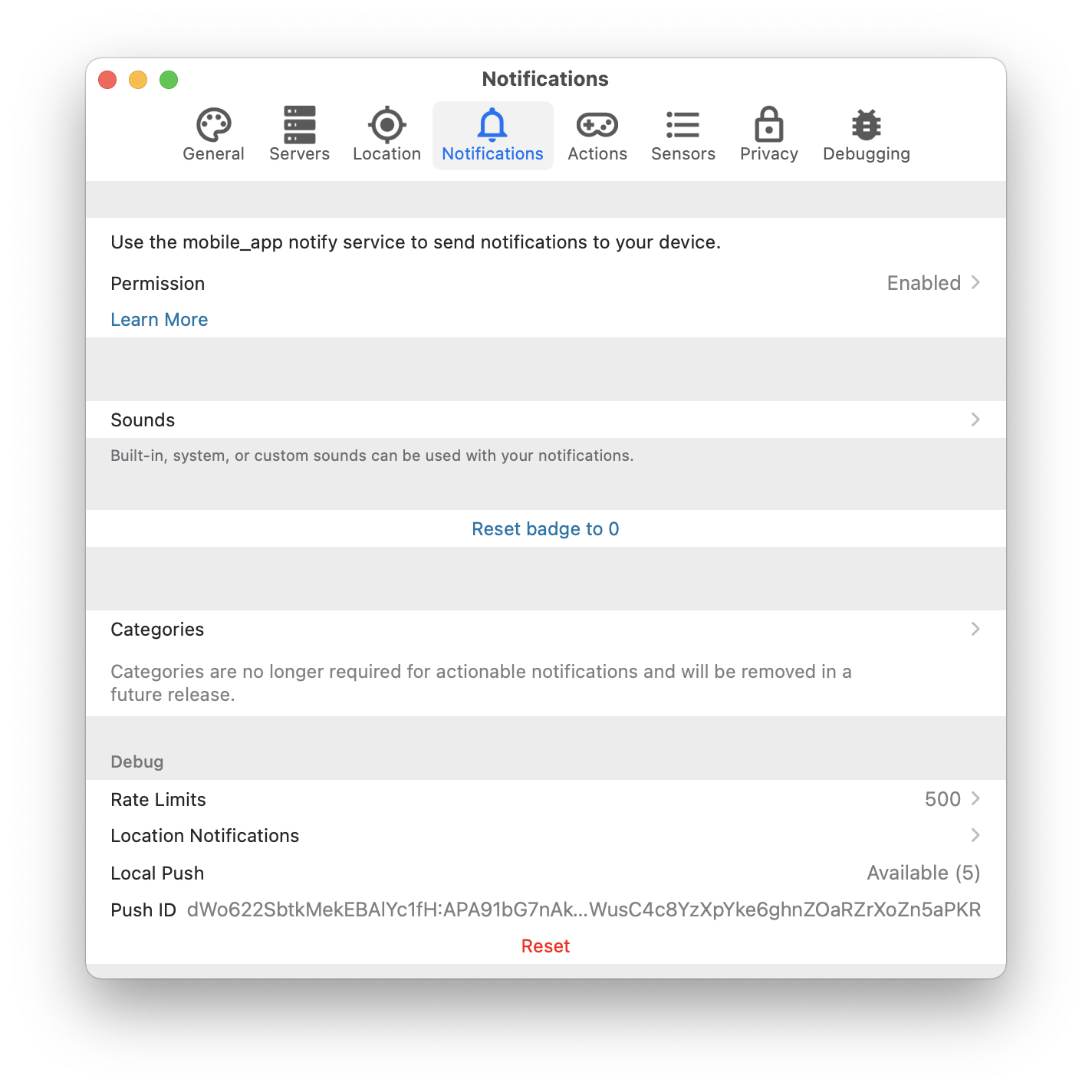
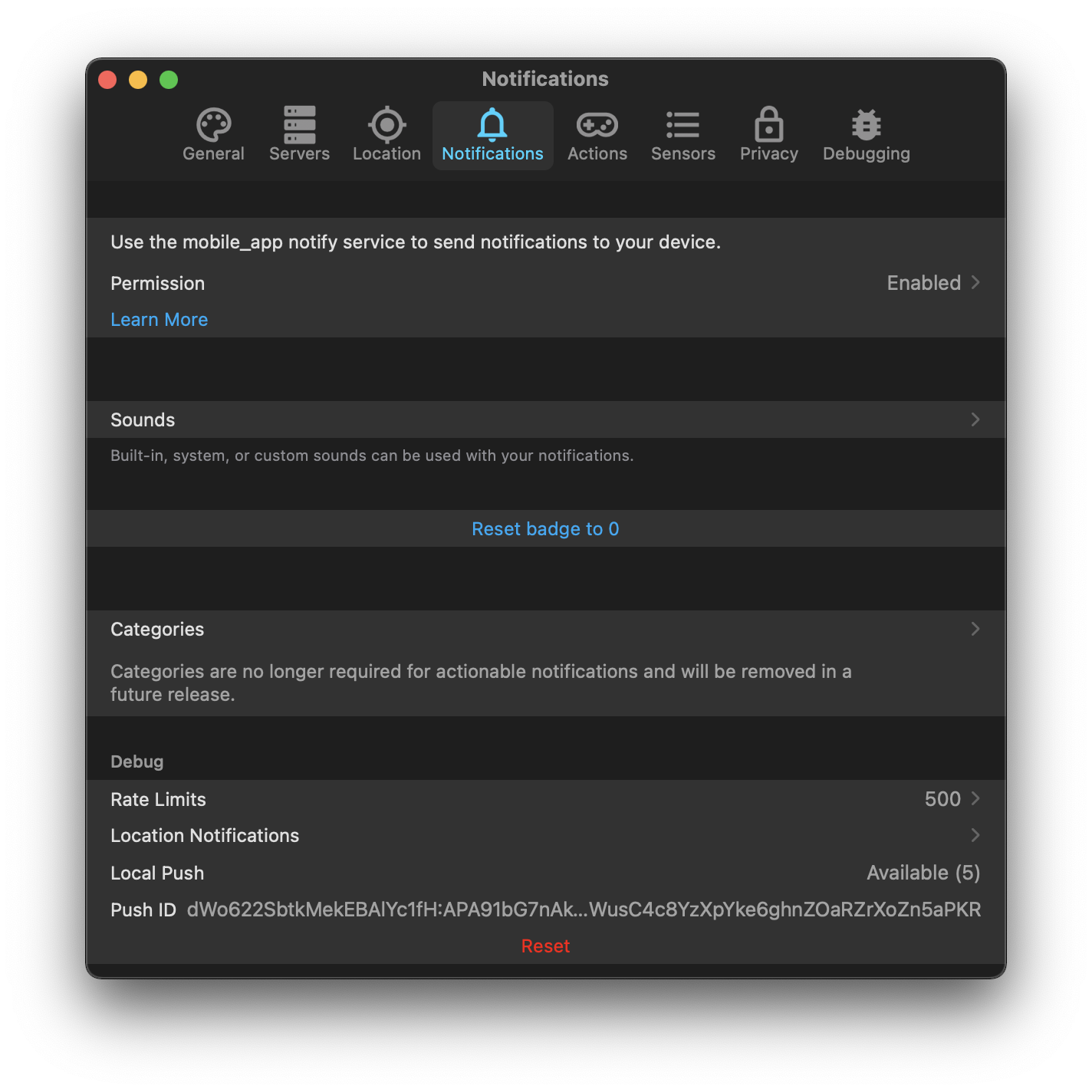
- Shows the state of the local push connectivity in Notifications. With multi-server support, this will probably need to be broken down by server, or moved into the server-specific configurations.

This also sets us up to support encrypted notifications, since we're now able to handle the service call's data without any kind of remote manipulation. Unfortunately Apple declined the entitlement which makes this extremely easy, so we'll still need to handle the "commands are unencrypted" nonsense.
## Summary
Allows attachments to be loaded on-the-fly in the content extension if they are not present.

## Link to pull request in Documentation repository
Documentation: home-assistant/companion.home-assistant#510

## Any other notes
- Adds `lazy` as an option to the `attachment` dictionary. When true, this prevents the attachment from being downloaded except when displayed in the content extension.

This is similar, but not identical, to hide-thumbnail. Hiding the thumbnail still uses the internal storage of the notifications which are limited to e.g. 50mb. However, we'd still want to pre-load those attachments even if the thumbnail is hidden.
- Retries non-lazy attachments which failed due to a network error when the content extension opens.
Fixes#1593.
## Summary
Suffixes the given identifiers with a consistent string, split when sending anywhere.
## Any other notes
Since Android requires an action identifier of 'URI' to open URLs, users may enter more than 1 in the actions array; this fixes using just the first matching identifier.
Depends on home-assistant/mobile-apps-fcm-push#47 which allows the actions to be included in the notification data, and also on-the-fly silently sets the category to `DYNAMIC` which this requires.
## Summary
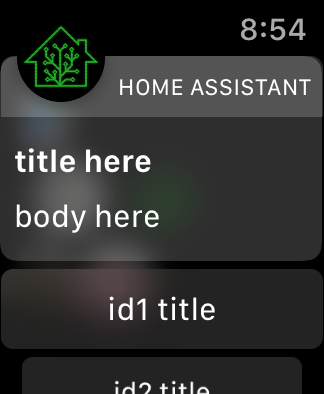
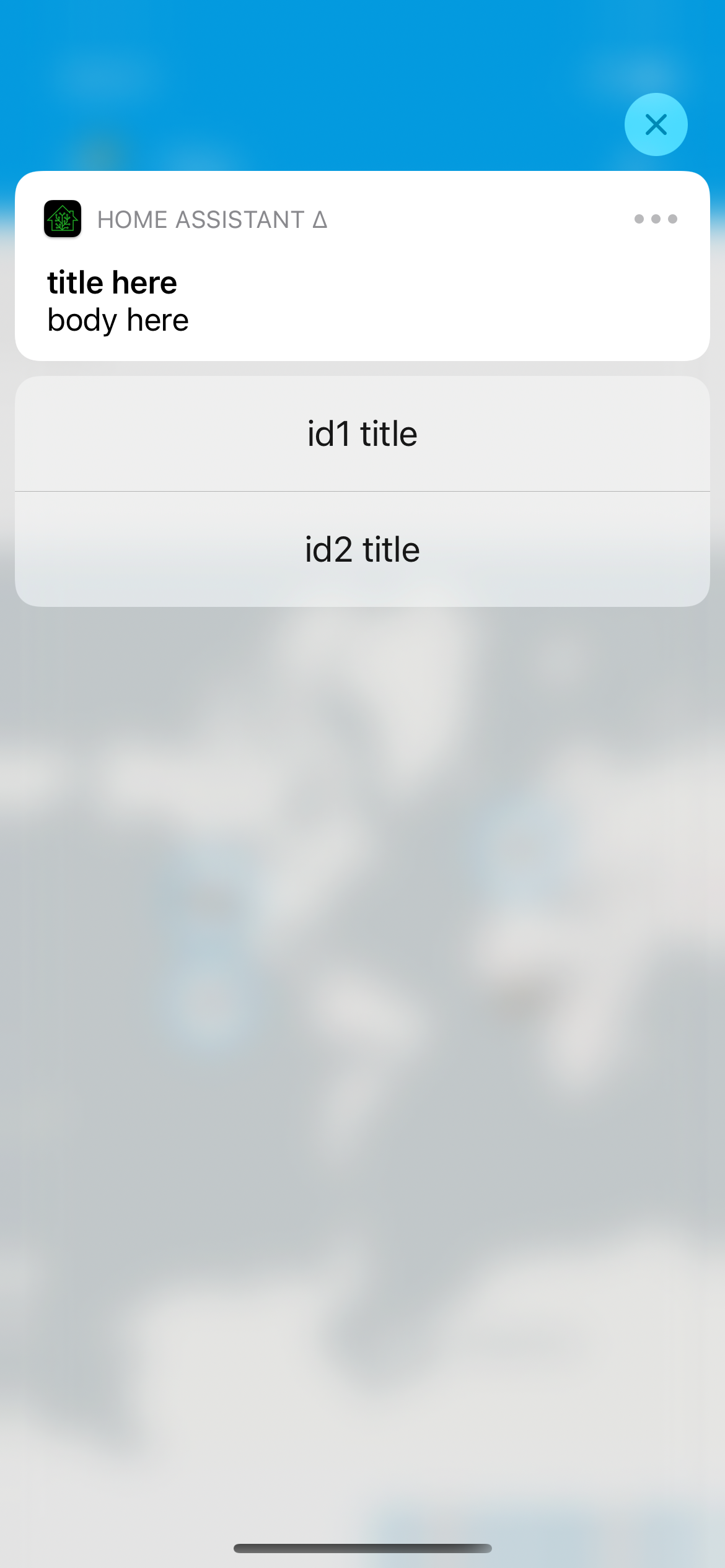
Allows for specifying the actions for a notification on-the-fly without defining a category. This should allow us to make all of the category config and setup unnecessary, so I'll probably consider marking it as deprecated in this release.
## Screenshots
For a notification that looks like…
```yaml
service: notify.mobile_app_iphone
data:
title: title here
message: body here
data:
actions:
- action: "id1"
title: "id1 title"
# this mirrors the action definition in yaml now, it just _also_ supports what android
- identifier: "id2"
title: "id2 title"
```
## Link to pull request in Documentation repository
- Documentation: home-assistant/companion.home-assistant#496
## Any other notes
- Dynamic actions are visual - we provide custom UI on both iOS and watchOS for the additional actions, which does require we run the app on the given platform; for example, this doesn't yet work on macOS [I need to figure out how to make Catalyst notification content work, if it is] and if you uninstall the watch app these actions will not show up.
- Allows `map` and `camera`-esque notification content on any category. In other words, if you send a notification with `map` it'll still prefer the camera `entity_id` if present. This is largely to continue in the direction of making category deprecated; as long as the content extension launches, it'll figure out what to display.
All of the normal action configuration is allowed in these actions:
- action or identifier
- title
- authenticationRequired (default: false)
- behavior (default: default, aka not textinput)
- activationMode (default: background)
- destructive (default: false)
- textInputButtonTitle (default: nil)
- textInputPlaceholder (default: nil)
Some additional things occur to match existing Android functionality:
- `uri` (or `url`) being provided in the action makes it a 'foreground' action
- action/identifier of `REPLY` changes the behavior to textinput
- `mobile_app_notification_action` is now fired with data that looks like theirs:
```
Sending action: mobile_app_notification_action
payload: ["action": "REPLY", "reply_text": "Reply text"]
```
and
```
Sending action: mobile_app_notification_action
payload: ["action": "id1"]
```
Adds new fastlane lanes:
- `fastlane lint` which checks the linters
- `fastlane autocorrect` which applies the linters which can autocorrect (Rubocop, SwiftFormat)

Adds a build step to the Codegen abstract target which runs SwiftFormat in lint mode, pointing out what it's going to change when run.

Applies SwiftFormat to nearly all code -- exempts a few externally-sourced files and generated code.
## Summary
- Refactors notification attachment into smaller units. Adds tests.
- Adds an image attachment with whatever the error reason is when an attachment fails to download.
- Adds a Shared framework scheme which can run just its tests. It's a bit faster than doing the whole app which has a lot of extensions and watchOS targets.
## Screenshots

## Any other notes
This does not (yet?) create the error images for the service timeout. Not sure how relevant that may end up. I haven't yet come across a case of this happening in logs and being confusing.
This is somewhat in prep of being able to make the project file generated, but also just organizes things into more concrete directory structures.

This pulls out _all_ of the build settings from the root level, and most from the target level, into xcconfigs.

The new directory structure looks like:

- Sources
  - App
    - (everything from HomeAssistant/)
  - WatchApp
  - Shared
  - MacBridge
  - Extensions
    - Intents
    - NotificationContent
    - NotificationService
    - Share
    - Today
    - Watch
    - Widgets
- Tests
  - App
  - UI
  - Shared

Somewhat intentionally, the file structure under these is not yet standardized/organized.

The project targets are now:

- App
- WatchApp
- Shared-iOS
- Shared-watchOS
- MacBridge
- Tests-App
- Tests-UI
- Tests-Shared
- Extension-Intents
- Extension-NotificationContent
- Extension-NotificationService
- Extension-Share
- Extension-Today
- Extension-Widget
- WatchExtension-Watch

This does not yet clean up resources vs. sources, nor does it handle some of the "it's in Sources/App but it's part of Shared" crossover directory issues.