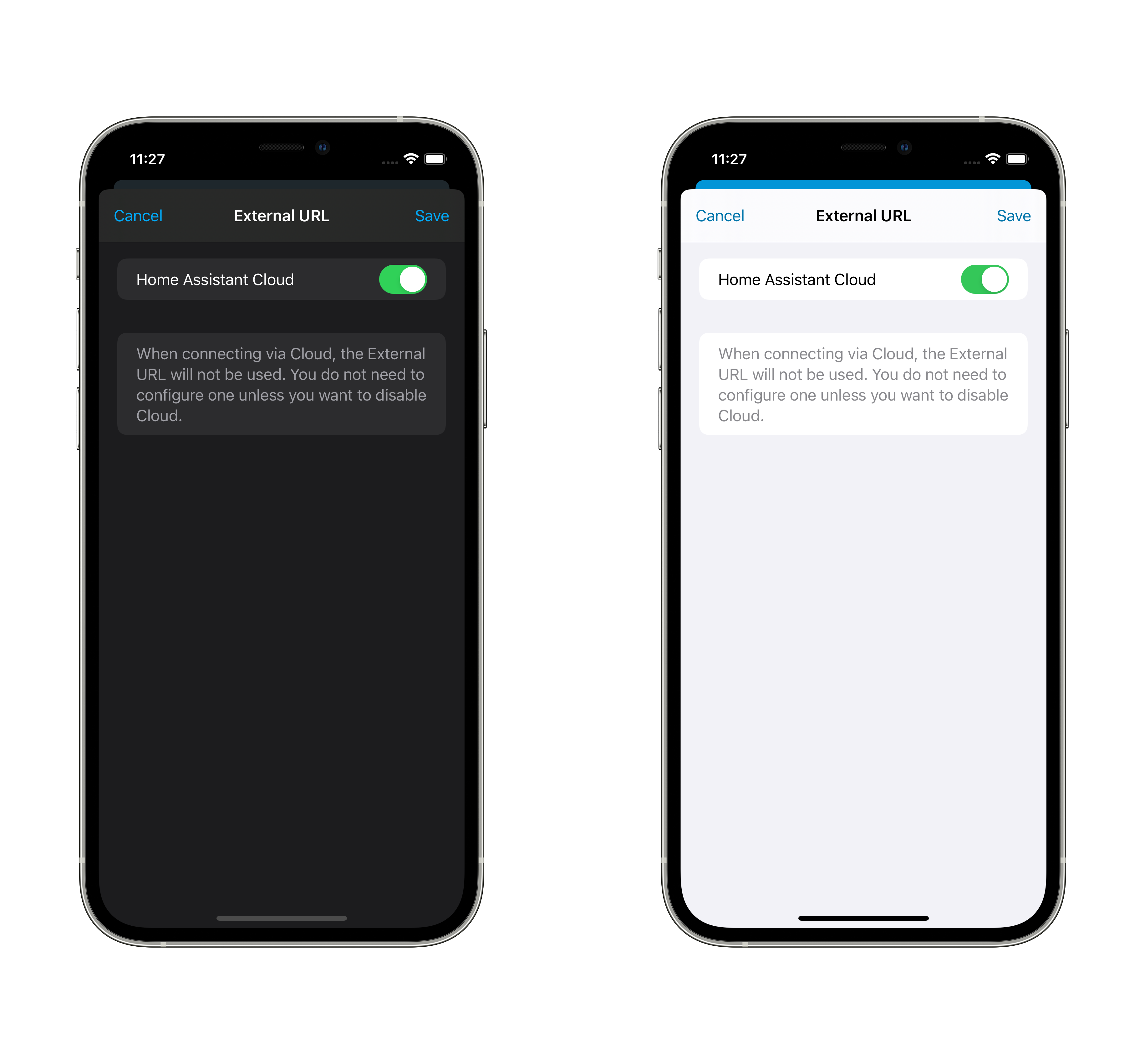
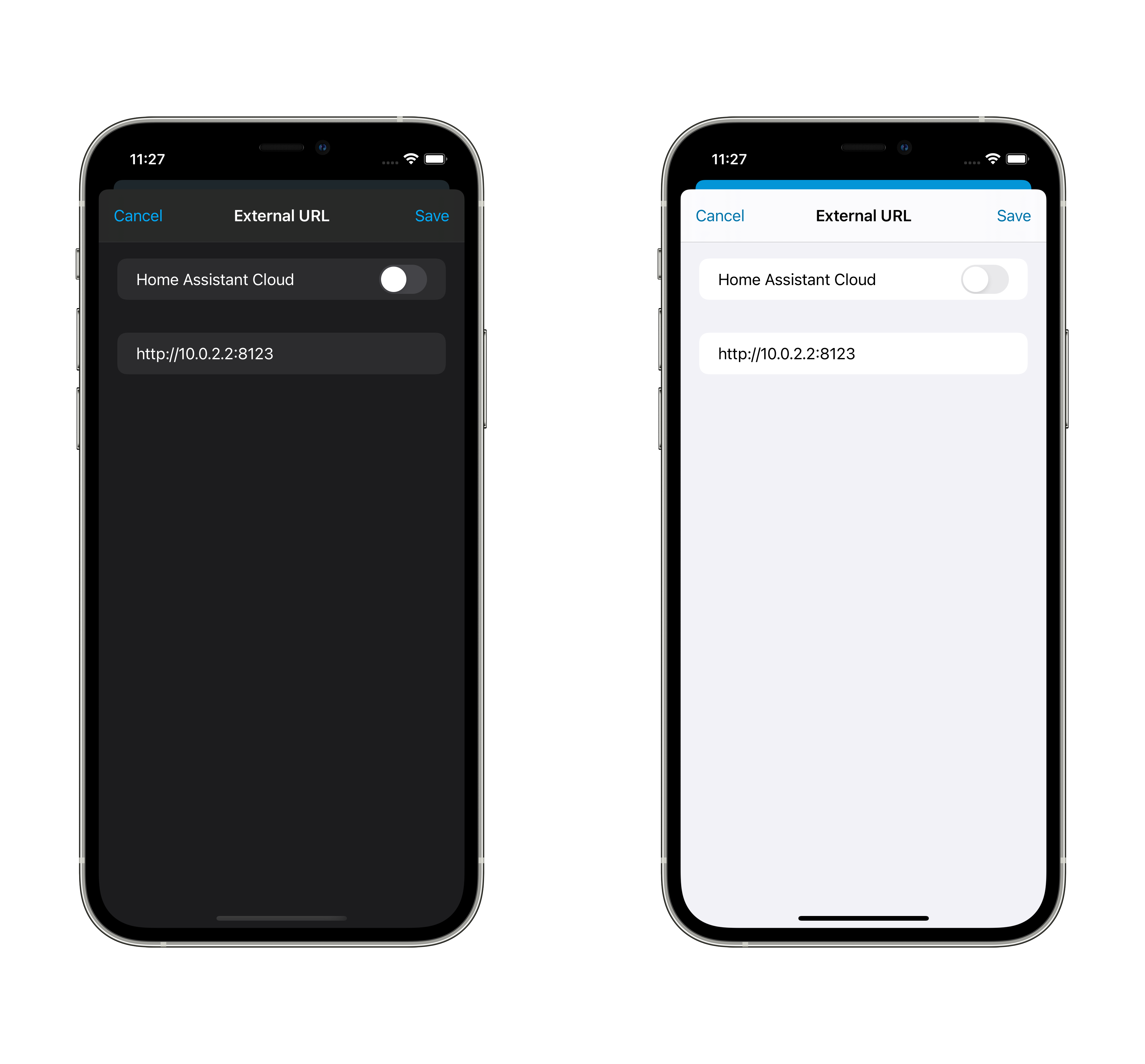
<!-- Thank you for submitting a Pull Request and helping to improve Home
Assistant. Please complete the following sections to help the processing
and review of your changes. Please do not delete anything from this
template. -->

## Summary
<!-- Provide a brief summary of the changes you have made and most
importantly what they aim to achieve -->

## Screenshots
<!-- If this is a user-facing change not in the frontend, please include
screenshots in light and dark mode. -->
<img width="2360" height="1640" alt="Simulator Screenshot - iPad Air
11-inch (M3) - 2026-01-21 at 13 27 07"
src="https://github.com/user-attachments/assets/1f7aac7c-2b1b-4252-b81d-e2ca27c40700"
/>

## Link to pull request in Documentation repository
<!-- Pull requests that add, change or remove functionality must have a
corresponding pull request in the Companion App Documentation repository
(https://github.com/home-assistant/companion.home-assistant). Please add
the number of this pull request after the "#" -->
Documentation: home-assistant/companion.home-assistant#

## Any other notes
<!-- If there is any other information of note, like if this Pull
Request is part of a bigger change, please include it here. -->

---------

Co-authored-by: Copilot <175728472+Copilot@users.noreply.github.com>
<!-- Thank you for submitting a Pull Request and helping to improve Home
Assistant. Please complete the following sections to help the processing
and review of your changes. Please do not delete anything from this
template. -->

## Summary
<!-- Provide a brief summary of the changes you have made and most
importantly what they aim to achieve -->

## Screenshots
<!-- If this is a user-facing change not in the frontend, please include
screenshots in light and dark mode. -->

## Link to pull request in Documentation repository
<!-- Pull requests that add, change or remove functionality must have a
corresponding pull request in the Companion App Documentation repository
(https://github.com/home-assistant/companion.home-assistant). Please add
the number of this pull request after the "#" -->
Documentation: home-assistant/companion.home-assistant#

## Any other notes
<!-- If there is any other information of note, like if this Pull
Request is part of a bigger change, please include it here. -->
<!-- Thank you for submitting a Pull Request and helping to improve Home
Assistant. Please complete the following sections to help the processing
and review of your changes. Please do not delete anything from this
template. -->

## Summary
<!-- Provide a brief summary of the changes you have made and most
importantly what they aim to achieve -->

## Screenshots
<!-- If this is a user-facing change not in the frontend, please include
screenshots in light and dark mode. -->

## Link to pull request in Documentation repository
<!-- Pull requests that add, change or remove functionality must have a
corresponding pull request in the Companion App Documentation repository
(https://github.com/home-assistant/companion.home-assistant). Please add
the number of this pull request after the "#" -->
Documentation: home-assistant/companion.home-assistant#

## Any other notes
<!-- If there is any other information of note, like if this Pull
Request is part of a bigger change, please include it here. -->
<!-- Thank you for submitting a Pull Request and helping to improve Home
Assistant. Please complete the following sections to help the processing
and review of your changes. Please do not delete anything from this
template. -->

## Summary
<!-- Provide a brief summary of the changes you have made and most
importantly what they aim to achieve -->

## Screenshots
<!-- If this is a user-facing change not in the frontend, please include
screenshots in light and dark mode. -->

## Link to pull request in Documentation repository
<!-- Pull requests that add, change or remove functionality must have a
corresponding pull request in the Companion App Documentation repository
(https://github.com/home-assistant/companion.home-assistant). Please add
the number of this pull request after the "#" -->
Documentation: home-assistant/companion.home-assistant#

## Any other notes
<!-- If there is any other information of note, like if this Pull
Request is part of a bigger change, please include it here. -->
This adds back a warning about the internal URL usage.
User needs to provide location permission "Always" so the App is able to
determine if the internal URL should be used or not, which also prevent
wrong usage on public network.

Within this warning there is also an option to disregard this security
concern and always use the internal URL when no other URL is available
at that moment.
…learly

<!-- Thank you for submitting a Pull Request and helping to improve Home
Assistant. Please complete the following sections to help the processing
and review of your changes. Please do not delete anything from this
template. -->

## Summary
<!-- Provide a brief summary of the changes you have made and most
importantly what they aim to achieve -->

## Screenshots
<!-- If this is a user-facing change not in the frontend, please include
screenshots in light and dark mode. -->

## Link to pull request in Documentation repository
<!-- Pull requests that add, change or remove functionality must have a
corresponding pull request in the Companion App Documentation repository
(https://github.com/home-assistant/companion.home-assistant). Please add
the number of this pull request after the "#" -->
Documentation: home-assistant/companion.home-assistant#

## Any other notes
<!-- If there is any other information of note, like if this Pull
Request is part of a bigger change, please include it here. -->
<!-- Thank you for submitting a Pull Request and helping to improve Home
Assistant. Please complete the following sections to help the processing
and review of your changes. Please do not delete anything from this
template. -->
## Summary
<!-- Provide a brief summary of the changes you have made and most
importantly what they aim to achieve -->
Since we don't fallback to internal URL anymore for security reasons,
this PR adds a toggle to allow fallbacking in case the user really needs
it (with a warning before enabling).
## Screenshots
<!-- If this is a user-facing change not in the frontend, please include
screenshots in light and dark mode. -->

## Link to pull request in Documentation repository
<!-- Pull requests that add, change or remove functionality must have a
corresponding pull request in the Companion App Documentation repository
(https://github.com/home-assistant/companion.home-assistant). Please add
the number of this pull request after the "#" -->
Documentation: home-assistant/companion.home-assistant#
## Any other notes
<!-- If there is any other information of note, like if this Pull
Request is part of a bigger change, please include it here. -->
<!-- Thank you for submitting a Pull Request and helping to improve Home
Assistant. Please complete the following sections to help the processing
and review of your changes. Please do not delete anything from this
template. -->

## Summary
<!-- Provide a brief summary of the changes you have made and most
importantly what they aim to achieve -->

## Screenshots
<!-- If this is a user-facing change not in the frontend, please include
screenshots in light and dark mode. -->

## Link to pull request in Documentation repository
<!-- Pull requests that add, change or remove functionality must have a
corresponding pull request in the Companion App Documentation repository
(https://github.com/home-assistant/companion.home-assistant). Please add
the number of this pull request after the "#" -->
Documentation: home-assistant/companion.home-assistant#

## Any other notes
<!-- If there is any other information of note, like if this Pull
Request is part of a bigger change, please include it here. -->
<!-- Thank you for submitting a Pull Request and helping to improve Home
Assistant. Please complete the following sections to help the processing
and review of your changes. Please do not delete anything from this
template. -->

## Summary
<!-- Provide a brief summary of the changes you have made and most
importantly what they aim to achieve -->

## Screenshots
<!-- If this is a user-facing change not in the frontend, please include
screenshots in light and dark mode. -->

## Link to pull request in Documentation repository
<!-- Pull requests that add, change or remove functionality must have a
corresponding pull request in the Companion App Documentation repository
(https://github.com/home-assistant/companion.home-assistant). Please add
the number of this pull request after the "#" -->
Documentation: home-assistant/companion.home-assistant#

## Any other notes
<!-- If there is any other information of note, like if this Pull
Request is part of a bigger change, please include it here. -->
<!-- Thank you for submitting a Pull Request and helping to improve Home
Assistant. Please complete the following sections to help the processing
and review of your changes. Please do not delete anything from this
template. -->

## Summary
<!-- Provide a brief summary of the changes you have made and most
importantly what they aim to achieve -->

To avoid using internal URL out of local network, this PR makes
"activeURL" optional, and it will not use internalURL when out of local
network.

Tested the internal/external logic on:
- iPhone
- iPad
- Mac
- Watch
- Shortcuts
- Notifications
- Widgets

For VPN users, they have to set external URL the same as internal URL to
have their setup working.

Pending:
- [x] Verify all edge cases where "guard let" were added
- [ ] Enforce SSID to use internal URL in the App

Next possible iteration:
- Add noise protocol between app and server to make http connections
secure

## Screenshots
<!-- If this is a user-facing change not in the frontend, please include
screenshots in light and dark mode. -->
<img width="1154" alt="Screenshot 2024-05-13 at 11 46 47"
src="https://github.com/home-assistant/iOS/assets/5808343/7ea634cc-382b-49c2-ab64-a218f996452e">

## Link to pull request in Documentation repository
<!-- Pull requests that add, change or remove functionality must have a
corresponding pull request in the Companion App Documentation repository
(https://github.com/home-assistant/companion.home-assistant). Please add
the number of this pull request after the "#" -->
Documentation: home-assistant/companion.home-assistant#

## Any other notes
<!-- If there is any other information of note, like if this Pull
Request is part of a bigger change, please include it here. -->
## Summary
Swift lint and swiftformat are outdated. This PR does update those +
applies the new formatting form swiftformat.
There is 1 swift file with a manual change:
`Sources/Vehicle/Templates/Areas/CarPlayAreasViewModel.swift`. This is
done because `swiftlint` did create the following swiftlint error:
`error: Cyclomatic Complexity Violation: Function should have complexity
10 or less; currently complexity is 11 (cyclomatic_complexity)`.

Because it does change a lot of files the question is if we want to
finetune the `swiftformat` rules.

## Screenshots
No user facing changes.

## Link to pull request in Documentation repository
NA

## Any other notes
NA
<!-- Thank you for submitting a Pull Request and helping to improve Home
Assistant. Please complete the following sections to help the processing
and review of your changes. Please do not delete anything from this
template. -->

## Summary
<!-- Provide a brief summary of the changes you have made and most
importantly what they aim to achieve -->
Drop support for iOS 12 and 13.

## Screenshots
<!-- If this is a user-facing change not in the frontend, please include
screenshots in light and dark mode. -->

## Link to pull request in Documentation repository
<!-- Pull requests that add, change or remove functionality must have a
corresponding pull request in the Companion App Documentation repository
(https://github.com/home-assistant/companion.home-assistant). Please add
the number of this pull request after the "#" -->
Documentation: home-assistant/companion.home-assistant#

## Any other notes
<!-- If there is any other information of note, like if this Pull
Request is part of a bigger change, please include it here. -->
## Summary
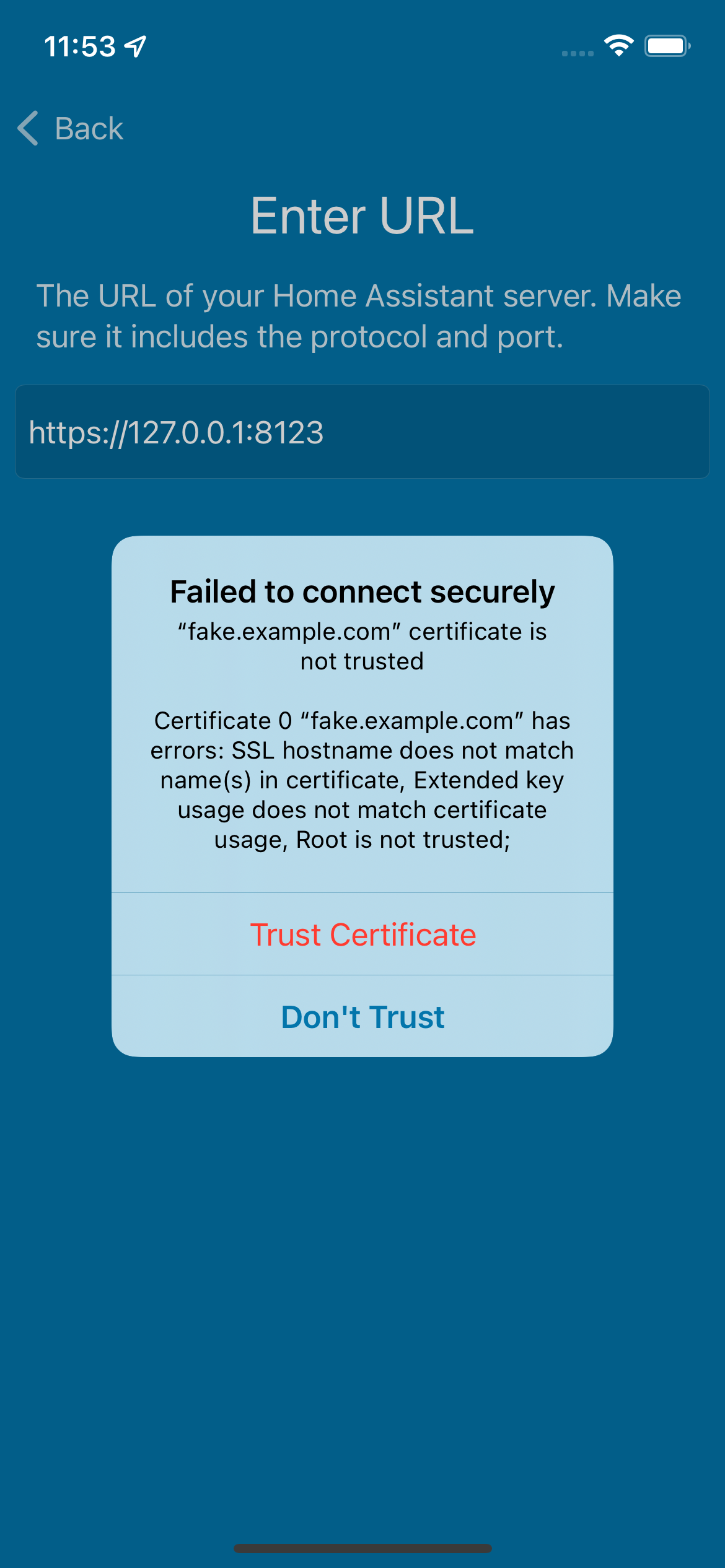
During onboarding, allow trusting an invalid certificate chain for most features of the app.

## Screenshots
<img src="https://user-images.githubusercontent.com/74188/170773293-14eeb3fb-2e54-42a5-b6c6-8b07c792ea24.png" width="300">

## Link to pull request in Documentation repository
<!-- Pull requests that add, change or remove functionality must have a corresponding pull request in the Companion App Documentation repository (https://github.com/home-assistant/companion.home-assistant). Please add the number of this pull request after the "#" -->
Documentation: home-assistant/companion.home-assistant#

## Any other notes
Future changes necessary:
- Trusting certificates if an error occurs while the app is running
- Trusting certificates when configuring internal/external URLs
Refs home-assistant/core#67429.

## Summary
Fixes the logic for decryption to use the full key, rather than half of it, when decoding/encoding the additional encryption we use for webhooks only.

## Any other notes
This encryption is largely superfluous in the era of Let's Encrypt's dominance, but we're going to be reusing it for end-to-end encrypted notifications.
Fixes#1918.
## Summary
During initial onboarding (or even after the fact), we don't have permission to read SSID values due to Location permission occurring later. When only an internal URL was set, we were falling back to homeassistant.local.:8123 which is possibly not valid, rather than using the one we slurped from discovery info.
## Any other notes
Manually entering a URL worked here because it sets the value as 'external URL' which didn't have this issue.
## Summary
Fixes receiving "Alamofire.AFError 9" with a response status code of 404 during onboarding when a URL like `http://192.168.1.3:8123/` (with trailing slash) is provided.

## Any other notes
The real crux of this issue is that ConnectionInfo strips it, but the connectivity check in onboarding does not, giving us a URL like `http://92.168.1.3:8123//auth/authorize` which errors with a status code of 404.
Fixes a crash where activeURL stack overflows itself when overriding active URL type without sufficient location privacy permission.

## Summary
Pulls the ConnectionInfo activeURL changes from multi-server back to 2021.11.

## Screenshots
<!-- If this is a user-facing change not in the frontend, please include screenshots in light and dark mode. -->

## Link to pull request in Documentation repository
<!-- Pull requests that add, change or remove functionality must have a corresponding pull request in the Companion App Documentation repository (https://github.com/home-assistant/companion.home-assistant). Please add the number of this pull request after the "#" -->
Documentation: home-assistant/companion.home-assistant#

## Any other notes
<!-- If there is any other information of note, like if this Pull Request is part of a bigger change, please include it here. -->
- Updates several dependencies
- Removes Lokalise -- if we can't do it on Catalyst, it doesn't feel worth it to do it elsewhere
- Migrates the NotificationTestCases from a Podspec that keeps having issues to a fastlane script which copies in the latest ones
Fixes#380. Fixes#1794. Fixes#350. Fixes#722.
## Summary
- Pulls all of the onboarding steps out of segue-based storyboards and into code.
- Merges authentication with scanning/manual, reducing steps in auth.
- Removes the "checklist" final screen.
- Supports going 'back' through onboarding steps, e.g. an error after entering a URL.
- Moves permissions from an opt-in "which would you like?" to a required "you must accept/decline this permission" for each permission. See notes below for why.
- Removes the team migration warning from last year.
- Adds landscape & dynamic type support to onboarding. I didn't bother to make the DT do live-updating though.
- Fills in internal & external URL, sets active SSID if possible after location permission.
- Connects to internal URL from discovery instead of base (external) URL.
- Allows onboarding to a server which requests, but does not require, client certificates.
- Allows starting Onboarding skipping the Welcome screen, connects this to the 'add server' row in app configuration when in debug mode.
- Stops calling api/discovery_info for testing connectivity.
- Handles Bonjour updates and removals in the scanning screen.
## Any other notes
Apple is actively blocking 2021.10 (only on iOS) because of an unwritten part of [rule 5.1.1](https://developer.apple.com/app-store/review/guidelines/#5.1.1), saying:
> **Guideline 5.1.1 - Legal - Privacy - Data Collection and Storage**
>
> We noticed your app encourages or directs users to allow the app to access the location. Specifically, your app directs the user to grant permission in the following way(s):
>
> - A message appears before the permission request, and the user can close the message and delay the permission request with the "Continue" button. The user should always proceed to the permission request after the message.
>
> Permission requests give users control of their personal information. It is important to respect their decision about how their data is used.
This is of course referring to our screen which looks like this:
<img width="200" src="https://user-images.githubusercontent.com/74188/136716566-349558d4-d343-4ede-acd6-83b4e66742bc.png">
I love that they're cherry-picking the location part of this when we allow users to do a number of things on this screen. I believe the part of 5.1.1 that they are alluding to here is:
> (iv) Access: Apps must respect the user’s permission settings and not attempt to manipulate, trick, or force people to consent to unnecessary data access. For example, apps that include the ability to post photos to a social network must not also require microphone access before allowing the user to upload photos. Where possible, provide alternative solutions for users who don’t grant consent. For example, if a user declines to share Location, offer the ability to manually enter an address.
They do link to the Human Interface Guidelines' [Accessing User Data](https://developer.apple.com/design/human-interface-guidelines/ios/app-architecture/accessing-user-data/) whose section "Displaying Custom Messaging Before the Alert" says:
> **Make it clear that opening the system alert is the only action people can take in your custom-messaging screen.** People can interpret a pre-alert message as a delaying tactic, so it’s critical to let them quickly dismiss the message and view the system alert. If you display a custom screen that precedes a privacy-related permission request, it must offer only one action, which must display the system alert. Use a word like "Continue" to title the action; don’t use "Allow" or other terms that might make people think they’re granting their permission or performing other actions within your custom screen.
I do not believe that we're showing a pre-alert message since we're showing numerous options and allowing the user to pick and choose. Oh well. This new onboarding has improvements in other ways, and maybe is _more_ clear about permissions and what they do, so lemons into lemonade I guess.
Refs #1570 and home-assistant/core#50750. Fixes#1382.
## Summary
Adds a new app extension to do local push notifications on iOS 14 when connected to internal SSIDs.
## Screenshots
Adds a default-on setting to Internal URL:
| Light | Dark |
| -- | -- |
|  |  |
## Link to pull request in Documentation repository
Documentation: home-assistant/companion.home-assistant#539
## Any other notes
- Updates the "you need always permission" warning in Internal URL editing to be vibrantly red, to really point out its importance.
- Sets the code signing for the app and the push target to 'manual' on device, hopefully for our internal team only. Special entitlements really do not play well with open source. Worth noting that it is not possible to test this feature without being on the HA team since it does not work in simulator (as far as I can tell) and running on-device requires entitlements.
- Moves commands into Shared in a slightly-easier registration mechanism, so we can share them in the local push extension.
Adds new fastlane lanes:
- `fastlane lint` which checks the linters
- `fastlane autocorrect` which applies the linters which can autocorrect (Rubocop, SwiftFormat)

Adds a build step to the Codegen abstract target which runs SwiftFormat in lint mode, pointing out what it's going to change when run.

Applies SwiftFormat to nearly all code -- exempts a few externally-sourced files and generated code.
Fixes#1353.
## Summary
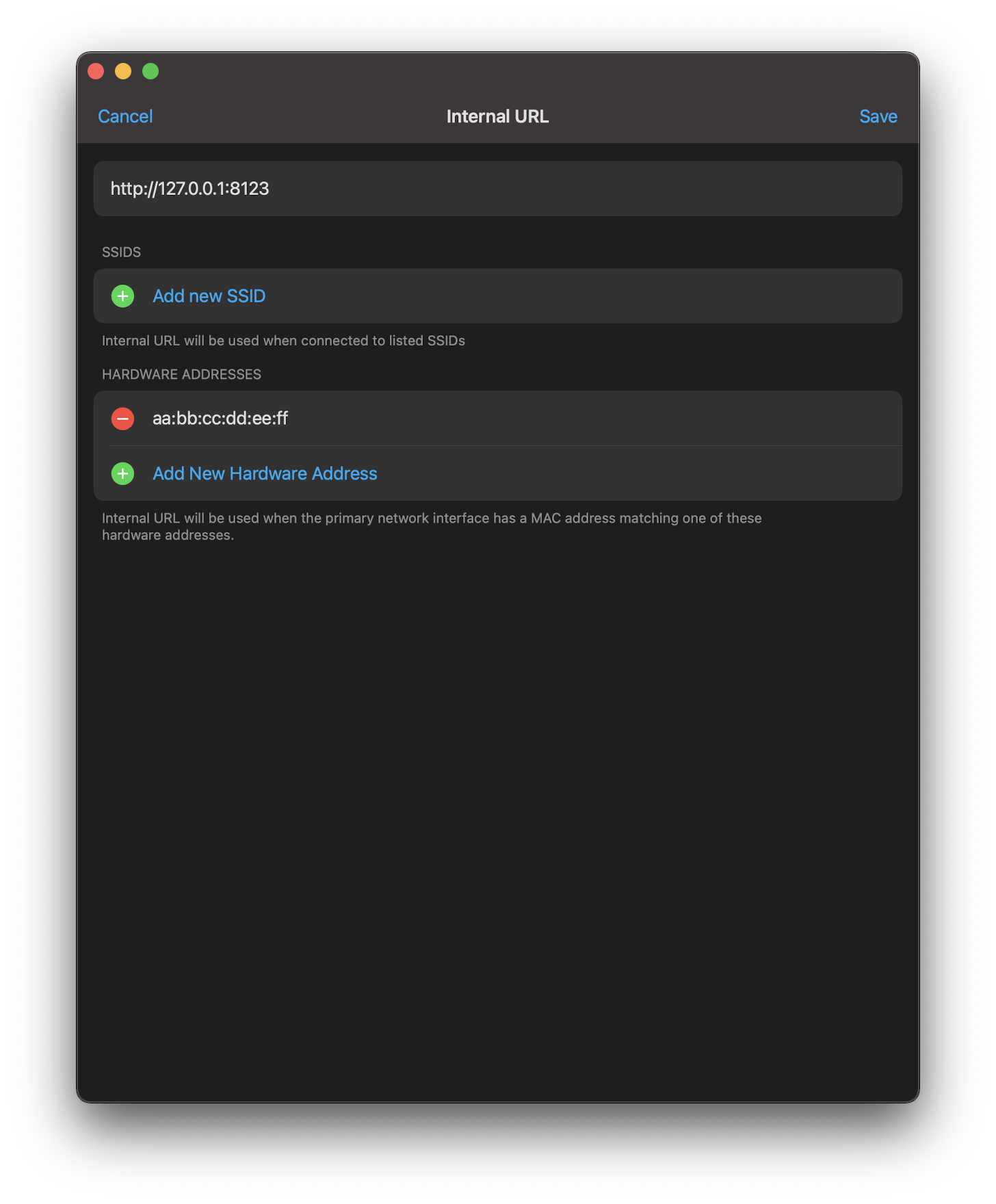
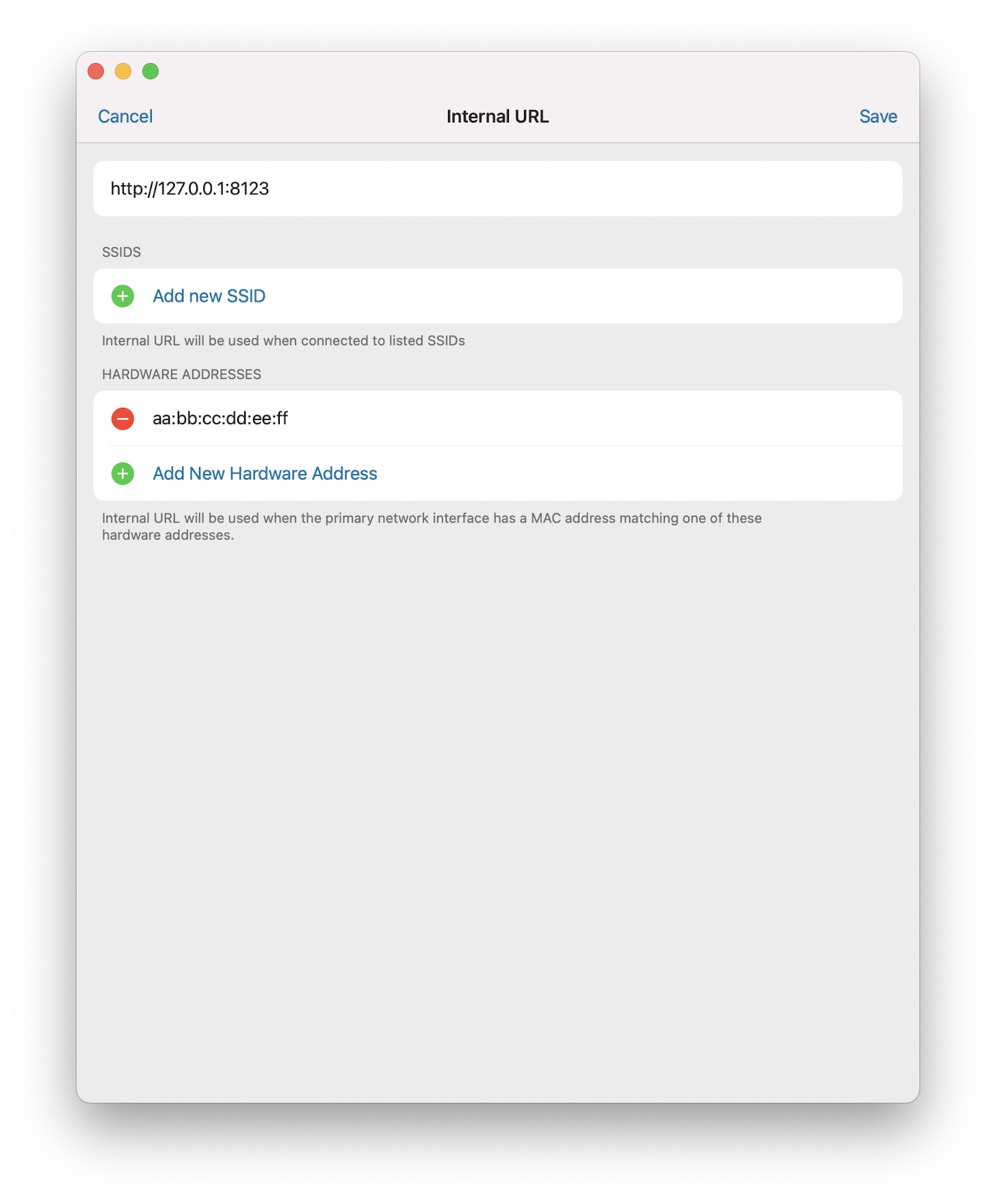
This allows you to use a docked ethernet adapter as the thing to decide whether you are currently internal. This will help hardware without Wi-Fi or with Wi-Fi disabled to use the feature.
## Screenshots
<img width="400" alt="Screen Shot 2021-01-12 at 20 26 28" src="https://user-images.githubusercontent.com/74188/104407176-df106580-5515-11eb-82a0-2b5d4eb23694.png"><img width="400" alt="Screen Shot 2021-01-12 at 20 26 23" src="https://user-images.githubusercontent.com/74188/104407181-e0da2900-5515-11eb-9c2c-773c725cb841.png">
## Link to pull request in Documentation repository
<!-- Pull requests that add, change or remove functionality must have a corresponding pull request in the Companion App Documentation repository (https://github.com/home-assistant/companion.home-assistant). Please add the number of this pull request after the "#" -->
Documentation: home-assistant/companion.home-assistant#
## Any other notes
- Removes some "is this internal?" dead code during onboarding. Probably worth doing the internal/external pull in at this point.
- Pulls some of the class method things on ConnectionInfo into the connectivity wrapper in Environment.
Fixes#1300.
## Summary
Updates Alamofire to 5.x and updates how we do authentication adapting and failure retrying.
## Screenshots
n/a
## Link to pull request in Documentation repository
n/a
## Any other notes
- Switches to using `AuthenticationInterceptor` to handle authenticated requests. This has a lot of good things: it's heavily tested, it only executes the refresh one at a time, and it has explicit handling of "this request failed with an _old_ access token" which is the root cause of some logouts in #1300.
- Switches from manually doing retries and backoffs to using `RetryPolicy` which also adds in retries for 5xx errors in addition to all of the URLError-specific logic that it has.
- Updates the apparently-copied-from-`AlamofireObjectMapper` repository for 5.x and removes some old Sodium-based handling that is now part of the Webhook flow, which is separate from Alamofire.
Fixes#1184.
## Summary
This is the same sensor as we send up on iOS except it now bounces between No Connection, Wi-Fi and Ethernet.
## Link to pull request in Documentation repository
Documentation: home-assistant/companion.home-assistant#424
## Any other notes
- `sensor.connection_type` now has an `Ethernet` value and is set up on macOS.
- `sensor.connection_type` gains attributes on macOS: `Name` (the name of the network interface, e.g. `Wi-Fi`) and `Hardware Address` (the MAC address of the interface).
- Adds signaled updates to this (and other network) sensors.
Important to note that, although Ethernet is now added to Connection Type, the Wi-Fi sensors for SSID and BSSID will still report values if any Wi-Fi network device is connected, even if it is not the primary route.
* Move Sentry into Shared, add to all extensions

This gives us crash reporting for extensions that run on the phone and watch.

* Exclude unofficial builds from reporting into Sentry
This moves the 'connection did change' notification from "we moved from internal to external" to "connection info changed in any way." For example, updating the connection settings will cause the WebView to immediately update, rather than requiring a pull-to-refresh.
- We now update the WebView URL and Settings "Connected Via" much more aggressively/reliably. Fixes#339.
- Comparing the 'should we reload?' for the URL now takes into account things like port being different.
This also avoids persisting/notifying ConnectionInfo changes when the values aren't changing. For example, every time we update our registration if it's just staying the same don't bother.
- Combines all .entitlements into either: App-iOS, App-catalyst, WatchApp, Extension-iOS or Extension-catalyst.
- Cleans up and renames all the schemes to match target names
- Moves around several folders and deletes some old files.
- Converts Podfile to be hierarchical, rather than calling shared methods.
- Always runs MaterialDesignIcons script; aborts early if it's up-to-date.
- Updates all dependencies.