GitHub extension problems #1095

Closed
opened 2025-09-10 23:50:07 -05:00 by giteasync · 9 comments
Owner

Originally created by @nclsbayona on GitHub.

Describe the bug
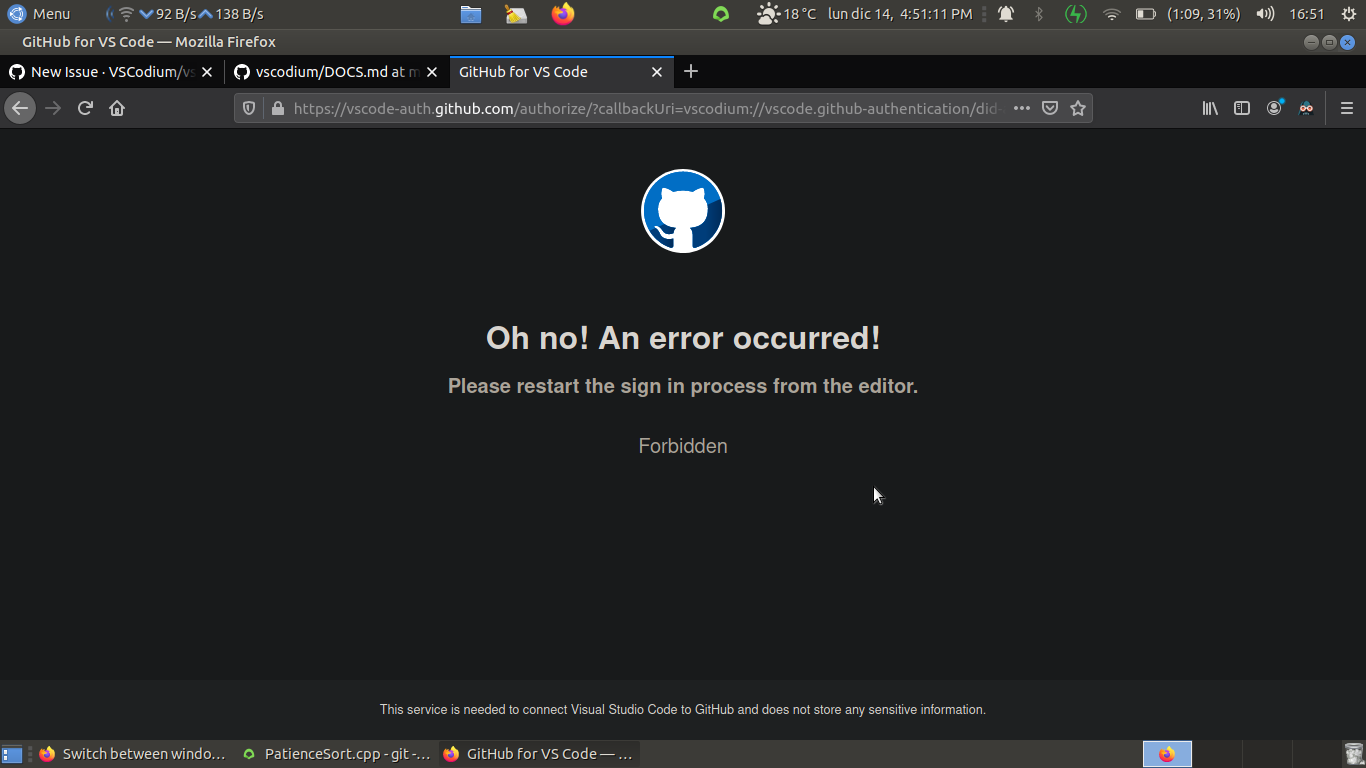
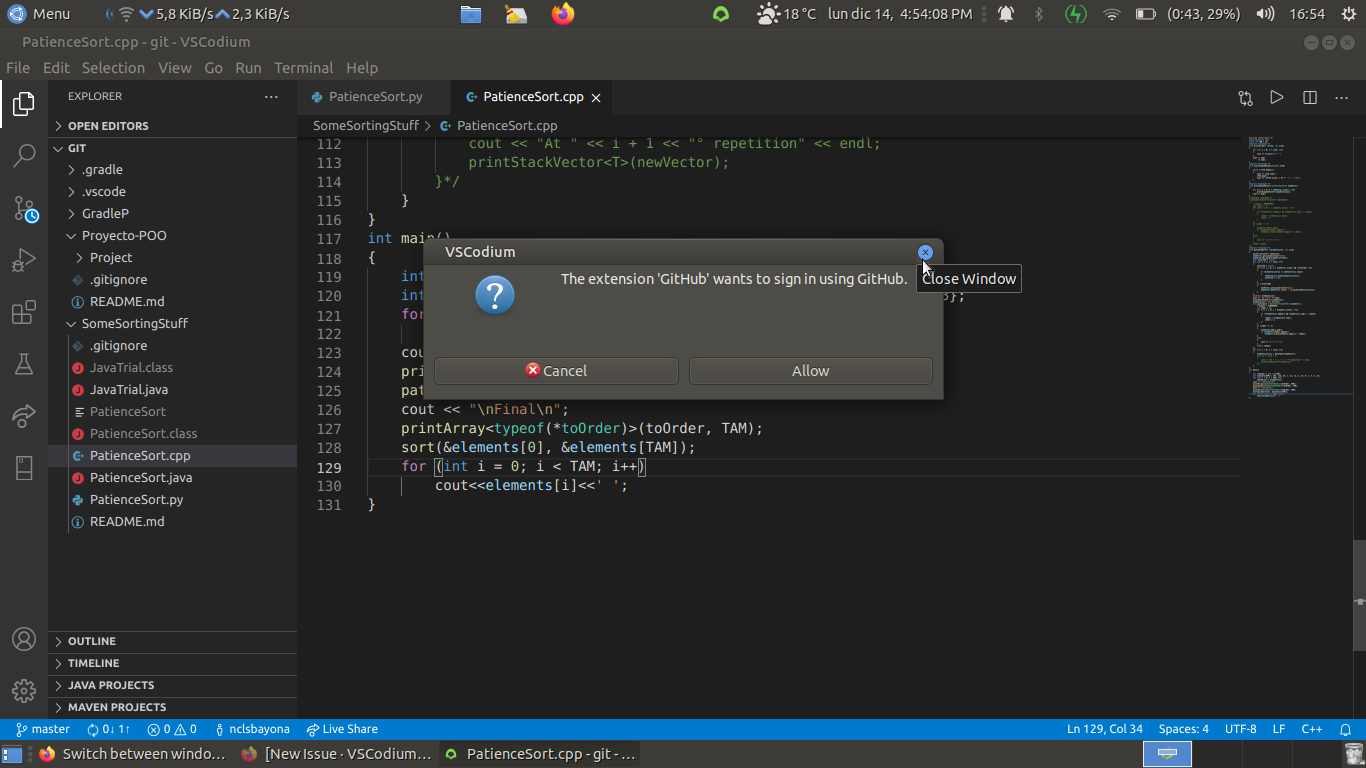
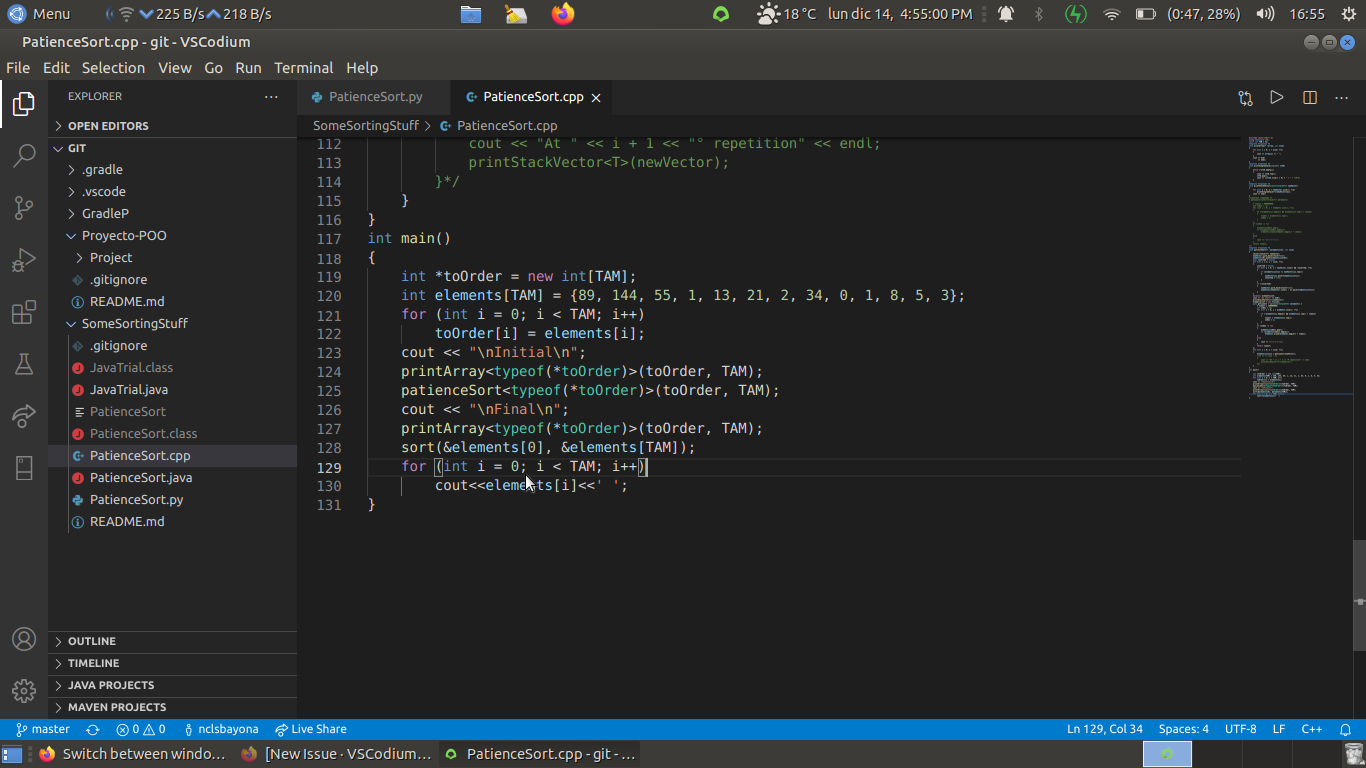
Hey there, I'm not sure this is the correct place to post this, I think it is. The bug I discovered is visible when using GitHub extension, to make commits and that kind of stuff. First, I have to say that trying to sign in using the 'Sign in using Github' option is not really possible, because after completing all fields, it says 'Forbidden' and things like that. So, my solution to avoid this was just closing the pop-up window and signing in from VSCodium in the box that appears at top of the window. It worked, you can use the bottom-left buttons for pushing, fetching, pulling...

With that being said, basically, you have to repeat the sign-in steps every time you want to use the previously mentioned features (push, fetch...)

Please confirm that this problem is VSCodium-specific

  • This bug doesn't happen if I use Microsoft's Visual Studio Code. It only happens in VSCodium.

Please confirm that the issue/resolution isn't already documented

To Reproduce
Steps to reproduce the behavior:

  1. Go to 'VSCodium'
  2. Clone or create a GitHub repo
  3. Create a file
  4. Make your first commit and push it
  5. Change something from the file
  6. Make a second commit
  7. Try to push
  8. See error

Expected behavior
I expected the log-in credentials to be stored, so that I could continue without entering them again

Screenshots
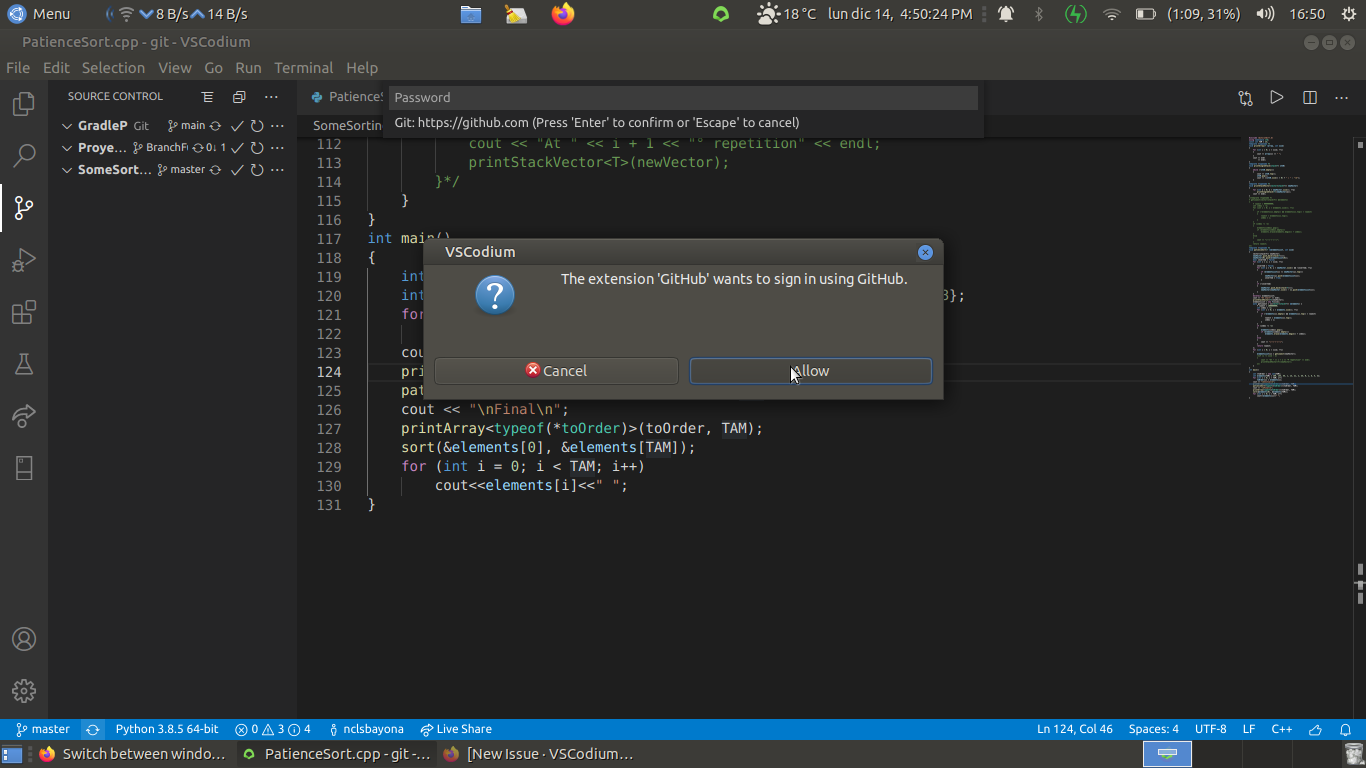
Here is the first window
1
After completing all fields, you get this message
2
What I did was
3
And after you complete fields and do the push
4

However, this still ask for your intervention, which does not happen on vscode.

Desktop (please complete the following information):

  • OS: Ubuntu MATE 20.04
  • Architecture: x64
  • Version: 1.52.0

Additional context
Same with GitLab

Originally created by @nclsbayona on GitHub. **Describe the bug** Hey there, I'm not sure this is the correct place to post this, I think it is. The bug I discovered is visible when using GitHub extension, to make commits and that kind of stuff. First, I have to say that trying to sign in using the 'Sign in using Github' option is not really possible, because after completing all fields, it says 'Forbidden' and things like that. So, my solution to avoid this was just closing the pop-up window and signing in from VSCodium in the box that appears at top of the window. It worked, you can use the bottom-left buttons for pushing, fetching, pulling... With that being said, basically, you have to repeat the sign-in steps every time you want to use the previously mentioned features (push, fetch...) **Please confirm that this problem is VSCodium-specific** - [x] This bug doesn't happen if I use Microsoft's Visual Studio Code. It only happens in VSCodium. **Please confirm that the issue/resolution isn't already documented** - [x] I checked [the Docs page](https://github.com/VSCodium/vscodium/blob/master/DOCS.md) and my issue is not mentioned there. **To Reproduce** Steps to reproduce the behavior: 1. Go to 'VSCodium' 2. Clone or create a GitHub repo 3. Create a file 4. Make your first commit and push it 5. Change something from the file 6. Make a second commit 7. Try to push 8. See error **Expected behavior** I expected the log-in credentials to be stored, so that I could continue without entering them again **Screenshots** Here is the first window ![1](https://user-images.githubusercontent.com/59931437/102140438-3646eb80-3e2d-11eb-85a2-017a9b10f0d5.png) After completing all fields, you get this message ![2](https://user-images.githubusercontent.com/59931437/102140517-4fe83300-3e2d-11eb-9874-1fc2ae0fe32c.png) What I did was ![3](https://user-images.githubusercontent.com/59931437/102140541-5c6c8b80-3e2d-11eb-91db-791110823909.png) And after you complete fields and do the push ![4](https://user-images.githubusercontent.com/59931437/102140575-6ee6c500-3e2d-11eb-911f-13b3c172990f.png) However, this still ask for your intervention, which does not happen on vscode. **Desktop (please complete the following information):** - OS: Ubuntu MATE 20.04 - Architecture: x64 - Version: 1.52.0 **Additional context** Same with GitLab
giteasync added the
bug
label 2025-09-10 23:50:07 -05:00
Author
Owner

@timebotdon commented on GitHub:

Having the same problem here. Thanks for reporting this.

@timebotdon commented on GitHub: Having the same problem here. Thanks for reporting this.
Author
Owner

@AtlasC0R3 commented on GitHub:

seems to be the same issue as #401

Indeed, it is the same problem. or at least, on my side.

@AtlasC0R3 commented on GitHub: > seems to be the same issue as #401 Indeed, it is the same problem. or at least, on my side.
Author
Owner

@daiyam commented on GitHub:

seems to be the same issue as #401

@daiyam commented on GitHub: seems to be the same issue as #401
Author
Owner

@AtlasC0R3 commented on GitHub:

Can confirm this is a VSCodium-related issue (and not a browser one), I've tried going on Chrome instead of Firefox, same problem. Either it is the plugin, either it is the IDE itself.

@AtlasC0R3 commented on GitHub: Can confirm this is a VSCodium-related issue (and not a browser one), I've tried going on Chrome instead of Firefox, same problem. Either it is the plugin, either it is the IDE itself.
Author
Owner

@FarisZR commented on GitHub:

can confirm, i cant log in to github from vscodium

@FarisZR commented on GitHub: can confirm, i cant log in to github from vscodium
Author
Owner

@nclsbayona commented on GitHub:

Yes sir, this works fine

@nclsbayona commented on GitHub: Yes sir, this works fine
Author
Owner

@nclsbayona commented on GitHub:

I was reporting that It doesnt save your credentials

@nclsbayona commented on GitHub: I was reporting that It doesnt save your credentials
Author
Owner

@GitMensch commented on GitHub:

closed as duplicate of #401 - even if it is not a 100% match as it is solved the same way

@GitMensch commented on GitHub: closed as duplicate of #401 - even if it is not a 100% match as it is solved the same way
Author
Owner

@GitMensch commented on GitHub:

@nclsbayona maybe it hasn't stored the token the first time - can you please recheck if the one-time manual process mentioned in #401 solves the "does not store" problem?

If yes I think this should be closed and a docs note be added for this.

@GitMensch commented on GitHub: @nclsbayona maybe it hasn't stored the token the first time - can you please recheck if the one-time manual process mentioned in #401 solves the "does not store" problem? If yes I think this should be closed and a docs note be added for this.
Sign in to join this conversation.
1 Participants
Notifications
Due Date
No due date set.
Dependencies

No dependencies set.

Reference: VSCodium/vscodium#1095
No description provided.